标签 surge 下的文章

我目前的网络配置是自己部署的服务,两台 VPS 一台网络好,另一台流媒体。在 Apple TV 上现在是直接用 TV 版的 Surge 分流。

在 macOS 用 Surge + AdGuard ,在浏览器里看流媒体是没有广告的。我试过把 AdGuard 的 Outbound proxy 配成 Surge 的代理,然后让 Apple TV 直接通过 Gateway 模式把网络连到 mac 上,看 Disney+、HBO 这些服务最便宜的订阅,还是会有广告,但 Peacock 倒是不再有广告了,所以似乎流量是从 AdGuard 那出去了,但对大部分流媒体没起作用?

另外 AdGuard DNS 它检测到看流媒体的 VPS IP 是非家庭宽带,就没法注册设备。

有什么方式能在 Apple TV 上屏蔽掉美区流媒体的广告么?

浏览了社区和 GitHub 上众多的 Surge 配置仓库,我发现一个普遍痛点:配置项冗余且混乱。很多早已废弃的参数、默认即可的开关、甚至相互冲突的规则被盲目复制粘贴,对于追求极致整洁的强迫症患者来说,阅读这些配置文件简直是一种折磨。

为此,我决定重构一份 “反熵增” 的配置清单。

核心原则:如无必要,勿增实体。

  1. 剔除默认值:如果 Surge 的默认行为已经合理,绝不显式写入配置文件。
  2. 拒绝无效参数:清理死代码和过时配置(如 VIF 模式下的 skip-proxy)。
  3. 仅保留关键:只体现需要根据国情额外配置的,或社区公认的最佳实践(Best Practice)。

基于以上原则,我整理了以下配置。希望它能成为一份逻辑自洽、甚至赏心悦目的基准配置。欢迎大家从原理层面进行 “代码审查” 和讨论,我们将持续迭代更新。

[General] 核心设置

[General]
# --- 连接稳定性与测试 ---
# 开启 Wi-Fi 助理:当 Wi-Fi 信号极差或无法联网时,自动使用蜂窝数据
wifi-assist = true
# 连通性测试:用于检测是否具备互联网访问能力
internet-test-url = http://wifi.vivo.com.cn/generate_204
# 代理测速:用于测试代理节点的延迟基准
proxy-test-url = http://cp.cloudflare.com/generate_204

# --- 物理网络旁路 (核心优化) ---
# 作用:流量不经过 Surge 虚拟网卡,直接由物理网卡处理 (VIF 模式下唯一有效的绕过方式)
# 1. 192/10/172: 解决局域网传输 (NAS) 发热、跑不满带宽的问题;确保公共 Wi-Fi 认证页面正常弹出
# 2. 100.64: 解决 Tailscale/ZeroTier 组网连接失败、运营商内网服务异常
# 3. 224/239/255: 解决 AirPlay 投屏找不到设备、智能家居 SSDP 发现问题
tun-excluded-routes = 192.168.0.0/16, 10.0.0.0/8, 172.16.0.0/12, 100.64.0.0/10, 239.255.255.250/32, 224.0.0.0/24, 255.255.255.255/32

# --- DNS 解析 ---
# 策略:阿里(223) + 腾讯(119) 提供高可用解析,System 作兜底
# 注意:保留 system 是为了在公共 Wi-Fi 未认证(外网不通)时,能获取路由器下发的内网 IP 以弹出登录页
dns-server = 223.5.5.5, 119.29.29.29, system
# 劫持转发:强制接管设备内所有发往 53 端口的 DNS 查询 (防止 App 自定义 DNS 导致分流失效)
hijack-dns = *:53

按需选配:

# ============================================
# Optional / Advanced Settings (按需启用)
# ============================================

# --- 远程控制器 (HTTP API) ---
# 允许通过 HTTP API 控制 Surge (如 Yacd 面板 / 快捷指令)
# http-api = pass@127.0.0.1:6171
# http-api-tls = false
# http-api-web-dashboard = false

# --- 局域网访问 (Wi-Fi/热点共享) ---
# 允许局域网内其他设备连接本机的代理服务
# allow-wifi-access = false
# allow-hotspot-access = true
# 代理服务监听端口 (默认 HTTP:6152, SOCKS5:6153)
# wifi-access-http-port = 6152
# wifi-access-socks5-port = 6153

# --- 高级网络行为 ---
# 隐藏状态栏 VPN 图标 
# hide-vpn-icon = false
# 排除简单主机名 (不包含点的域名) 走代理,通常用于让内部域名强制直连
# exclude-simple-hostnames = true
# IPv6 支持 (默认关闭,国内环境建议保持关闭以提升兼容性)
# ipv6 = false
# 当遇到 REJECT 策略时,是否显示网页报错页面 (默认为直接断开)
# show-error-page-for-reject = true
# UDP 转发失败时的回退行为 (默认为 REJECT,可选 DIRECT)
# udp-policy-not-supported-behaviour = REJECT

# --- DNS 与数据源 ---
# 加密 DNS (DoH/DoQ): 除非有抗污染强需求,否则不建议开启,会增加延迟
# encrypted-dns-server = https://223.5.5.5/dns-query, quic://dns.alidns.com
# 自定义 GeoIP 数据库源 (仅当默认数据库不准时使用)
# geoip-maxmind-url = https://raw.githubusercontent.com/Loyalsoldier/geoip/release/Country.mmdb
# 从 /etc/hosts 读取 DNS 记录 (仅 macOS)
# read-etc-hosts = true

# --- 遗留与替代项 (不推荐使用) ---
# [VIF Mode 无效] 即使配置也被忽略,物理直连请使用 tun-excluded-routes
# skip-proxy = 192.168.0.0/24, 10.0.0.0/8, 172.16.0.0/12, *.local, localhost

# [建议使用模块] 强制返回真实 IP (解决游戏 NAT 类型或去 IP 校验)
# 推荐使用 Surge 模块或 Rule 进行管理,保持主配置简洁
# always-real-ip = *.srv.nintendo.net, *.stun.playstation.net, xbox.*.microsoft.com

未完待续…


📌 转载信息
转载时间:
2026/1/24 10:34:11

浏览了社区和 GitHub 上众多的 Surge 配置仓库,我发现一个普遍痛点:配置项冗余且混乱。很多早已废弃的参数、默认即可的开关、甚至相互冲突的规则被盲目复制粘贴,对于追求极致整洁的强迫症患者来说,阅读这些配置文件简直是一种折磨。

为此,我决定重构一份 “反熵增” 的配置清单。

核心原则:如无必要,勿增实体。

  1. 剔除默认值:如果 Surge 的默认行为已经合理,绝不显式写入配置文件。
  2. 拒绝无效参数:清理死代码和过时配置(如 VIF 模式下的 skip-proxy)。
  3. 仅保留关键:只体现需要根据国情额外配置的,或社区公认的最佳实践(Best Practice)。

基于以上原则,我整理了以下配置。希望它能成为一份逻辑自洽、甚至赏心悦目的基准配置。欢迎大家从原理层面进行 “代码审查” 和讨论,我们将持续迭代更新。

[General] 核心设置

[General]
# --- 连接稳定性与测试 ---
# 开启 Wi-Fi 助理:当 Wi-Fi 信号极差或无法联网时,自动使用蜂窝数据
wifi-assist = true
# 连通性测试:用于检测是否具备互联网访问能力
internet-test-url = http://wifi.vivo.com.cn/generate_204
# 代理测速:用于测试代理节点的延迟基准
proxy-test-url = http://cp.cloudflare.com/generate_204

# --- 物理网络旁路 (核心优化) ---
# 作用:流量不经过 Surge 虚拟网卡,直接由物理网卡处理 (VIF 模式下唯一有效的绕过方式)
# 1. 192/10/172: 解决局域网传输 (NAS) 发热、跑不满带宽的问题;确保公共 Wi-Fi 认证页面正常弹出
# 2. 100.64: 解决 Tailscale/ZeroTier 组网连接失败、运营商内网服务异常
# 3. 224/239/255: 解决 AirPlay 投屏找不到设备、智能家居 SSDP 发现问题
tun-excluded-routes = 192.168.0.0/16, 10.0.0.0/8, 172.16.0.0/12, 100.64.0.0/10, 239.255.255.250/32, 224.0.0.0/24, 255.255.255.255/32

# --- DNS 解析 ---
# 策略:阿里(223) + 腾讯(119) 提供高可用解析,System 作兜底
# 注意:保留 system 是为了在公共 Wi-Fi 未认证(外网不通)时,能获取路由器下发的内网 IP 以弹出登录页
dns-server = 223.5.5.5, 119.29.29.29, system
# 劫持转发:强制接管设备内所有发往 53 端口的 DNS 查询 (防止 App 自定义 DNS 导致分流失效)
hijack-dns = *:53

按需选配:

# ============================================
# Optional / Advanced Settings (按需启用)
# ============================================

# --- 远程控制器 (HTTP API) ---
# 允许通过 HTTP API 控制 Surge (如 Yacd 面板 / 快捷指令)
# http-api = pass@127.0.0.1:6171
# http-api-tls = false
# http-api-web-dashboard = false

# --- 局域网访问 (Wi-Fi/热点共享) ---
# 允许局域网内其他设备连接本机的代理服务
# allow-wifi-access = false
# allow-hotspot-access = true
# 代理服务监听端口 (默认 HTTP:6152, SOCKS5:6153)
# wifi-access-http-port = 6152
# wifi-access-socks5-port = 6153

# --- 高级网络行为 ---
# 隐藏状态栏 VPN 图标 
# hide-vpn-icon = false
# 排除简单主机名 (不包含点的域名) 走代理,通常用于让内部域名强制直连
# exclude-simple-hostnames = true
# IPv6 支持 (默认关闭,国内环境建议保持关闭以提升兼容性)
# ipv6 = false
# 当遇到 REJECT 策略时,是否显示网页报错页面 (默认为直接断开)
# show-error-page-for-reject = true
# UDP 转发失败时的回退行为 (默认为 REJECT,可选 DIRECT)
# udp-policy-not-supported-behaviour = REJECT

# --- DNS 与数据源 ---
# 加密 DNS (DoH/DoQ): 除非有抗污染强需求,否则不建议开启,会增加延迟
# encrypted-dns-server = https://223.5.5.5/dns-query, quic://dns.alidns.com
# 自定义 GeoIP 数据库源 (仅当默认数据库不准时使用)
# geoip-maxmind-url = https://raw.githubusercontent.com/Loyalsoldier/geoip/release/Country.mmdb
# 从 /etc/hosts 读取 DNS 记录 (仅 macOS)
# read-etc-hosts = true

# --- 遗留与替代项 (不推荐使用) ---
# [VIF Mode 无效] 即使配置也被忽略,物理直连请使用 tun-excluded-routes
# skip-proxy = 192.168.0.0/24, 10.0.0.0/8, 172.16.0.0/12, *.local, localhost

# [建议使用模块] 强制返回真实 IP (解决游戏 NAT 类型或去 IP 校验)
# 推荐使用 Surge 模块或 Rule 进行管理,保持主配置简洁
# always-real-ip = *.srv.nintendo.net, *.stun.playstation.net, xbox.*.microsoft.com

未完待续…


📌 转载信息
转载时间:
2026/1/24 07:00:09

Surge iOS/Mac 配置又双叒叕更新辽一下,更适合中国宝宝食用的 Surge 配置

配置预览

GitHUB:GitHub - curtinp118/Surge5: 专为 Surge Pro 用户打造的配置文件:集成智能地区分流、多订阅自动聚合、隐私保护及主流应用策略优化,安全稳定且易于定制。

主要特性

  • 极致分流

    • 多地区策略:预设香港、美国、日本、台湾、韩国、新加坡等地区优选策略组 (smart 模式)。
    • 应用级优化:针对 Netflix, YouTube, Spotify, Disney+, Telegram, Google, Apple 等常用服务独立分流。
    • 自动测速与故障转移:核心策略组采用自动测速,确保始终连接最快节点。
  • 多订阅聚合

    • 预设 🔰 Sub-01🔰 Sub-04 四个标准订阅。
    • 通过 HUB 策略组自动聚合所有订阅节点,无需手动管理。
  • 隐私与去广告

    • 集成主流去广告规则集 (Adblock4limbo 等)。
    • 内置隐私保护规则,屏蔽跟踪器与恶意网站。
    • DNS 防泄漏与 DoH (DNS over HTTPS) 支持。
  • 安全策略适度
    仅对 Google 域名启用 HTTPS 解密,避免不必要的风险和性能开销。

如何使用

1. 下载配置

  1. 配置文件长按复制,打开 Surge5,点击 - 导入 - 从 URL 下载配置。

2. 填入订阅信息

使用文本编辑器打开配置文件,定位到 [Proxy Group] 区域:

[Proxy Group]
...
🔰 Sub-01 = select, policy-path=http://example.com/api/v1/client/subscribe?token=YOUR_TOKEN&flag, ...
🔰 Sub-02 = select, policy-path=https://example.com/api/v1/client/subscribe?token=YOUR_TOKEN, ...
  • YOUR_TOKEN 替换为你的机场订阅 Token。
  • 或者直接替换整段 policy-path 链接。

3. 配置安全认证 (可选但推荐)

定位到 [General] 区域,修改远程控制密码:

[General] external-controller-access = YOUR_PASSWORD@127.0.0.1:6170 http-api = YOUR_PASSWORD@0.0.0.0:6171 

YOUR_PASSWORD 替换为你自己的强密码。

4. 启用 MITM 功能

为了实现 HTTPS 解密(用于去广告、URL 重写等高级功能),你需要配置 CA 证书。

方法 A:生成新证书(推荐新手)

  1. 导入配置到 Surge。
  2. 进入 Surge 设置 → MitM → 配置根证书。
  3. 点击 “生成新的 CA 证书”,并按照提示安装并信任证书。

方法 B:填入已有证书
如果你已有 P12 证书,替换 [MITM] 区域的占位符:

[MITM] ca-passphrase = YOUR_PASSPHRASE
ca-p12 = YOUR_P12_BASE64_DATA

策略组说明

核心策略组

策略组名称类型说明
ProxySelect总出口,所有未命中特定规则的流量默认走此策略。支持选择地区优选组或特定订阅。
HUBSelect节点聚合中心 (隐藏),自动聚合所有 Sub-XX 订阅节点,供地区优选组调用。
Sub-01 ~ 04Select订阅源,预留的 4 个订阅槽位,用于填入不同机场的订阅链接。
手动节点Select手动筛选,从所有订阅中筛选出的特定节点(如 CN2, IEPL 等),供手动指定使用。

地区智能优选 (Smart)

这些策略组会自动从所有节点中筛选对应地区的节点,并选择延迟最低的节点使用。

策略组名称筛选关键词说明
香港优选HK, Hong, 港自动选择最佳香港节点
美国优选US, States, 美自动选择最佳美国节点
日本优选JP, Japan, 日自动选择最佳日本节点
台湾优选TW, Tai, 湾自动选择最佳台湾节点
韩国优选KR, Korea, 韩自动选择最佳韩国节点
狮城优选SG, Singapore, 狮自动选择最佳新加坡节点

应用与服务分流

针对特定应用或服务的独立分流策略,确保最佳访问体验。

策略组名称默认策略说明
AppleDIRECT苹果服务(App Store, iCloud 等),默认直连,可切换代理。
GoogleProxyGoogle 搜索及相关服务,默认走代理总出口。
MicrosoftProxy微软服务,默认走代理总出口。
TelegramProxyTelegram 消息与媒体,支持指定地区节点。
TwitterX-FallbackTwitter/X,使用自动故障转移策略。
NetflixProxyNetflix 流媒体,建议手动指定支持解锁的节点。
YouTubeProxyYouTube 视频,默认走代理总出口。
SpotifyProxySpotify 音乐,默认走代理总出口。
BiliBiliDIRECT哔哩哔喱,默认直连(解决地区限制问题可切换)。
PayPalProxyPayPal 支付,安全起见建议固定节点或直连。
GamerProxy游戏平台(Steam, Epic, PS, Xbox 等)。
GlobalMediaProxy其他国际流媒体服务(Disney+, HBO 等)。
AIAI-Fallback人工智能服务(ChatGPT, Gemini 等),使用自动故障转移。
ADsREJECT广告拦截,默认拒绝连接。

故障转移策略 (Fallback)

策略组名称说明
AI-Fallback专为 AI 服务设计,自动检测并剔除不可用节点(如 Oracle 节点)。
X-Fallback专为 Twitter 设计,在美国和新加坡节点间自动切换。

📌 转载信息
原作者:
Null404
转载时间:
2026/1/23 11:59:51

感觉 surge 还是好用呀。

[General]
loglevel = notify
# 从 Surge iOS 4 / Surge Mac 3.3.0 起,工具开始支持 DoH
dns-server = 223.5.5.5, 119.29.29.29, 223.6.6.6, 180.76.76.76, 114.114.115.115, 114.114.114.114, 8.8.8.8, 8.8.4.4, 1.1.1.1, 1.0.0.1, 208.67.222.222, 208.67.220.220, system
# https://dns.alidns.com/dns-query, https://13800000000.rubyfish.cn/, https://doh.360.cn/dns-query, https://dns.google/dns-query
skip-proxy = 192.178.0.0/16,127.0.0.1, 192.168.0.0/16,192.18.0.0/16, 198.18.0.1,198.18.0.0/16,10.0.0.0/8, 172.16.0.0/12, 100.64.0.0/10,192.168.65.0/24, localhost, *.local,passenger.t3go.cn, sequoia.apple.com, seed-sequoia.siri.apple.com
wifi-assist = false
wifi-access-http-port = 6152
wifi-access-socks5-port = 6153
http-api-web-dashboard = true
replica = 0
tls-provider = default
network-framework = false
exclude-simple-hostnames = true
ipv6 = true
test-timeout = 2
proxy-test-url = http://cp.cloudflare.com/generate_204
geoip-maxmind-url = https://cdn.jsdelivr.net/gh/Hackl0us/GeoIP2-CN@release/Country.mmdb
use-local-host-item-for-proxy = true
show-error-page-for-reject = true
# 高级设置
# > 日志级别
# > 当遇到 REJECT 策略时返回错误页
always-real-ip = msftconnecttest.com, msftncsi.com, *.msftconnecttest.com, *.msftncsi.com, *.srv.nintendo.net, *.stun.playstation.net, xbox.*.microsoft.com, *.xboxlive.com, *.battlenet.com.cn, *.battlenet.com, *.blzstatic.cn, *.battle.net
# > Always Real IP Hosts
force-http-engine-hosts = *.ott.cibntv.net, 123.59.31.1,119.18.193.135, 122.14.246.33, 175.102.178.52, 116.253.24.*, 175.6.26.*, 220.169.153.*
# > TCP Force HTTP Hosts
# KOOWO - 123.59.31.1,119.18.193.135, 122.14.246.33, 175.102.178.52
# TencentVideo - 116.253.24.*, 175.6.26.*, 220.169.153.*
tun-excluded-routes = 239.255.255.250/32
# > VIF Excluded Routes
allow-wifi-access = false
http-api-tls = false
encrypted-dns-server = https://doh.pub/dns-query, https://dns.alidns.com/dns-query
http-listen = 0.0.0.0
socks5-listen = 0.0.0.0

[Proxy]
Direct = direct, allow-other-interface=true
Reject = reject
WARP = wireguard, section-name=Cloudflare, test-url=http://cp.cloudflare.com/generate_204
#这个场景是在公司办公的时候: 1、公司网络有两种,WiFi只有外网,外网网速快,网线有外网和公网。配置了这个策略,内网走网线,外网走WiFi,具体的接口自己找一下即可。
公司网络 = direct, interface=en7, allow-other-interface=true
VMess_WS = 
trojan_tcp_Trojan = 
dmit-torjan = 
公司vpn = direct, interface=ppp0, allow-other-interface=true, dns-follow-interface=true  #有远程办公的需求,mac我们公司vpn 比较老,必须要加路由才行,配置了这个就不用加路由了。连接即用 surge 下面进行分流
家宽 = 家宽的信息, underlying-proxy=机场 #(配置机场做了链式代理) 

[Proxy Group]
#节点信息我做了删除,补充自己的进来。注意,名称如果错误记得调整下。
Proxy = select, 机场, VMess_WS, trojan_tcp_Trojan, dmit-torjan, 家宽, include-all-proxies=0
🛡Guard = select, Reject, Direct
机场 = select, 

[Rule]
DOMAIN-SUFFIX,linux.do,trojan_tcp_Trojan,extended-matching
IP-CIDR,69.63.208.186,DIRECT,no-resolve
IP-CIDR,148.135.32.199,DIRECT,no-resolve
RULE-SET,https://raw.githubusercontent.com/blackmatrix7/ios_rule_script/master/rule/Surge/ChinaMedia/ChinaMedia.list,DIRECT,"update-interval=7200"
RULE-SET,https://raw.githubusercontent.com/blackmatrix7/ios_rule_script/master/rule/Surge/GlobalMedia/GlobalMedia_All_No_Resolve.list,Proxy,"update-interval=7200"
# RULE-SET,https://raw.githubusercontent.com/blackmatrix7/ios_rule_script/master/rule/Surge/ChinaMax/ChinaMax_All.list,DIRECT,"update-interval=7200"
RULE-SET,https://github.com/blackmatrix7/ios_rule_script/tree/master/rule/Surge/Gemini,家宽,"update-interval=7200"
RULE-SET,https://raw.githubusercontent.com/blackmatrix7/ios_rule_script/master/rule/Surge/115/115.list,DIRECT,"update-interval=7200"
RULE-SET,https://raw.githubusercontent.com/blackmatrix7/ios_rule_script/master/rule/Surge/OpenAI/OpenAI.list,家宽,extended-matching,"update-interval=7200"
DOMAIN-SUFFIX,navicat.com.cn,Reject
DOMAIN-SUFFIX,navicat.com,Reject
RULE-SET,https://raw.githubusercontent.com/limbopro/Adblock4limbo/main/Adblock4limbo_surge.list,Reject,"update-interval=3600"

#谷歌的走家宽,家宽用机场链式代理。
RULE-SET,https://raw.githubusercontent.com/blackmatrix7/ios_rule_script/master/rule/Surge/Google/Google.list,家宽,extended-matching,"update-interval=3600"
RULE-SET,https://raw.githubusercontent.com/blackmatrix7/ios_rule_script/master/rule/Surge/GoogleDrive/GoogleDrive.list,家宽,extended-matching,"update-interval=3600"
RULE-SET,https://raw.githubusercontent.com/blackmatrix7/ios_rule_script/master/rule/Surge/GoogleEarth/GoogleEarth.list,家宽,extended-matching,"update-interval=3600"
RULE-SET,https://raw.githubusercontent.com/blackmatrix7/ios_rule_script/master/rule/Surge/GoogleFCM/GoogleFCM.list,家宽,extended-matching,"update-interval=3600"
RULE-SET,https://raw.githubusercontent.com/blackmatrix7/ios_rule_script/master/rule/Surge/GoogleSearch/GoogleSearch.list,家宽,extended-matching,"update-interval=3600"
DOMAIN,juejin.cn,DIRECT
DOMAIN,copilot-telemetry-service.copilot.supercopilot.top,DIRECT,extended-matching
DOMAIN,copilot-proxy.copilot.supercopilot.top,DIRECT,extended-matching
DOMAIN,api.copilot.supercopilot.top,DIRECT,extended-matching
DOMAIN,copilot.supercopilot.top,DIRECT,extended-matching
# Non IP
RULE-SET,https://ruleset.skk.moe/List/non_ip/reject-no-drop.conf,REJECT
RULE-SET,https://ruleset.skk.moe/List/non_ip/reject.conf,REJECT,extended-matching
RULE-SET,https://ruleset.skk.moe/List/non_ip/reject-drop.conf,REJECT
RULE-SET,https://ruleset.skk.moe/List/ip/reject.conf,REJECT
RULE-SET,https://ruleset.skk.moe/List/non_ip/reject-url-regex.conf,REJECT
RULE-SET,https://ruleset.skk.moe/List/non_ip/sogouinput.conf,REJECT
GEOIP,CN,DIRECT
RULE-SET,https://ruleset.skk.moe/List/non_ip/lan.conf,DIRECT
# IP
RULE-SET,https://ruleset.skk.moe/List/ip/lan.conf,DIRECT
RULE-SET,https://ruleset.skk.moe/List/non_ip/apple_cn.conf,DIRECT
# Non IP
# 基础的 12 万拦截域名
# URL-REGEX
# 额外 20 万拦截域名,作为基础的补充,启用时需要搭配基础一起使用
# 在 Surge 5 for Mac(或更新版本),即使同时启用基础和额外的拦截域名也不会导致匹配性能下降或内存占用过高
# 需搭配 Surge 模块 https://ruleset.skk.moe/Modules/sukka_mitm_hostnames.sgmodule 使用
# MITM 和 URL-REGEX 性能开销极大,不推荐使用

# IP
DOMAIN-SET,https://ruleset.skk.moe/List/domainset/speedtest.conf,Proxy,extended-matching
DOMAIN-SET,https://ruleset.skk.moe/List/domainset/cdn.conf,Proxy
RULE-SET,https://ruleset.skk.moe/List/non_ip/cdn.conf,Proxy
# 北美相关流媒体
RULE-SET,https://ruleset.skk.moe/List/non_ip/stream_us.conf,Proxy
RULE-SET,https://ruleset.skk.moe/List/ip/stream_us.conf,Proxy
# 欧洲相关流媒体
RULE-SET,https://ruleset.skk.moe/List/non_ip/stream_eu.conf,Proxy
RULE-SET,https://ruleset.skk.moe/List/ip/stream_eu.conf,Proxy
# 日本相关流媒体
RULE-SET,https://ruleset.skk.moe/List/non_ip/stream_jp.conf,Proxy
RULE-SET,https://ruleset.skk.moe/List/ip/stream_jp.conf,Proxy
# 韩国相关流媒体
RULE-SET,https://ruleset.skk.moe/List/non_ip/stream_kr.conf,Proxy
RULE-SET,https://ruleset.skk.moe/List/ip/stream_kr.conf,Proxy
# 香港相关流媒体
RULE-SET,https://ruleset.skk.moe/List/non_ip/stream_hk.conf,Proxy
RULE-SET,https://ruleset.skk.moe/List/ip/stream_hk.conf,Proxy
# 台湾相关流媒体
RULE-SET,https://ruleset.skk.moe/List/non_ip/stream_tw.conf,Proxy
RULE-SET,https://ruleset.skk.moe/List/ip/stream_tw.conf,Proxy
# 所有流媒体(包括上述所有流媒体)
RULE-SET,https://ruleset.skk.moe/List/non_ip/stream.conf,Proxy
RULE-SET,https://ruleset.skk.moe/List/ip/stream.conf,Proxy
RULE-SET,https://ruleset.skk.moe/List/non_ip/ai.conf,Proxy
RULE-SET,https://ruleset.skk.moe/List/non_ip/telegram.conf,Proxy
RULE-SET,https://ruleset.skk.moe/List/ip/telegram.conf,Proxy
RULE-SET,https://ruleset.skk.moe/List/ip/telegram_asn.conf,Proxy
RULE-SET,https://ruleset.skk.moe/List/non_ip/microsoft_cdn.conf,Proxy
RULE-SET,https://ruleset.skk.moe/List/non_ip/microsoft.conf,Proxy
RULE-SET,https://ruleset.skk.moe/List/ip/china_ip.conf,DIRECT
# Only use it if you are using IPv6
RULE-SET,https://ruleset.skk.moe/List/ip/china_ip_ipv6.conf,DIRECT


RULE-SET,https://raw.githubusercontent.com/limbopro/Adblock4limbo/main/Adblock4limbo_surge.list,REJECT,"update-interval=3600"
# MacWk.com Start
# DaisyDisk
DOMAIN,daisydiskapp.com,REJECT
# Viscosity
DOMAIN,sparklabs.com,REJECT
DOMAIN,swupdate.sparklabs.com,REJECT
DOMAIN,www.sparklabs.com,REJECT
# Sidify Music Converter
DOMAIN,www.sidify.com,REJECT
DOMAIN,sidify.com,REJECT
# Sublime Text
DOMAIN,www.sublimetext.com,REJECT
DOMAIN,sublimetext.com,REJECT
DOMAIN,license.sublimehq.com,REJECT
# MacWk.com End
AND,((PROTOCOL,UDP), (DEST-PORT,443)),REJECT-NO-DROP
PROCESS-NAME,v2ray,DIRECT
PROCESS-NAME,clash,DIRECT
PROCESS-NAME,ss-local,DIRECT
PROCESS-NAME,privoxy,DIRECT
PROCESS-NAME,trojan,DIRECT
PROCESS-NAME,trojan-go,DIRECT
PROCESS-NAME,naive,DIRECT
PROCESS-NAME,fdm,DIRECT
PROCESS-NAME,Thunder,DIRECT
PROCESS-NAME,Folx,DIRECT
PROCESS-NAME,DownloadService,DIRECT
PROCESS-NAME,qBittorrent,DIRECT
PROCESS-NAME,Transmission,DIRECT
PROCESS-NAME,fdm,DIRECT
PROCESS-NAME,aria2c,DIRECT
PROCESS-NAME,Folx,DIRECT
PROCESS-NAME,NetTransport,DIRECT
PROCESS-NAME,uTorrent,DIRECT
PROCESS-NAME,WebTorrent,DIRECT
PROCESS-NAME,"WebTorrent Helper",DIRECT
# Local Area Network 局域网
RULE-SET,LAN,DIRECT
DOMAIN-SET,https://cdn.jsdelivr.net/gh/Loyalsoldier/surge-rules@release/private.txt,DIRECT
DOMAIN-SET,https://cdn.jsdelivr.net/gh/Loyalsoldier/surge-rules@release/reject.txt,REJECT
RULE-SET,SYSTEM,DIRECT
DOMAIN-SET,https://cdn.jsdelivr.net/gh/Loyalsoldier/surge-rules@release/tld-not-cn.txt,Proxy
DOMAIN-SET,https://cdn.jsdelivr.net/gh/Loyalsoldier/surge-rules@release/gfw.txt,Proxy
DOMAIN-SET,https://cdn.jsdelivr.net/gh/Loyalsoldier/surge-rules@release/greatfire.txt,Proxy
RULE-SET,https://cdn.jsdelivr.net/gh/Loyalsoldier/surge-rules@release/telegramcidr.txt,Proxy
# 实用规则片段集
# RULE-SET,https://cdn.jsdelivr.net/gh/Hackl0us/SS-Rule-Snippet@master/Rulesets/Surge/Basic/Apple-News.list,Proxy
RULE-SET,https://cdn.jsdelivr.net/gh/Hackl0us/SS-Rule-Snippet@master/Rulesets/Surge/Basic/Apple-proxy.list,Proxy
RULE-SET,https://cdn.jsdelivr.net/gh/Hackl0us/SS-Rule-Snippet@master/Rulesets/Surge/Basic/Apple-direct.list,DIRECT
RULE-SET,https://cdn.jsdelivr.net/gh/Hackl0us/SS-Rule-Snippet@master/Rulesets/Surge/Basic/CN.list,DIRECT
RULE-SET,https://cdn.jsdelivr.net/gh/Hackl0us/SS-Rule-Snippet@master/Rulesets/Surge/Basic/common-ad-keyword.list,REJECT
RULE-SET,https://cdn.jsdelivr.net/gh/Hackl0us/SS-Rule-Snippet@master/Rulesets/Surge/Basic/foreign.list,Proxy
RULE-SET,https://cdn.jsdelivr.net/gh/Hackl0us/SS-Rule-Snippet@master/Rulesets/Surge/App/social/Telegram.list,Proxy
RULE-SET,LAN,DIRECT
# 最终规则
FINAL,Proxy,dns-failed

[Host]


[URL Rewrite]
^https?://(www.)?(g|google).cn https://www.google.com 302

[MITM]
skip-server-cert-verify = true
tcp-connection = true


其中节点自己换一换就可以用了。不行找 ai 跑一下自己的节点信息替换进去。
欢迎大家指正补充分流策略。

链式代理配置,其他如果自建的节点也可以按此方式配置:


📌 转载信息
原作者:
3zs
转载时间:
2026/1/20 10:05:25

假设手机中有两张 Sim 卡,一张香港的一张国内的。

最理想的情况可能是,两张卡同时提供流量,在代理层根据不同的网络请求走不同的 Sim 卡,比如中国境内的 App 走境内卡,境外的 App 走香港卡,但搜了一下这种应该不太现实: https://s.v2ex.com/t/928777

退而求其次,我能想到的就是,当检测到当前 Sim 卡是境内卡的时候走代理,如果检测到是香港卡(可自定义)就暂停代理。

这个功能和"在指定 SSID 的 WiFi 下暂停代理"的功能类似,只是条件变成了 Sim 卡。

自写的 QuantumultX 优化配置 🎉 继续说起
最近抽空又双更新了一下 QuantumultX 配置
目前 使用的 Surge 备用机 QuantumultX ,后面整理更新一下 Surge 配置
Github:https://github.com/curtinp118/QuantumultX

配置预览

以下为 Quantumult X 配置界面预览:

配置文件:

# 自用QuantumultX规则
# 更新日期:2026/01/12


[general]

# 直连网络测试URL
network_check_url = http://taobao.com/

# 节点延迟测试URL
server_check_url= http://www.gstatic.com/generate_204
#server_check_url = http://cp.cloudflare.com/generate_204

# 节点延迟测试超时参数
server_check_timeout=2000

# 配置文件图标
profile_img_url = https://raw.githubusercontent.com/curtinp118/QuantumultX/refs/heads/main/icons/Curtin.jpg


# 资源解析器 @XIAO_KOP 
resource_parser_url=https://raw.githubusercontent.com/KOP-XIAO/QuantumultX/master/Scripts/resource-parser.js

# 节点信息 @XIAO_KOP 
geo_location_checker=http://ip-api.com/json/?lang=zh-CN, https://raw.githubusercontent.com/KOP-XIAO/QuantumultX/master/Scripts/IP_API.js

# 绕过QuantumultX代理
excluded_routes=192.168.0.0/16, 10.0.0.0/8, 172.16.0.0/12, 100.64.0.0/10, 17.0.0.0/8,239.255.255.250/32, 24.105.30.129/32, 185.60.112.157/32, 185.60.112.158/32, 182.162.132.1/32

# UDP白名单端口列表
udp_whitelist=1-442, 444-65535

# 不使用fake-ip 及远程解析域名列表
dns_exclusion_list=*.cmpassport.com, *.jegotrip.com.cn, *.icitymobile.mobi, id6.me, *.pingan.com.cn, *.cmbchina.com, *.localnetwork.uop, mfs.ykimg.com*.ttf, *.icbc.com.cn

# DoH请求头 User-Agent参数
;doh_user_agent=Agent/1.0


[dns]
# 禁用系统DNS
no-ipv6

# 禁用IPV6
no-system

# DNS 服务器列表
server=223.5.5.5
server=119.29.29.29
server=114.114.114.114
server=1.2.4.8
server=/*.taobao.com/223.5.5.5
server=/*.tmall.com/223.5.5.5
server=/*.alipay.com/223.5.5.5
server=/*.alicdn.com/223.5.5.5
server=/*.aliyun.com/223.5.5.5
server=/*.jd.com/119.28.28.28
server=/*.qq.com/119.28.28.28
server=/*.tencent.com/119.29.29.29
server=/*.bilibili.com/119.29.29.29
server=/hdslb.com/119.29.29.29
server=/*.163.com/119.29.29.29
server=/*.126.com/119.29.29.29
server=/*.126.net/119.29.29.29
server=/*.127.net/119.29.29.29
server=/*.netease.com/119.29.29.29
server=/*.mi.com/119.29.29.29
server=/*.xiaomi.com/119.29.29.29
address=/mtalk.google.com/108.177.125.188
server=/*.icloud.com/119.29.29.29
server=/*.icloud.com.cn/119.29.29.29
server=/*.weixin.com/119.29.29.29


# 策略组配置
[policy]
static=国内网站, direct, proxy, img-url=https://raw.githubusercontent.com/Koolson/Qure/master/IconSet/Color/Domestic.png
static=境外网站, proxy, Hong Kong, Taiwan, Japan, Korea, Singapore, United States, img-url=https://raw.githubusercontent.com/Koolson/Qure/master/IconSet/Color/Global.png
static=Apple, direct, proxy, img-url=https://raw.githubusercontent.com/fmz200/wool_scripts/main/icons/apps/Apple_01.png
static=Netflix, PROXY, Hong Kong, Taiwan, Japan, Korea, Singapore, United States, img-url=https://raw.githubusercontent.com/Koolson/Qure/master/IconSet/Color/Netflix_Letter.png
static=YouTube, Hong Kong, Taiwan, Japan, Korea, Singapore, United States, img-url=https://raw.githubusercontent.com/Koolson/Qure/master/IconSet/Color/YouTube.png
static=Spotify, direct, proxy, Hong Kong, Singapore, United States, img-url=https://raw.githubusercontent.com/Koolson/Qure/master/IconSet/Color/Spotify.png
static=ChatGPT, proxy, Singapore, United States, img-url=https://raw.githubusercontent.com/chxm1023/Script_X/main/icon/ChatGPT/ChatGPT3.png
static=Telegram, proxy, Hong Kong, Taiwan, Japan, Korea, Singapore, United States, img-url=https://raw.githubusercontent.com/Koolson/Qure/master/IconSet/Color/Telegram.png
static=Twitter, proxy, Hong Kong, Taiwan, Japan, Korea, Singapore, United States, img-url=https://raw.githubusercontent.com/Koolson/Qure/master/IconSet/Color/Twitter.png
static=AdBlock, direct, reject, img-url=https://raw.githubusercontent.com/Koolson/Qure/master/IconSet/Color/Advertising.png
static=Final, proxy, direct, img-url=https://raw.githubusercontent.com/Koolson/Qure/master/IconSet/Color/Final.png
url-latency-benchmark=Hong Kong, server-tag-regex=(?=.*(港|🇭🇰|香港|HK|(?i)Hong))^((?!(台|日|韩|新|美)).)*$, check-interval=1200, tolerance=0, img-url=https://raw.githubusercontent.com/Koolson/Qure/master/IconSet/Color/Hong_Kong.png
url-latency-benchmark=Taiwan, server-tag-regex=(?=.*(台|🇹🇼|臺|台湾|台灣|TW|(?i)Taiwan))^((?!(港|日|韩|新|美)).)*$, check-interval=1200, tolerance=0, alive-checking=false, img-url=https://raw.githubusercontent.com/Koolson/Qure/master/IconSet/Color/Taiwan.png
url-latency-benchmark=Japan, server-tag-regex=(?=.*(日|🇯🇵|日本|JP|(?i)Japan))^((?!(港|台|韩|新|美)).)*$, check-interval=1200, tolerance=0, alive-checking=false, img-url=https://raw.githubusercontent.com/Koolson/Qure/master/IconSet/Color/Japan.png
url-latency-benchmark=Korea, server-tag-regex=(?=.*(韩|🇰🇷|韓|韩国|韓國|南朝鲜|KR|(?i)Korean))^((?!(港|台|日|新|美)).)*$, check-interval=1800, tolerance=10, alive-checking=false, img-url=https://raw.githubusercontent.com/Koolson/Qure/master/IconSet/Color/Korea.png
url-latency-benchmark=Singapore, server-tag-regex=(?=.*(新|🇸🇬|狮|獅|SG|(?i)Singapore))^((?!(港|台|日|韩|美)).)*$, check-interval=600, tolerance=0, alive-checking=false, img-url=https://raw.githubusercontent.com/Koolson/Qure/master/IconSet/Color/Singapore.png
url-latency-benchmark=United States, server-tag-regex=(?=.*(美|🇺🇸|美国|美國|US|(?i)States|American))^((?!(港|台|日|韩|新)).)*$, check-interval=600, tolerance=0, alive-checking=false, img-url=https://raw.githubusercontent.com/Koolson/Qure/master/IconSet/Color/United_States.png


# 本地服务器节点
[server_local]


# 服务器订阅
[server_remote]
https://sub-url.com, tag=机场订阅, update-interval=604800, opt-parser=true, enabled=true


# 远程分流规则
[filter_remote]
https://raw.githubusercontent.com/blackmatrix7/ios_rule_script/master/rule/QuantumultX/WeChat/WeChat.list, tag=WeChat (微信直连), force-policy=direct, update-interval=172800, opt-parser=false, enabled=true
https://raw.githubusercontent.com/blackmatrix7/ios_rule_script/master/rule/QuantumultX/China/China.list, tag=Mainland (国内网站), force-policy=国内网站, update-interval=86400, opt-parser=true, enabled=true
https://raw.githubusercontent.com/TG-Twilight/AWAvenue-Ads-Rule/main/Filters/AWAvenue-Ads-Rule-QuantumultX.list, tag=Ads, force-policy=AdBlock, update-interval=172800, opt-parser=false, enabled=true
https://github.com/Repcz/Tool/raw/X/QuantumultX/Rules/OpenAI.list, tag=OpenAI, force-policy=ChatGPT, update-interval=172800, opt-parser=false, enabled=true
https://raw.githubusercontent.com/blackmatrix7/ios_rule_script/master/rule/QuantumultX/Global/Global.list, tag=Outside (境外网站), force-policy=proxy, update-interval=86400, opt-parser=true, enabled=true
https://raw.githubusercontent.com/blackmatrix7/ios_rule_script/master/rule/QuantumultX/Apple/Apple.list, tag=Apple (Apple服务), force-policy=Apple, update-interval=86400, opt-parser=false, enabled=true
https://raw.githubusercontent.com/blackmatrix7/ios_rule_script/master/rule/QuantumultX/Netflix/Netflix.list, tag=Netflix(奈飞), force-policy=Netflix, update-interval=86400, opt-parser=false, enabled=true
https://raw.githubusercontent.com/blackmatrix7/ios_rule_script/master/rule/QuantumultX/YouTube/YouTube.list, tag=YouTube(油管), force-policy=YouTube, update-interval=86400, opt-parser=false, enabled=true
https://raw.githubusercontent.com/blackmatrix7/ios_rule_script/master/rule/QuantumultX/Spotify/Spotify.list, tag=Spotify(声破天), force-policy=Spotify, update-interval=86400, opt-parser=false, enabled=true
https://raw.githubusercontent.com/blackmatrix7/ios_rule_script/master/rule/QuantumultX/OpenAI/OpenAI.list, tag=ChatGPT(狗屁通), force-policy=ChatGPT, update-interval=86400, opt-parser=true, inserted-resource=true, enabled=true
https://raw.githubusercontent.com/blackmatrix7/ios_rule_script/master/rule/QuantumultX/Telegram/Telegram.list, tag=Telegram(电报), force-policy=Telegram, update-interval=86400, opt-parser=false, enabled=true
https://raw.githubusercontent.com/blackmatrix7/ios_rule_script/master/rule/QuantumultX/Twitter/Twitter.list, tag=Twitter(推特), force-policy=Twitter, update-interval=86400, opt-parser=false, enabled=true
https://raw.githubusercontent.com/blackmatrix7/ios_rule_script/master/rule/QuantumultX/Advertising/Advertising.list, tag=AdBlock (广告拦截), force-policy=AdBlock, update-interval=604800, opt-parser=false, enabled=true


# 本地分流规则
[filter_local]
host, glados.network, 境外网站
host, glados.rocks, 境外网站
host, update.glados-config.com, direct

# 避免迅雷版权问题
host, hub5idx.v6.shub.sandai.net, reject
host, hub5emu.v6.shub.sandai.net, reject
host, hub5btmain.v6.shub.sandai.net, reject

HOST-SUFFIX,95599.cn,direct
HOST-SUFFIX,abchina.com,direct
HOST-SUFFIX,bscabank.com,direct
HOST-SUFFIX,openaboc.cn,direct
HOST-SUFFIX,openaboc.com,direct
HOST-SUFFIX,openaboc.com.cn,direct
ip-cidr, 180.76.76.200/32, reject
host-suffix, local, direct
host-keyword, yattazen, proxy
ip-cidr, 10.0.0.0/8, direct
ip-cidr, 17.0.0.0/8, direct
ip-cidr, 100.64.0.0/10, direct
ip-cidr, 127.0.0.0/8, direct
ip-cidr, 172.16.0.0/12, direct
ip-cidr, 192.168.0.0/16, direct
ip-cidr, 224.0.0.0/24, direct
ip-cidr, 182.254.116.0/24, direct
geoip, cn, direct
final, Final


# 本地复写规则
[rewrite_local]

# 远程复写规则
[rewrite_remote]
https://raw.githubusercontent.com/chxm1023/Advertising/main/AppAd.conf, tag=App广告拦截, update-interval=172800, opt-parser=true, enabled=true
https://ddgksf2013.top/rewrite/StartUpAds.conf, tag=开屏广告拦截, update-interval=172800, opt-parser=true, enabled=true
https://raw.githubusercontent.com/blackmatrix7/ios_rule_script/master/rewrite/QuantumultX/Redirect/Redirect.conf, tag=重定向, update-interval=172800, opt-parser=true, enabled=true

# 定时任务,UI交互脚本,网络切换脚本配置
[task_local]


# 流媒体解锁查询
event-interaction https://raw.githubusercontent.com/KOP-XIAO/QuantumultX/master/Scripts/streaming-ui-check.js, tag=流媒体解锁查询, img-url=arrowtriangle.right.square.system, enabled=true

# GeoIP 查询
event-interaction https://raw.githubusercontent.com/KOP-XIAO/QuantumultX/master/Scripts/geo_location.js, tag=GeoIP 查询, img-url=location.fill.viewfinder.system

# 网络信息查询
event-interaction https://raw.githubusercontent.com/xream/scripts/main/surge/modules/network-info/net-lsp-x.js, tag=网络信息查询, img-url=link.circle.system, enabled=true


# 本地HTTP服务器
[http_backend]


[mitm]
hostname = 
passphrase = 
p12 = 

📌 转载信息
原作者:
Null404
转载时间:
2026/1/12 17:10:14

功能简介
X-search 是一个 Surge / Egern 模块,通过在 Safari 搜索栏输入 关键词 + 空格 + 查询内容,即可快速跳转到指定网站直达搜索结果页面。无需手动切换引擎,提高搜索效率。


支持的快捷搜索

关键词跳转目标
bd百度搜索
bdimg百度图片搜索
g / google / ggGoogle 搜索
gimgGoogle 图片搜索
b / bingBing 搜索
chatgpt / gptChatGPT 搜索
ppPerplexity AI 搜索
wk / wikiWikipedia 中文页面
qm七麦数据搜索
gh / githubGitHub 搜索
tf / testflightGoogle 搜索 TestFlight 相关应用
fanyiGoogle 翻译
yt / youtubeYouTube 搜索
pornhubPornhub 视频搜索
tmdbThe Movie Database 搜索
ddgDuckDuckGo 搜索
默认未使用关键词时自动跳转到 Bing 搜索


使用示例

  • bd 新闻 → 百度搜索 新闻
  • gimg 猫 → Google 图片搜索 猫
  • wiki Python → Wikipedia 中文页面 Python
  • tf Instagram → Google 搜索 TestFlight 上的 Instagram

只需在支持 Safari 的搜索栏输入 关键词 + 空格 + 内容,即可直达目标页面。


安装链接及说明

https://raw.githubusercontent.com/Likhixang/Egerny/main/sgmodule/X-search.sgmodule

  1. 将模块导入到 Surge 或 Egern 中,Safari 设置默认搜索引擎为 DuckDuckGo。
  2. 确保 MITM 已启用,并包含 DuckDuckGo 等相关域名。
  3. 在 Safari 搜索栏直接使用关键词 + 空格 + 内容实现快速搜索。
  4. 也支持其它浏览器,需要可设置默认搜索引擎为 DuckDuckGo。
  5. 更多技巧:Egerny/markdown/X-search_cn.md at main · Likhixang/Egerny · GitHub

📌 转载信息
转载时间:
2026/1/5 12:58:07

qx其实和Surge 差不多,下面分享下qx的脚本
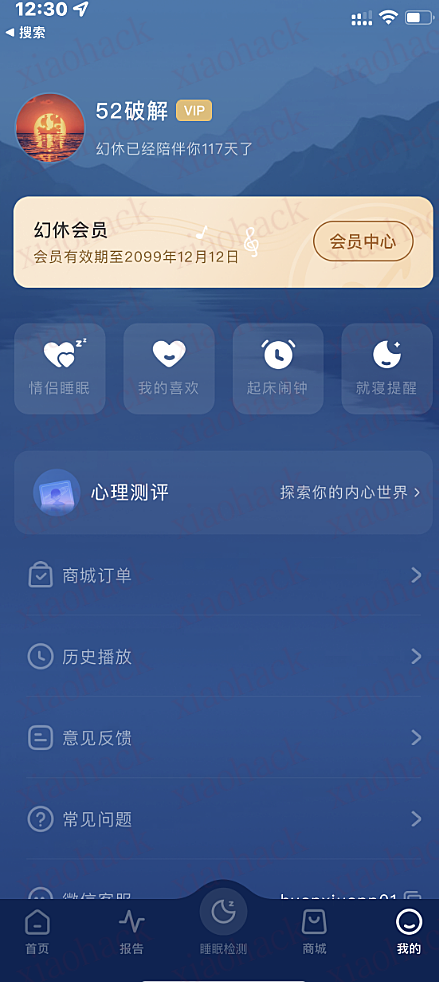
目标软件:幻休
工具:Quantumult X,不多做解释
MitM:api.shaolinzen.com
功能模块:Quantumult X-新建【重写规则】-类型【script-response-body】-用以匹配的URL【^https?://api.shaolinzen.com/user/v1/info$】-脚本路径:【hx.js】
在手机【我的iPhone】-【Quantumult X】-【Scripts】-新建【hx.js】的脚本,主要是让qx找到路径,把下面代码复制进去,打开软件登陆后就可以了。

var body = $response.body;
var url = $request.url;
var obj = JSON.parse(body);
 
const vip = 'user/v1/info';
if (url.indexOf(vip) != -1) {
    obj.data.nickname = "52破解";
    obj.data.vipActive = true;
    obj.data.vipExpireTime = "2099年12月12日";
    body = JSON.stringify(obj);
}
$done({body});

【Quantumult X】幻休VIP脚本

在推荐一款睡眠检测,兼有白噪音的app,下面分享下,
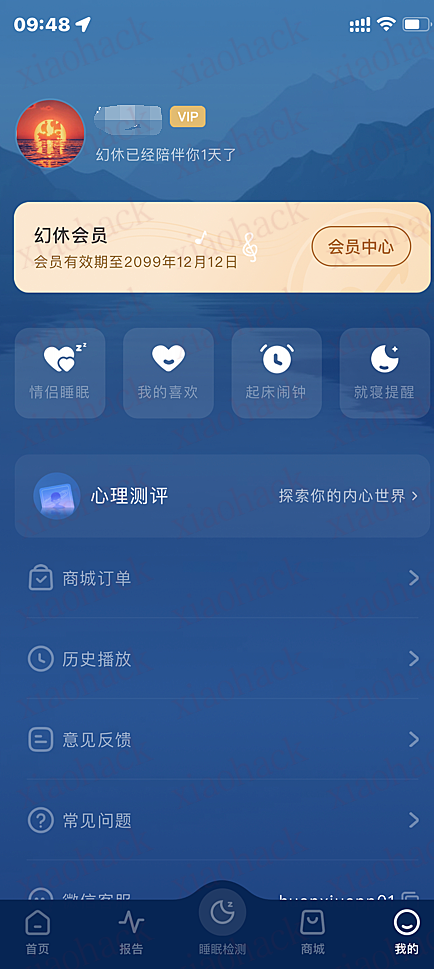
目标软件:幻休
工具:Surge,不多做解释
MitM:api.shaolinzen.com
功能模块:Surge-Rewrite(重写)-Mock
路径:^https?://api.shaolinzen.com/user/v1/info$
新建json文件,复制下面内容进去,最后打开软件就好了。

{
  "message": "success",
  "data": {
    "avatar": "avatar\/1527578_B2614B5F-E408-4E32-886A-64347C8DE180_1669367946.png",
    "phone": "***********",
    "registerDays": 1,
    "id": 1527578,
    "nickname": "52破解",
    "age": null,
    "vipActive": true,
    "vipExpireTime": "2099年12月12日",
    "sex": null,
    "registerChannelCode": null
  },
  "code": 0
}

【Surge】幻休VIP脚本
【Surge】幻休VIP脚本1

我们公司连到内网需要登陆 easyconnect ,这个软件会在后台常驻一个线程,看着很不爽,同时也害怕他在后台上传啥数据,所以我在 github 上找到了一个在 docker 内跑 easyconnect 的库 https://github.com/Hagb/docker-easyconnect

这个库很好用,但是吧,命令行之类的代理起来比较麻烦,今天我测试了一下使用 surge 添加 easyconnect 的代理,果然可以使用增强模式。

但是还有一个问题,把代理暴露在公网肯定是不安全,我想着家里有个闲置的服务器,干脆把 easyconnect 跑在上面得了,刚好我家也有公网 ip ,搭建好 wireguard 作为 easyconnect 的前置代理,surge 也能完美支持 wireguard 协议。

完美的解决了我的问题,再也不用打开恶心的 easyconnect