标签 UserScript 下的文章

日常问很多生活问题和一些小代码问题一般很喜欢用 Google Ai Studio,里面的回复也很不错,冬天的时候上了一个可以打开雪花特效的按钮,雪花特效挺好看的,但是每次都需要手动打开,刷新一下又没有了,让 AI 写了个脚本可以自动打开,每次刷新会自动打开,挺不错的

// ==UserScript==
// @name         Google AI Studio - Auto Snow
// @namespace    http://tampermonkey.net/
// @version      1.0
// @description  自动开启 Google AI Studio 的 Let it snow 特效
// @author       You
// @match        https://aistudio.google.com/*
// @icon         https://www.google.com/s2/favicons?sz=64&domain=google.com
// @grant        none
// ==/UserScript==

(function() {
    'use strict';

    // 定义检测器
    const clickSnowButton = () => {
        // 在页面中查找所有可能的按钮或菜单项
        // 因为 Google 的类名经常变,我们直接找包含 "Let it snow" 文字的元素
        // 或者查找特定的图标/按钮位置(这里使用最通用的文本匹配法)
        const allElements = document.querySelectorAll('button, div[role="button"], span, li');

        for (let el of allElements) {
            // 忽略大小写,查找包含 Let it snow 的元素
            if (el.textContent && el.textContent.toLowerCase().includes('let it snow')) {
                // 找到后点击
                console.log('Found Snow button, clicking...', el);
                el.click();

                // 只有点击成功后才清除定时器,防止元素还没加载出来
                return true;
            }
        }
        return false;
    };

    // 使用定时器循环检查,因为 AI Studio 是动态加载的,按钮可能不会一开始就出现
    const checkInterval = setInterval(() => {
        const success = clickSnowButton();
        if (success) {
            // 如果成功点击了,就停止检查,避免重复点击(导致又关掉了)
            clearInterval(checkInterval);
        }
    }, 1000); // 每秒检查一次

    // 设置一个超时,比如 30 秒后还没找到就停止,省点资源
    setTimeout(() => {
        clearInterval(checkInterval);
    }, 30000);

})();

📌 转载信息
转载时间:
2026/1/20 10:46:02

关于 Agentic 搜索,七步以外,Grok 4 Fast 准,七步以内,Grok 4 Fast 又快又准。搜索准确性这块,目前我觉得除了 GPT thinking 以外,没人能跟 Grok Fast 系列抗衡,速度和 NSFW 支持就更是独一档了。

但自从 Grok 4.1 进入 Beta 之后,免费账户网页调用 Grok 4 Fast 的入口就被取消了。Grok 非 Fast 系列的搜索体验简直可以说是稀烂,比不上 Fast 一根,xAI 你真该死啊,于是我写了:

// ==UserScript==
// @name         Grok 4 Fast Unlock
// @namespace    http://tampermonkey.net/
// @version      3.3
// @description  使 Grok 免费账号使用 Grok 4 Fast
// @author       MUTED64
// @match        https://grok.com/*
// @grant        none
// @run-at       document-start
// ==/UserScript==
(function() {
    'use strict';
    const TARGET_MODEL = 'grok-4-mini-thinking-tahoe';
    const TARGET_MODE = 'MODEL_MODE_GROK_4_MINI_THINKING';
    const DISPLAY_NAME = 'Grok 4 Fast';

    let isMiniThinkingEnabled = false;
    let lastOfficialModelName = '';

    const originalFetch = window.fetch;
    window.fetch = async function(...args) {
        let [url, options] = args;
        const urlStr = (typeof url === 'string') ? url : (url?.url || '');
        if (isMiniThinkingEnabled && urlStr && (urlStr.includes('/conversations/new') || (urlStr.includes('/conversations/') && urlStr.includes('/messages')))) {
            if (options && options.body) {
                try {
                    const bodyData = JSON.parse(options.body);
                    if (bodyData.modelName) {
                        bodyData.modelName = TARGET_MODEL;
                        bodyData.modelMode = TARGET_MODE;
                        options.body = JSON.stringify(bodyData);
                        console.log(`[Grok Enhanced] 拦截: 已使用 `);
                    }
                } catch (e) {}
            }
        }
        return originalFetch.apply(this, [url, options]);
    };

    function ensureMenuItem(menu) {
        if (menu.querySelector('#mini-thinking-option')) return;
        const template = menu.querySelector('[role="menuitem"]');
        if (!template) return;
        const newItem = template.cloneNode(true);
        newItem.id = 'mini-thinking-option';

        const title = newItem.querySelector('.font-semibold');
        if (title) title.textContent = DISPLAY_NAME;
        const desc = newItem.querySelector('.text-xs.text-secondary');
        if (desc) desc.textContent = 'Grok 4 Fast';
        menu.prepend(newItem);
    }

    function syncUI() {
        const menu = document.querySelector('[role="menu"]');
        const trigger = document.querySelector('#model-select-trigger') || document.querySelector('button[aria-haspopup="menu"]:has(span)');
        const buttonTextSpan = trigger ? trigger.querySelector('.font-semibold') : null;
        if (menu) {
            ensureMenuItem(menu);
            const items = menu.querySelectorAll('[role="menuitem"]');

            items.forEach(item => {
                const check = item.querySelector('.lucide-check');
                if (!check) return;
                const itemName = item.innerText.split('\n')[0];

                if (item.id !== 'mini-thinking-option') {
                    const isCheckedByReact = check.classList.contains('opacity-100') || window.getComputedStyle(check).opacity === '1';
                    if (isCheckedByReact && !isMiniThinkingEnabled) {
                        lastOfficialModelName = itemName;
                    }
                    if (isCheckedByReact && isMiniThinkingEnabled) {

                        lastOfficialModelName = itemName;
                    }
                }

                if (isMiniThinkingEnabled) {
                    if (item.id === 'mini-thinking-option') {
                        check.style.opacity = '1';
                        check.classList.add('opacity-100');
                        check.classList.remove('opacity-0');
                    } else {
                        check.style.opacity = '0';
                        check.classList.add('opacity-0');
                        check.classList.remove('opacity-100');
                    }
                } else {
                    if (item.id === 'mini-thinking-option') {
                        check.style.opacity = '0';
                        check.classList.add('opacity-0');
                        check.classList.remove('opacity-100');
                    }
                }
            });
        }
        if (buttonTextSpan) {
            const desiredText = isMiniThinkingEnabled ? DISPLAY_NAME : lastOfficialModelName;
            if (desiredText && buttonTextSpan.textContent !== desiredText) {
                buttonTextSpan.textContent = desiredText;
            }
        }
    }

    document.addEventListener('click', (e) => {
        const menuItem = e.target.closest('[role="menuitem"]');
        if (menuItem) {
            const itemName = menuItem.innerText.split('\n')[0];
            if (menuItem.id === 'mini-thinking-option') {
                isMiniThinkingEnabled = true;
                setTimeout(() => {
                    document.dispatchEvent(new KeyboardEvent('keydown', { key: 'Escape', bubbles: true }));
                }, 30);
            } else {
                isMiniThinkingEnabled = false;
                lastOfficialModelName = itemName;
            }
            syncUI();
        }
    }, true);

    const observer = new MutationObserver(syncUI);
    observer.observe(document, { childList: true, subtree: true });
    console.log('[Grok Enhanced] 脚本加载成功。');
})();

偷偷 Enjoy 吧~


📌 转载信息
原作者:
MUTED64
转载时间:
2026/1/19 17:37:21

日常问很多生活问题和一些小代码问题一般很喜欢用 Google Ai Studio,里面的回复也很不错,冬天的时候上了一个可以打开雪花特效的按钮,雪花特效挺好看的,但是每次都需要手动打开,刷新一下又没有了,让 AI 写了个脚本可以自动打开,每次刷新会自动打开,挺不错的

// ==UserScript==
// @name         Google AI Studio - Auto Snow
// @namespace    http://tampermonkey.net/
// @version      1.0
// @description  自动开启 Google AI Studio 的 Let it snow 特效
// @author       You
// @match        https://aistudio.google.com/*
// @icon         https://www.google.com/s2/favicons?sz=64&domain=google.com
// @grant        none
// ==/UserScript==

(function() {
    'use strict';

    // 定义检测器
    const clickSnowButton = () => {
        // 在页面中查找所有可能的按钮或菜单项
        // 因为 Google 的类名经常变,我们直接找包含 "Let it snow" 文字的元素
        // 或者查找特定的图标/按钮位置(这里使用最通用的文本匹配法)
        const allElements = document.querySelectorAll('button, div[role="button"], span, li');

        for (let el of allElements) {
            // 忽略大小写,查找包含 Let it snow 的元素
            if (el.textContent && el.textContent.toLowerCase().includes('let it snow')) {
                // 找到后点击
                console.log('Found Snow button, clicking...', el);
                el.click();

                // 只有点击成功后才清除定时器,防止元素还没加载出来
                return true;
            }
        }
        return false;
    };

    // 使用定时器循环检查,因为 AI Studio 是动态加载的,按钮可能不会一开始就出现
    const checkInterval = setInterval(() => {
        const success = clickSnowButton();
        if (success) {
            // 如果成功点击了,就停止检查,避免重复点击(导致又关掉了)
            clearInterval(checkInterval);
        }
    }, 1000); // 每秒检查一次

    // 设置一个超时,比如 30 秒后还没找到就停止,省点资源
    setTimeout(() => {
        clearInterval(checkInterval);
    }, 30000);

})();

📌 转载信息
转载时间:
2026/1/19 17:37:04

跳转到 GitHub 也要手动点击 继续 按钮,觉得太烦了,Vibe 了这个小脚本

// ==UserScript== // @name         Auto Click Popup Continue // @namespace    http://tampermonkey.net/ // @version      1.0 // @description  当弹窗中包含指定域名时,自动点击弹窗中的"继续"按钮 // @author       Your Name // @match        https://linux.do/* // @grant        none // @run-at       document-start // ==/UserScript==

(function () {
  "use strict";

  // 配置:需要检测的域名列表(支持正则表达式) const TARGET_DOMAINS = ["github.com", "github.com/", "githubusercontent.com"];

  // 标记状态 let hasClicked = false;
  let clickCooldown = false;

  // 弹窗选择器关键词 const popupSelectors = [
    '[class*="modal"]',
    '[class*="popup"]',
    '[class*="dialog"]',
    '[class*="overlay"]',
    '[class*="layer"]',
    '[role="dialog"]',
    '[role="alertdialog"]',
    ".modal",
    ".popup",
    ".dialog",
    ".overlay",
    '[aria-modal="true"]',
    ".el-dialog",
    ".ant-modal",
    ".ivu-modal",
    ".layui-layer",
    ".sweet-alert",
    ".swal-modal",
  ];

  // 检查文本是否包含目标域名 function containsTargetDomain(text) {
    if (!text) return false;

    // 支持正则表达式匹配 for (const domain of TARGET_DOMAINS) {
      try {
        // 如果是正则表达式格式 if (domain.startsWith("/") && domain.endsWith("/")) {
          const regex = new RegExp(domain.slice(1, -1));
          if (regex.test(text)) return true;
        } else {
          // 普通字符串匹配 if (text.includes(domain)) return true;
        }
      } catch (e) {
        // 正则表达式错误时回退到普通匹配 if (text.includes(domain)) return true;
      }
    }

    return false;
  }

  // 在容器中检测是否包含目标域名 function containsDomainInContainer(container) {
    // 检查所有链接 const links = container.querySelectorAll("a[href]");
    for (const link of links) {
      const href = link.getAttribute("href") || "";
      if (containsTargetDomain(href)) {
        console.log("检测到目标域名:", href);
        return true;
      }
    }

    // 检查所有文本节点 const walker = document.createTreeWalker(
      container,
      NodeFilter.SHOW_TEXT,
      null,
      false,
    );

    let node;
    while ((node = walker.nextNode())) {
      const text = node.textContent || "";
      if (containsTargetDomain(text)) {
        console.log("检测到目标域名文本:", text.substring(0, 100));
        return true;
      }
    }

    // 检查特定元素的内容 const elements = container.querySelectorAll(
      "[data-url], [href], [src], .url, .link",
    );
    for (const elem of elements) {
      const content =
        elem.getAttribute("data-url") ||
        elem.getAttribute("href") ||
        elem.getAttribute("src") ||
        elem.textContent ||
        "";

      if (containsTargetDomain(content)) {
        console.log("检测到目标域名元素:", content.substring(0, 100));
        return true;
      }
    }

    return false;
  }

  // 查找"继续"按钮 function findContinueButton(container = document) {
    const buttons = container.querySelectorAll(
      'button, input[type="button"], input[type="submit"], [role="button"], .btn, .ant-btn, .ivu-btn, .el-button',
    );

    for (const button of buttons) {
      const text = button.textContent.trim();
      const ariaLabel = button.getAttribute("aria-label") || "";
      const value = button.value || "";

      if (
        text === "继续" ||
        text.includes("继续") ||
        ariaLabel === "继续" ||
        ariaLabel.includes("继续") ||
        value === "继续" ||
        value.includes("继续")
      ) {
        if (isElementVisible(button) && !button.disabled) {
          return button;
        }
      }
    }

    return null;
  }

  // 检查元素是否可见 function isElementVisible(element) {
    if (!element) return false;

    const style = window.getComputedStyle(element);
    if (style.display === "none") return false;
    if (style.visibility === "hidden") return false;
    if (style.opacity === "0") return false;

    const rect = element.getBoundingClientRect();
    if (rect.width === 0 || rect.height === 0) return false;

    return true;
  }

  // 在弹窗中查找按钮 function findButtonInPopup() {
    const combinedSelector = popupSelectors.join(", ");
    const popups = document.querySelectorAll(combinedSelector);

    for (const popup of popups) {
      if (isElementVisible(popup)) {
        // 先检测弹窗中是否包含目标域名 if (containsDomainInContainer(popup)) {
          // 在弹窗内查找"继续"按钮 const button = findContinueButton(popup);
          if (button) {
            return button;
          }
        }
      }
    }

    // 检查页面中是否有直接包含目标域名的弹窗 const anyPopup = document.querySelector(combinedSelector);
    if (anyPopup && isElementVisible(anyPopup)) {
      if (containsDomainInContainer(anyPopup)) {
        const button = findContinueButton(anyPopup);
        if (button) {
          return button;
        }
      }
    }

    return null;
  }

  // 处理弹窗检测 function handlePopupDetection() {
    if (clickCooldown || hasClicked) return;

    const button = findButtonInPopup();

    if (button) {
      console.log('✓ 检测到包含目标域名的弹窗,自动点击"继续"按钮');
      button.click();
      hasClicked = true;
      clickCooldown = true;

      setTimeout(() => {
        clickCooldown = false;
      }, 1000);

      setTimeout(() => {
        hasClicked = false;
      }, 3000);
    }
  }

  // 创建 MutationObserver function createObserver() {
    const observer = new MutationObserver((mutations) => {
      handlePopupDetection();
    });

    observer.observe(document.body, {
      childList: true,
      subtree: true,
      attributes: true,
      attributeFilter: ["class", "style", "display"],
    });

    return observer;
  }

  // 定期检查 function startPeriodicCheck() {
    setInterval(() => {
      handlePopupDetection();
    }, 500);
  }

  // 初始化 function init() {
    createObserver();
    startPeriodicCheck();

    // 多次延迟检查
    [100, 500, 1000, 2000, 3000].forEach((delay) => {
      setTimeout(() => {
        handlePopupDetection();
      }, delay);
    });

    console.log("自动点击脚本已加载,监测域名:", TARGET_DOMAINS);
  }

  // 启动 if (document.readyState === "loading") {
    document.addEventListener("DOMContentLoaded", init);
  } else {
    init();
  }

  window.addEventListener("load", () => {
    setTimeout(() => {
      handlePopupDetection();
    }, 500);
  });
})();

📌 转载信息
原作者:
ageovb
转载时间:
2026/1/18 19:00:22

// ==UserScript==
// @name         工商银行纪念币预约自动填表
// @namespace    http://tampermonkey.net/
// @version      1.1
// @description  自动填充工商银行纪念币预约表单(含地区选择)
// @match        *://*.icbc.com.cn/*
// @grant        none
// ==/UserScript==

(function() {
    'use strict';


    const CONFIG = {
        custName: '',           // 客户姓名
        paperNum: '',      // 证件号码
        mobileno: '',          // 手机号码
        exchangeQuanlity: '20',        // 预约数量
        province: '天津市',            // 省份
        city: '天津市',                // 城市
        district: '静海区',            // 区县
        branch: '',   // 网点
        exchangeTime: '2026-01-20'    // 兑换时间
    };
    // ================================================

    function fillInput(placeholder, value) {
        const inputs = document.querySelectorAll('input.el-input__inner');
        for (const input of inputs) {
            if ((input.placeholder || '').includes(placeholder)) {
                input.value = value;
                input.dispatchEvent(new Event('input', { bubbles: true }));
                return true;
            }
        }
        return false;
    }

    async function selectDropdown(placeholder, optionText) {
        const inputs = document.querySelectorAll('input.el-input__inner[readonly]');
        for (const input of inputs) {
            if ((input.placeholder || '').includes(placeholder)) {
                input.click();
                await new Promise(r => setTimeout(r, 1));
                const items = document.querySelectorAll('.el-select-dropdown__item:not(.is-disabled)');
                for (const item of items) {
                    if (item.textContent.includes(optionText)) {
                        item.click();
                        await new Promise(r => setTimeout(r, 1));
                        return true;
                    }
                }
            }
        }
        return false;
    }

    async function fillForm() {
        // 填充文本输入框
        fillInput('客户姓名', CONFIG.custName);
        fillInput('证件号码', CONFIG.paperNum);
        fillInput('手机号码', CONFIG.mobileno);
        fillInput('预约数量', CONFIG.exchangeQuanlity);

        // 填充下拉选择框
        await selectDropdown('省份', CONFIG.province);
        await selectDropdown('城市', CONFIG.city);
        await selectDropdown('区县', CONFIG.district);
        await selectDropdown('网点', CONFIG.branch);
        await selectDropdown('兑换时间', CONFIG.exchangeTime);

        console.log('表单已填充');
    }

    function addButton() {
        const btn = document.createElement('button');
        btn.textContent = '手动填充';
        btn.style.cssText = 'position:fixed;top:10px;right:10px;z-index:9999;padding:10px 20px;background:#409EFF;color:#fff;border:none;border-radius:4px;cursor:pointer;font-size:14px;';
        btn.onclick = fillForm;
        document.body.appendChild(btn);
    }

    window.addEventListener('load', () => {
        addButton();
        setTimeout(fillForm, 1500);
    });
})();

📌 转载信息
原作者:
sam5440
转载时间:
2026/1/14 10:47:28

开发缘由

ChatGPT 有的问候语,会显示用户名!

例如:
用户名为:CloseAI


功能:
将 ChatGPT 首页问候语换成自定义文案!

适合:

  • 遮挡问候语中的用户名!
  • 根据自身喜好,自定义问候语!


效果:

  • 宽屏:

  • 窄屏:


源码:


📌 转载信息
转载时间:
2026/1/12 15:39:26

开发缘由:

参考:
https://linux.do/t/topic/1427584


功能:
自动同步 Gemini 主题与系统主题,防止页面加载时主题突变


源码
// ==UserScript==
// @name         Gemini 主题同步助手
// @namespace    http://tampermonkey.net/
// @version      1.0
// @description  自动同步 Gemini 主题与系统主题,防止页面加载时主题突变
// @author       Assistant
// @match        https://gemini.google.com/*
// @run-at       document-start
// @grant        none
// ==/UserScript==

(function() {
    'use strict';

    // 防止在 iframe 中运行
    if (window.self !== window.top) {
        return;
    }

    // ==================== 配置常量 ====================
    const THEME_KEY = 'Bard-Color-Theme';
    const DEBUG = false; // 设为 true 可开启调试日志

    // ==================== 工具函数 ====================

    /**
     * 调试日志输出
     * @param  {...any} args - 日志参数
     */
    function log(...args) {
        if (DEBUG) {
            console.log('[Gemini主题同步]', ...args);
        }
    }

    /**
     * 获取系统主题是否为深色模式
     * 使用 CSS Media Query API 检测系统级别的主题偏好
     * @returns {boolean} true 表示系统为深色模式,false 表示浅色模式
     */
    function getSystemThemeIsDark() {
        try {
            return window.matchMedia('(prefers-color-scheme: dark)').matches;
        } catch (e) {
            // 如果 matchMedia 不可用,默认返回 false(浅色模式)
            log('matchMedia API 不可用,默认使用浅色模式');
            return false;
        }
    }

    /**
     * 解析存储的主题值,判断是否为深色模式
     * Gemini 的主题值通常包含 "Light" 或 "Dark" 字符串
     *
     * @param {string} value - localStorage 中存储的主题值
     * @returns {boolean|null}
     *   - true: 深色模式
     *   - false: 浅色模式
     *   - null: 无法判断(值为空或不包含可识别的主题标识)
     */
    function parseStoredTheme(value) {
        // 空值检查
        if (!value || typeof value !== 'string') {
            return null;
        }

        // 转换为小写进行不区分大小写的匹配
        const lowerValue = value.toLowerCase();

        // 检查是否包含深色模式标识
        if (lowerValue.includes('dark')) {
            return true;
        }

        // 检查是否包含浅色模式标识
        if (lowerValue.includes('light')) {
            return false;
        }

        // 无法识别的值
        return null;
    }

    /**
     * 主函数:同步主题与系统设置
     *
     * 逻辑流程:
     * 1. 检查 localStorage 中是否存在主题设置
     * 2. 如果存在,获取系统当前主题偏好
     * 3. 对比两者是否一致
     * 4. 不一致时删除存储的主题值,让页面使用系统默认主题
     */
    function syncThemeWithSystem() {
        try {
            // ========== 步骤1: 读取存储的主题 ==========
            const storedTheme = localStorage.getItem(THEME_KEY);

            // 如果不存在存储的主题,说明页面会使用默认行为,无需干预
            if (!storedTheme) {
                log('未检测到存储的主题,跳过处理');
                return;
            }

            log('检测到存储的主题:', storedTheme);

            // ========== 步骤2: 获取系统主题 ==========
            const systemIsDark = getSystemThemeIsDark();
            log('系统主题:', systemIsDark ? '深色模式' : '浅色模式');

            // ========== 步骤3: 解析存储的主题 ==========
            const storedIsDark = parseStoredTheme(storedTheme);

            // 如果无法解析存储的主题值,保守处理,不做任何操作
            if (storedIsDark === null) {
                log('无法解析存储的主题值,跳过处理');
                return;
            }

            log('存储的主题:', storedIsDark ? '深色模式' : '浅色模式');

            // ========== 步骤4: 对比并处理 ==========
            if (storedIsDark !== systemIsDark) {
                // 主题不一致,删除存储的值
                localStorage.removeItem(THEME_KEY);
                log('✓ 主题不一致,已删除存储的主题值,页面将使用系统主题');
            } else {
                // 主题一致,无需处理
                log('✓ 主题一致,无需处理');
            }

        } catch (error) {
            // 捕获所有异常,确保脚本不会因错误而影响页面正常加载
            console.error('[Gemini主题同步] 执行出错:', error);
        }
    }

    // ==================== 立即执行 ====================
    // 在 document-start 阶段执行,确保在页面渲染前完成主题同步
    syncThemeWithSystem();

})();


📌 转载信息
转载时间:
2026/1/12 10:12:40

但好在 2k 还是免费
只能搞个自动切换 2k 了

代码
// ==UserScript==
// @name         Genspark Nano Banana Auto 2K
// @namespace    https://genspark.ai/
// @version      0.1.0
// @description  Auto-select 2K image size on https://www.genspark.ai/agents?type=moa_generate_image
// @match        https://www.genspark.ai/agents*
// @match        https://genspark.ai/agents*
// @run-at       document-idle
// @grant        none
// ==/UserScript==

(function () {
  'use strict';

  const TARGET_TYPE = 'moa_generate_image';
  const TARGET_SIZE_LABEL = '2K';

  const DEBUG = false;
  const LOG_PREFIX = '[Genspark Auto 2K]';
  const log = (...args) => {
    if (!DEBUG) return;
    // eslint-disable-next-line no-console
    console.log(LOG_PREFIX, ...args);
  };

  const normalizeText = (text) => (text || '').replace(/\s+/g, ' ').trim();

  const isTargetPage = () => {
    try {
      const url = new URL(location.href);
      return url.pathname === '/agents' && url.searchParams.get('type') === TARGET_TYPE;
    } catch {
      return false;
    }
  };

  const safeClick = (el) => {
    if (!el) return false;
    const rect = typeof el.getBoundingClientRect === 'function' ? el.getBoundingClientRect() : null;
    const x = rect ? Math.floor(rect.left + rect.width / 2) : 0;
    const y = rect ? Math.floor(rect.top + rect.height / 2) : 0;

    if (typeof PointerEvent === 'function' && rect && rect.width > 0 && rect.height > 0) {
      el.dispatchEvent(
        new PointerEvent('pointerdown', {
          bubbles: true,
          cancelable: true,
          view: window,
          pointerType: 'mouse',
          isPrimary: true,
          clientX: x,
          clientY: y,
          button: 0,
          buttons: 1,
        })
      );
      el.dispatchEvent(
        new PointerEvent('pointerup', {
          bubbles: true,
          cancelable: true,
          view: window,
          pointerType: 'mouse',
          isPrimary: true,
          clientX: x,
          clientY: y,
          button: 0,
          buttons: 0,
        })
      );
    }

    el.dispatchEvent(
      new MouseEvent('click', {
        bubbles: true,
        cancelable: true,
        view: window,
        clientX: x,
        clientY: y,
        button: 0,
      })
    );

    return true;
  };

  const waitFor = (predicate, { timeoutMs = 15_000, pollMs = 250 } = {}) =>
    new Promise((resolve, reject) => {
      const start = Date.now();
      let done = false;

      const cleanup = () => {
        obs.disconnect();
        clearInterval(poller);
        clearTimeout(timeout);
      };

      const tryResolve = () => {
        if (done) return;

        let value = null;
        try {
          value = predicate();
        } catch {
          value = null;
        }

        if (value) {
          done = true;
          cleanup();
          resolve(value);
        }
      };

      const obs = new MutationObserver(tryResolve);
      const poller = setInterval(tryResolve, pollMs);
      const timeout = setTimeout(() => {
        if (done) return;
        done = true;
        cleanup();
        reject(new Error(`Timeout after ${timeoutMs}ms`));
      }, timeoutMs);

      obs.observe(document.documentElement, { childList: true, subtree: true });
      tryResolve();
    });

  const findSettingsPanel = () => {
    const panels = Array.from(document.querySelectorAll('.settings-panel'));
    return (
      panels.find((p) => normalizeText(p.textContent).includes('Image Size')) ||
      panels.find((p) => normalizeText(p.textContent).includes('Aspect Ratio')) ||
      null
    );
  };

  const findSettingTrigger = () => {
    const textNodes = Array.from(document.querySelectorAll('.text'));
    const settingText = textNodes.find((el) => normalizeText(el.textContent) === 'Setting');
    if (!settingText) return null;
    return (
      settingText.closest('[role="button"],button,a,.models-selected,.model-selected') || settingText
    );
  };

  const findSizeOption = (label) => {
    const panel = findSettingsPanel();
    if (!panel) return null;
    const options = Array.from(panel.querySelectorAll('.size-option'));
    const normalizedLabel = normalizeText(label);
    return (
      options.find((el) => normalizeText(el.textContent) === normalizedLabel) ||
      options.find((el) => normalizeText(el.textContent).startsWith(normalizedLabel)) ||
      null
    );
  };

  const ensure2KOnce = async () => {
    if (!isTargetPage()) return false;

    const trigger = await waitFor(findSettingTrigger).catch(() => null);
    if (!trigger) return false;

    const alreadyOpen = !!findSettingsPanel();
    if (!alreadyOpen) safeClick(trigger);

    const panel = await waitFor(findSettingsPanel).catch(() => null);
    if (!panel) return false;

    const option2k = findSizeOption(TARGET_SIZE_LABEL);
    if (!option2k) return false;

    if (!option2k.classList.contains('selected')) {
      log('Selecting', TARGET_SIZE_LABEL);
      safeClick(option2k);
    } else {
      log('Already selected', TARGET_SIZE_LABEL);
    }
    return true;
  };

  let runInFlight = null;
  const scheduleEnsure2K = () => {
    if (runInFlight) return;
    runInFlight = (async () => {
      try {
        await ensure2KOnce();
      } finally {
        runInFlight = null;
      }
    })();
  };

  const hookHistory = () => {
    const emit = () => window.dispatchEvent(new Event('genspark:auto-2k:urlchange'));
    const wrap = (method) =>
      function (...args) {
        const ret = method.apply(this, args);
        emit();
        return ret;
      };

    history.pushState = wrap(history.pushState);
    history.replaceState = wrap(history.replaceState);
    window.addEventListener('popstate', emit, { passive: true });
    window.addEventListener('genspark:auto-2k:urlchange', scheduleEnsure2K, { passive: true });
  };

  hookHistory();
  scheduleEnsure2K();
})();

📌 转载信息
原作者:
lueluelue
转载时间:
2025/12/30 12:10:07

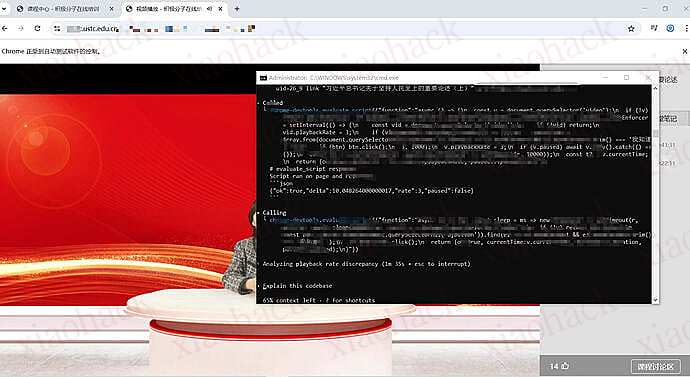
全自动看网课 ((支持倍速))

这才是真正得解放了我的生产力,解决了某些网站没有脚本自动完成的难题

另外补一个 timer hooker 脚本(源自油猴某大佬,适用于所有网站加速)

// ==UserScript==
// @name            计时器掌控者|视频广告跳过|视频广告加速器
// @name:en         TimerHooker
// @namespace       https://gitee.com/HGJing/everthing-hook/
// @version         1.0.62
// @description     控制网页计时器速度|加速跳过页面计时广告|视频快进(慢放)|跳过广告|支持几乎所有网页.
// @description:en  it can hook the timer speed to change.
// @include         *
// @require         https://greasyfork.org/scripts/372672-everything-hook/code/Everything-Hook.js?version=881251
// @author          Cangshi
// @match           http://*/*
// @run-at          document-start
// @grant           none
// @license         GPL-3.0-or-later
// @downloadURL https://update.greasyfork.org/scripts/372673/%E8%AE%A1%E6%97%B6%E5%99%A8%E6%8E%8C%E6%8E%A7%E8%80%85%7C%E8%A7%86%E9%A2%91%E5%B9%BF%E5%91%8A%E8%B7%B3%E8%BF%87%7C%E8%A7%86%E9%A2%91%E5%B9%BF%E5%91%8A%E5%8A%A0%E9%80%9F%E5%99%A8.user.js
// @updateURL https://update.greasyfork.org/scripts/372673/%E8%AE%A1%E6%97%B6%E5%99%A8%E6%8E%8C%E6%8E%A7%E8%80%85%7C%E8%A7%86%E9%A2%91%E5%B9%BF%E5%91%8A%E8%B7%B3%E8%BF%87%7C%E8%A7%86%E9%A2%91%E5%B9%BF%E5%91%8A%E5%8A%A0%E9%80%9F%E5%99%A8.meta.js
// ==/UserScript==
/**
 * ---------------------------
 * Time: 2017/11/20 19:28.
 * Author: Cangshi
 * View: http://palerock.cn
 * ---------------------------
 */

/**
 * 1. hook Object.defineProperty | Object.defineProperties
 * 2. set configurable: true
 * 3. delete property
 * 4. can set property for onxx event method
 */

window.isDOMLoaded = false;
window.isDOMRendered = false;

document.addEventListener('readystatechange', function () {
    if (document.readyState === "interactive" || document.readyState === "complete") {
        window.isDOMLoaded = true;
    }
});

~function (global) {

    var workerURLs = [];
    var extraElements = [];
    var suppressEvents = {};

    var helper = function (eHookContext, timerContext, util) {
        return {
            applyUI: function () {
                var style = '._th-container ._th-item{margin-bottom:3px;position:relative;width:0;height:0;cursor:pointer;opacity:.3;background-color:aquamarine;border-radius:100%;text-align:center;line-height:30px;-webkit-transition:all .35s;-o-transition:all .35s;transition:all .35s;right:30px}._th-container ._th-item,._th-container ._th-click-hover,._th_cover-all-show-times ._th_times{-webkit-box-shadow:-3px 4px 12px -5px black;box-shadow:-3px 4px 12px -5px black}._th-container:hover ._th-item._item-x2{margin-left:18px;width:40px;height:40px;line-height:40px}._th-container:hover ._th-item._item-x-2{margin-left:17px;width:38px;height:38px;line-height:38px}._th-container:hover ._th-item._item-xx2{width:36px;height:36px;margin-left:16px;line-height:36px}._th-container:hover ._th-item._item-xx-2{width:32px;height:32px;line-height:32px;margin-left:14px}._th-container:hover ._th-item._item-reset{width:30px;line-height:30px;height:30px;margin-left:10px}._th-click-hover{position:relative;-webkit-transition:all .5s;-o-transition:all .5s;transition:all .5s;height:45px;width:45px;cursor:pointer;opacity:.3;border-radius:100%;background-color:aquamarine;text-align:center;line-height:45px;right:0}._th-container:hover{left:-5px}._th-container{font-size:12px;-webkit-transition:all .5s;-o-transition:all .5s;transition:all .5s;left:-35px;top:20%;position:fixed;-webkit-box-sizing:border-box;box-sizing:border-box;z-index:100000;-webkit-user-select:none;-moz-user-select:none;-ms-user-select:none;user-select:none}._th-container ._th-item:hover{opacity:.8;background-color:#5fb492;color:aliceblue}._th-container ._th-item:active{opacity:.9;background-color:#1b3a26;color:aliceblue}._th-container:hover ._th-click-hover{opacity:.8}._th-container:hover ._th-item{opacity:.6;right:0}._th-container ._th-click-hover:hover{opacity:.8;background-color:#5fb492;color:aliceblue}._th_cover-all-show-times{position:fixed;top:0;right:0;width:100%;height:100%;z-index:99999;opacity:1;font-weight:900;font-size:30px;color:#4f4f4f;background-color:rgba(0,0,0,0.1)}._th_cover-all-show-times._th_hidden{z-index:-99999;opacity:0;-webkit-transition:1s all;-o-transition:1s all;transition:1s all}._th_cover-all-show-times ._th_times{width:300px;height:300px;border-radius:50%;background-color:rgba(127,255,212,0.51);text-align:center;line-height:300px;position:absolute;top:50%;right:50%;margin-top:-150px;margin-right:-150px}';

                var displayNum = (1 / timerContext._percentage).toFixed(2);

                // 在页面左边添加一个半圆便于修改
                var html = '<div class="_th-container">\n' +
                    '    <div class="_th-click-hover _item-input">\n' +
                    '        x' + displayNum + '\n' +
                    '    </div>\n' +
                    '    <div class="_th-item _item-x2">&gt;</div>\n' +
                    '    <div class="_th-item _item-x-2">&lt;</div>\n' +
                    '    <div class="_th-item _item-xx2">&gt;&gt;</div>\n' +
                    '    <div class="_th-item _item-xx-2">&lt;&lt;</div>\n' +
                    '    <div class="_th-item _item-reset">O</div>\n' +
                    '</div>\n' +
                    '<div class="_th_cover-all-show-times _th_hidden">\n' +
                    '    <div class="_th_times">x' + displayNum + '</div>\n' +
                    '</div>' +
                    '';
                var stylenode = document.createElement('style');
                stylenode.setAttribute("type", "text/css");
                if (stylenode.styleSheet) {// IE
                    stylenode.styleSheet.cssText = style;
                } else {// w3c
                    var cssText = document.createTextNode(style);
                    stylenode.appendChild(cssText);
                }
                var node = document.createElement('div');
                node.innerHTML = html;

                var clickMapper = {
                    '_item-input': function () {
                        changeTime();
                    },
                    '_item-x2': function () {
                        changeTime(2, 0, true);
                    },
                    '_item-x-2': function () {
                        changeTime(-2, 0, true);
                    },
                    '_item-xx2': function () {
                        changeTime(0, 2);
                    },
                    '_item-xx-2': function () {
                        changeTime(0, -2);
                    },
                    '_item-reset': function () {
                        changeTime(0, 0, false, true);
                    }
                };

                Object.keys(clickMapper).forEach(function (className) {
                    var exec = clickMapper[className];
                    var targetEle = node.getElementsByClassName(className)[0];
                    if (targetEle) {
                        targetEle.onclick = exec;
                    }
                });

                if (!global.isDOMLoaded) {
                    document.addEventListener('readystatechange', function () {
                        if ((document.readyState === "interactive" || document.readyState === "complete") && !global.isDOMRendered) {
                            document.head.appendChild(stylenode);
                            document.body.appendChild(node);
                            global.isDOMRendered = true;
                            console.log('Time Hooker Works!');
                        }
                    });
                } else {
                    document.head.appendChild(stylenode);
                    document.body.appendChild(node);
                    global.isDOMRendered = true;
                    console.log('Time Hooker Works!');
                }
            },
            applyGlobalAction: function (timer) {
                // 界面半圆按钮点击的方法
                timer.changeTime = function (anum, cnum, isa, isr) {
                    if (isr) {
                        global.timer.change(1);
                        return;
                    }
                    if (!global.timer) {
                        return;
                    }
                    var result;
                    if (!anum && !cnum) {
                        var t = prompt("输入欲改变计时器变化倍率(当前:" + 1 / timerContext._percentage + ")");
                        if (t == null) {
                            return;
                        }
                        if (isNaN(parseFloat(t))) {
                            alert("请输入正确的数字");
                            timer.changeTime();
                            return;
                        }
                        if (parseFloat(t) <= 0) {
                            alert("倍率不能小于等于0");
                            timer.changeTime();
                            return;
                        }
                        result = 1 / parseFloat(t);
                    } else {
                        if (isa && anum) {
                            if (1 / timerContext._percentage <= 1 && anum < 0) {
                                return;
                            }
                            result = 1 / (1 / timerContext._percentage + anum);
                        } else {
                            if (cnum <= 0) {
                                cnum = 1 / -cnum
                            }
                            result = 1 / ((1 / timerContext._percentage) * cnum);
                        }
                    }
                    timer.change(result);
                };
                global.changeTime = timer.changeTime;
            },
            applyHooking: function () {
                var _this = this;
                // 劫持循环计时器
                eHookContext.hookReplace(window, 'setInterval', function (setInterval) {
                    return _this.getHookedTimerFunction('interval', setInterval);
                });
                // 劫持单次计时
                eHookContext.hookReplace(window, 'setTimeout', function (setTimeout) {
                    return _this.getHookedTimerFunction('timeout', setTimeout)
                });
                // 劫持循环计时器的清除方法
                eHookContext.hookBefore(window, 'clearInterval', function (method, args) {
                    _this.redirectNewestId(args);
                });
                // 劫持循环计时器的清除方法
                eHookContext.hookBefore(window, 'clearTimeout', function (method, args) {
                    _this.redirectNewestId(args);
                });
                var newFunc = this.getHookedDateConstructor();
                eHookContext.hookClass(window, 'Date', newFunc, '_innerDate', ['now']);
                Date.now = function () {
                    return new Date().getTime();
                };
                eHookContext.hookedToString(timerContext._Date.now, Date.now);
                var objToString = Object.prototype.toString;

                Object.prototype.toString = function toString() {
                    'use strict';
                    if (this instanceof timerContext._mDate) {
                        return '[object Date]';
                    } else {
                        return objToString.call(this);
                    }
                };

                eHookContext.hookedToString(objToString, Object.prototype.toString);
                eHookContext.hookedToString(timerContext._setInterval, setInterval);
                eHookContext.hookedToString(timerContext._setTimeout, setTimeout);
                eHookContext.hookedToString(timerContext._clearInterval, clearInterval);
                timerContext._mDate = window.Date;
                this.hookShadowRoot();
            },
            getHookedDateConstructor: function () {
                return function () {
                    if (arguments.length === 1) {
                        Object.defineProperty(this, '_innerDate', {
                            configurable: false,
                            enumerable: false,
                            value: new timerContext._Date(arguments[0]),
                            writable: false
                        });
                        return;
                    } else if (arguments.length > 1) {
                        var definedValue;
                        switch (arguments.length) {
                            case 2:
                                definedValue = new timerContext._Date(
                                    arguments[0],
                                    arguments[1]
                                );
                                break;
                            case 3:
                                definedValue = new timerContext._Date(
                                    arguments[0],
                                    arguments[1],
                                    arguments[2],
                                );
                                break;
                            case 4:
                                definedValue = new timerContext._Date(
                                    arguments[0],
                                    arguments[1],
                                    arguments[2],
                                    arguments[3],
                                );
                                break;
                            case 5:
                                definedValue = new timerContext._Date(
                                    arguments[0],
                                    arguments[1],
                                    arguments[2],
                                    arguments[3],
                                    arguments[4]
                                );
                                break;
                            case 6:
                                definedValue = new timerContext._Date(
                                    arguments[0],
                                    arguments[1],
                                    arguments[2],
                                    arguments[3],
                                    arguments[4],
                                    arguments[5]
                                );
                                break;
                            default:
                            case 7:
                                definedValue = new timerContext._Date(
                                    arguments[0],
                                    arguments[1],
                                    arguments[2],
                                    arguments[3],
                                    arguments[4],
                                    arguments[5],
                                    arguments[6]
                                );
                                break;
                        }

                        Object.defineProperty(this, '_innerDate', {
                            configurable: false,
                            enumerable: false,
                            value: definedValue,
                            writable: false
                        });
                        return;
                    }
                    var now = timerContext._Date.now();
                    var passTime = now - timerContext.__lastDatetime;
                    var hookPassTime = passTime * (1 / timerContext._percentage);
                    // console.log(__this.__lastDatetime + hookPassTime, now,__this.__lastDatetime + hookPassTime - now);
                    Object.defineProperty(this, '_innerDate', {
                        configurable: false,
                        enumerable: false,
                        value: new timerContext._Date(timerContext.__lastMDatetime + hookPassTime),
                        writable: false
                    });
                };
            },
            getHookedTimerFunction: function (type, timer) {
                var property = '_' + type + 'Ids';
                return function () {
                    var uniqueId = timerContext.genUniqueId();
                    var callback = arguments[0];
                    if (typeof callback === 'string') {
                        callback += ';timer.notifyExec(' + uniqueId + ')';
                        arguments[0] = callback;
                    }
                    if (typeof callback === 'function') {
                        arguments[0] = function () {
                            var returnValue = callback.apply(this, arguments);
                            timerContext.notifyExec(uniqueId);
                            return returnValue;
                        }
                    }
                    // 储存原始时间间隔
                    var originMS = arguments[1];
                    // 获取变速时间间隔
                    arguments[1] *= timerContext._percentage;
                    var resultId = timer.apply(window, arguments);
                    // 保存每次使用计时器得到的id以及参数等
                    timerContext[property][resultId] = {
                        args: arguments,
                        originMS: originMS,
                        originId: resultId,
                        nowId: resultId,
                        uniqueId: uniqueId,
                        oldPercentage: timerContext._percentage,
                        exceptNextFireTime: timerContext._Date.now() + originMS
                    };
                    return resultId;
                };
            },
            redirectNewestId: function (args) {
                var id = args[0];
                if (timerContext._intervalIds[id]) {
                    args[0] = timerContext._intervalIds[id].nowId;
                    // 清除该记录id
                    delete timerContext._intervalIds[id];
                }
                if (timerContext._timeoutIds[id]) {
                    args[0] = timerContext._timeoutIds[id].nowId;
                    // 清除该记录id
                    delete timerContext._timeoutIds[id];
                }
            },
            registerShortcutKeys: function (timer) {
                // 快捷键注册
                addEventListener('keydown', function (e) {
                    switch (e.keyCode) {
                        case 57:
                            if (e.ctrlKey || e.altKey) {
                                // custom
                                timer.changeTime();
                            }
                            break;
                        // [=]
                        case 190:
                        case 187: {
                            if (e.ctrlKey) {
                                // console.log('+2');
                                timer.changeTime(2, 0, true);
                            } else if (e.altKey) {
                                // console.log('xx2');
                                timer.changeTime(0, 2);
                            }
                            break;
                        }
                        // [-]
                        case 188:
                        case 189: {
                            if (e.ctrlKey) {
                                // console.log('-2');
                                timer.changeTime(-2, 0, true);
                            } else if (e.altKey) {
                                // console.log('xx-2');
                                timer.changeTime(0, -2);
                            }
                            break;
                        }
                        // [0]
                        case 48: {
                            if (e.ctrlKey || e.altKey) {
                                // console.log('reset');
                                timer.changeTime(0, 0, false, true);
                            }
                            break;
                        }
                        default:
                        // console.log(e);
                    }
                });
            },
            /**
             * 当计时器速率被改变时调用的回调方法
             * @param percentage
             * @private
             */
            percentageChangeHandler: function (percentage) {
                // 改变所有的循环计时
                util.ergodicObject(timerContext, timerContext._intervalIds, function (idObj, id) {
                    idObj.args[1] = Math.floor((idObj.originMS || 1) * percentage);
                    // 结束原来的计时器
                    this._clearInterval.call(window, idObj.nowId);
                    // 新开一个计时器
                    idObj.nowId = this._setInterval.apply(window, idObj.args);
                });
                // 改变所有的延时计时
                util.ergodicObject(timerContext, timerContext._timeoutIds, function (idObj, id) {
                    var now = this._Date.now();
                    var exceptTime = idObj.exceptNextFireTime;
                    var oldPercentage = idObj.oldPercentage;
                    var time = exceptTime - now;
                    if (time < 0) {
                        time = 0;
                    }
                    var changedTime = Math.floor(percentage / oldPercentage * time);
                    idObj.args[1] = changedTime;
                    // 重定下次执行时间
                    idObj.exceptNextFireTime = now + changedTime;
                    idObj.oldPercentage = percentage;
                    // 结束原来的计时器
                    this._clearTimeout.call(window, idObj.nowId);
                    // 新开一个计时器
                    idObj.nowId = this._setTimeout.apply(window, idObj.args);
                });
            },
            hookShadowRoot: function () {
                var origin = Element.prototype.attachShadow;
                eHookContext.hookAfter(Element.prototype, 'attachShadow',
                    function (m, args, result) {
                        extraElements.push(result);
                        return result;
                    }, false);
                eHookContext.hookedToString(origin, Element.prototype.attachShadow);
            },
            hookDefine: function () {
                const _this = this;
                eHookContext.hookBefore(Object, 'defineProperty', function (m, args) {
                    var option = args[2];
                    var ele = args[0];
                    var key = args[1];
                    var afterArgs = _this.hookDefineDetails(ele, key, option);
                    afterArgs.forEach((arg, i) => {
                        args[i] = arg;
                    })
                });
                eHookContext.hookBefore(Object, 'defineProperties', function (m, args) {
                    var option = args[1];
                    var ele = args[0];
                    if (ele && ele instanceof Element) {
                        Object.keys(option).forEach(key => {
                            var o = option[key];
                            var afterArgs = _this.hookDefineDetails(ele, key, o);
                            args[0] = afterArgs[0];
                            delete option[key];
                            option[afterArgs[1]] = afterArgs[2]
                        })
                    }
                })
            },
            hookDefineDetails: function (target, key, option) {
                if (option && target && target instanceof Element && typeof key === 'string' && key.indexOf('on') >= 0) {
                    option.configurable = true;
                }
                if (target instanceof HTMLVideoElement && key === 'playbackRate') {
                    option.configurable = true;
                    console.warn('[Timer Hook]', '已阻止默认操作视频倍率');
                    key = 'playbackRate_hooked'
                }
                return [target, key, option];
            },
            suppressEvent: function (ele, eventName) {
                if (ele) {
                    delete ele['on' + eventName];
                    delete ele['on' + eventName];
                    delete ele['on' + eventName];
                    ele['on' + eventName] = undefined;
                }
                if (!suppressEvents[eventName]) {
                    eHookContext.hookBefore(EventTarget.prototype, 'addEventListener',
                        function (m, args) {
                            var eName = args[0];
                            if (eventName === eName) {
                                console.warn(eventName, 'event suppressed.')
                                args[0] += 'suppressed';
                            }
                        }, false);
                    suppressEvents[eventName] = true;
                }
            },
            changePlaybackRate: function (ele, rate) {
                delete ele.playbackRate;
                delete ele.playbackRate;
                delete ele.playbackRate;
                ele.playbackRate = rate
                if (rate !== 1) {
                    timerContext.defineProperty.call(Object, ele, 'playbackRate', {
                        configurable: true,
                        get: function () {
                            return 1;
                        },
                        set: function () {
                        }
                    });
                }
            }
        }
    };

    var normalUtil = {
        isInIframe: function () {
            let is = global.parent !== global;
            try {
                is = is && global.parent.document.body.tagName !== 'FRAMESET'
            } catch (e) {
                // ignore
            }
            return is;
        },
        listenParentEvent: function (handler) {
            global.addEventListener('message', function (e) {
                var data = e.data;
                var type = data.type || '';
                if (type === 'changePercentage') {
                    handler(data.percentage || 0);
                }
            })
        },
        sentChangesToIframe: function (percentage) {
            var iframes = document.querySelectorAll('iframe') || [];
            var frames = document.querySelectorAll('frame');
            if (iframes.length) {
                for (var i = 0; i < iframes.length; i++) {
                    iframes[i].contentWindow.postMessage(
                        {type: 'changePercentage', percentage: percentage}, '*');
                }
            }
            if (frames.length) {
                for (var j = 0; j < frames.length; j++) {
                    frames[j].contentWindow.postMessage(
                        {type: 'changePercentage', percentage: percentage}, '*');
                }
            }
        }
    };

    var querySelectorAll = function (ele, selector, includeExtra) {
        var elements = ele.querySelectorAll(selector);
        elements = Array.prototype.slice.call(elements || []);
        if (includeExtra) {
            extraElements.forEach(function (element) {
                elements = elements.concat(querySelectorAll(element, selector, false));
            })
        }
        return elements;
    };

    var generate = function () {
        return function (util) {
            // disable worker
            workerURLs.forEach(function (url) {
                if (util.urlMatching(location.href, 'http.*://.*' + url + '.*')) {
                    window['Worker'] = undefined;
                    console.log('Worker disabled');
                }
            });
            var eHookContext = this;
            var timerHooker = {
                // 用于储存计时器的id和参数
                _intervalIds: {},
                _timeoutIds: {},
                _auoUniqueId: 1,
                // 计时器速率
                __percentage: 1.0,
                // 劫持前的原始的方法
                _setInterval: window['setInterval'],
                _clearInterval: window['clearInterval'],
                _clearTimeout: window['clearTimeout'],
                _setTimeout: window['setTimeout'],
                _Date: window['Date'],
                __lastDatetime: new Date().getTime(),
                __lastMDatetime: new Date().getTime(),
                videoSpeedInterval: 1000,
                defineProperty: Object.defineProperty,
                defineProperties: Object.defineProperties,
                genUniqueId: function () {
                    return this._auoUniqueId++;
                },
                notifyExec: function (uniqueId) {
                    var _this = this;
                    if (uniqueId) {
                        // 清除 timeout 所储存的记录
                        var timeoutInfos = Object.values(this._timeoutIds).filter(
                            function (info) {
                                return info.uniqueId === uniqueId;
                            }
                        );
                        timeoutInfos.forEach(function (info) {
                            _this._clearTimeout.call(window, info.nowId);
                            delete _this._timeoutIds[info.originId]
                        })
                    }
                    // console.log(uniqueId, 'called')
                },
                /**
                 * 初始化方法
                 */
                init: function () {
                    var timerContext = this;
                    var h = helper(eHookContext, timerContext, util);

                    h.hookDefine();
                    h.applyHooking();

                    // 设定百分比属性被修改的回调
                    Object.defineProperty(timerContext, '_percentage', {
                        get: function () {
                            return timerContext.__percentage;
                        },
                        set: function (percentage) {
                            if (percentage === timerContext.__percentage) {
                                return percentage;
                            }
                            h.percentageChangeHandler(percentage);
                            timerContext.__percentage = percentage;
                            return percentage;
                        }
                    });

                    if (!normalUtil.isInIframe()) {
                        console.log('[TimeHooker]', 'loading outer window...');
                        h.applyUI();
                        h.applyGlobalAction(timerContext);
                        h.registerShortcutKeys(timerContext);
                    } else {
                        console.log('[TimeHooker]', 'loading inner window...');
                        normalUtil.listenParentEvent((function (percentage) {
                            console.log('[TimeHooker]', 'Inner Changed', percentage)
                            this.change(percentage);
                        }).bind(this))
                    }
                },
                /**
                 * 调用该方法改变计时器速率
                 * @param percentage
                 */
                change: function (percentage) {
                    this.__lastMDatetime = this._mDate.now();
                    this.__lastDatetime = this._Date.now();
                    this._percentage = percentage;
                    var oldNode = document.getElementsByClassName('_th-click-hover');
                    var oldNode1 = document.getElementsByClassName('_th_times');
                    var displayNum = (1 / this._percentage).toFixed(2);
                    (oldNode[0] || {}).innerHTML = 'x' + displayNum;
                    (oldNode1[0] || {}).innerHTML = 'x' + displayNum;
                    var a = document.getElementsByClassName('_th_cover-all-show-times')[0] || {};
                    a.className = '_th_cover-all-show-times';
                    this._setTimeout.bind(window)(function () {
                        a.className = '_th_cover-all-show-times _th_hidden';
                    }, 100);
                    this.changeVideoSpeed();
                    normalUtil.sentChangesToIframe(percentage);
                },
                changeVideoSpeed: function () {
                    var timerContext = this;
                    var h = helper(eHookContext, timerContext, util);
                    var rate = 1 / this._percentage;
                    rate > 16 && (rate = 16);
                    rate < 0.065 && (rate = 0.065);
                    var videos = querySelectorAll(document, 'video', true) || [];
                    if (videos.length) {
                        for (var i = 0; i < videos.length; i++) {
                            h.changePlaybackRate(videos[i], rate);
                        }
                    }
                }
            };
            // 默认初始化
            timerHooker.init();
            return timerHooker;
        }
    };

    if (global.eHook) {
        global.eHook.plugins({
            name: 'timer',
            /**
             * 插件装载
             * @param util
             */
            mount: generate()
        });
    }
}(window);


📌 转载信息
原作者:
Jaxon-jp
转载时间:
2025/12/30 10:23:32