标签 浏览器扩展 下的文章
[Template] Shortcuts.js 为各种网站,添加自定义快捷键 [油猴脚本]
功能: 基础功能: 支持: 仓库: 核心: [Template] Shortcuts.js
简介
为各种网站,添加自定义快捷键!
ChatGPT、Claude、Gemini…
Template_shortcuts.js/Site_JS at main · 0-V-linuxdo/Template_shortcuts.js · GitHub
示例
ChatGPT:
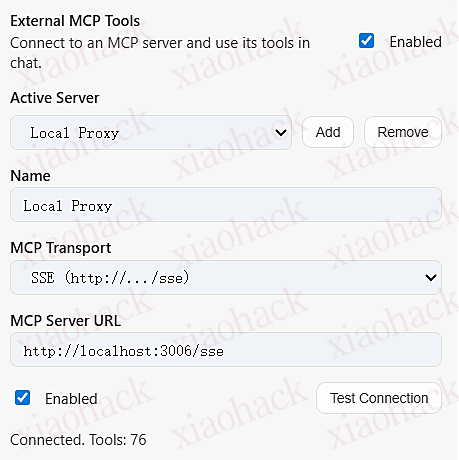
设置面板:
![[Template] Shortcuts.js 为各种网站,添加自定义快捷键 [油猴脚本]1](https://xiaohack.oss-cn-zhangjiakou.aliyuncs.com/typecho/images/2025/12/29/20251229121120_6951ff687ae43.png!mark)
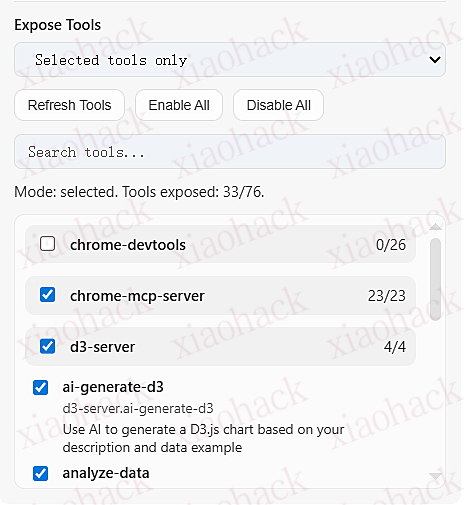
设置面板:
![[Template] Shortcuts.js 为各种网站,添加自定义快捷键 [油猴脚本]2](https://xiaohack.oss-cn-zhangjiakou.aliyuncs.com/typecho/images/2025/12/29/20251229121122_6951ff6a77fbf.png!mark)
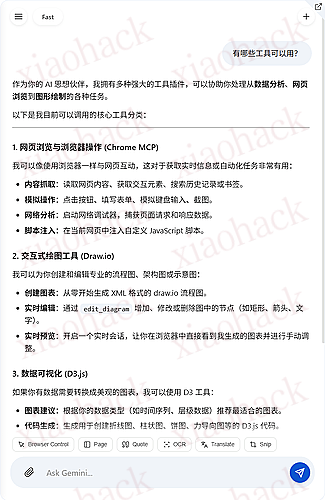
Gemini:
设置面板:
![[Template] Shortcuts.js 为各种网站,添加自定义快捷键 [油猴脚本]3](https://xiaohack.oss-cn-zhangjiakou.aliyuncs.com/typecho/images/2025/12/29/20251229121124_6951ff6c771f4.png!mark)
添加:
![[Template] Shortcuts.js 为各种网站,添加自定义快捷键 [油猴脚本]4](https://xiaohack.oss-cn-zhangjiakou.aliyuncs.com/typecho/images/2025/12/29/20251229121126_6951ff6e7eef8.png!mark)
此内容被密码保护
cursor ultra试用油猴脚本
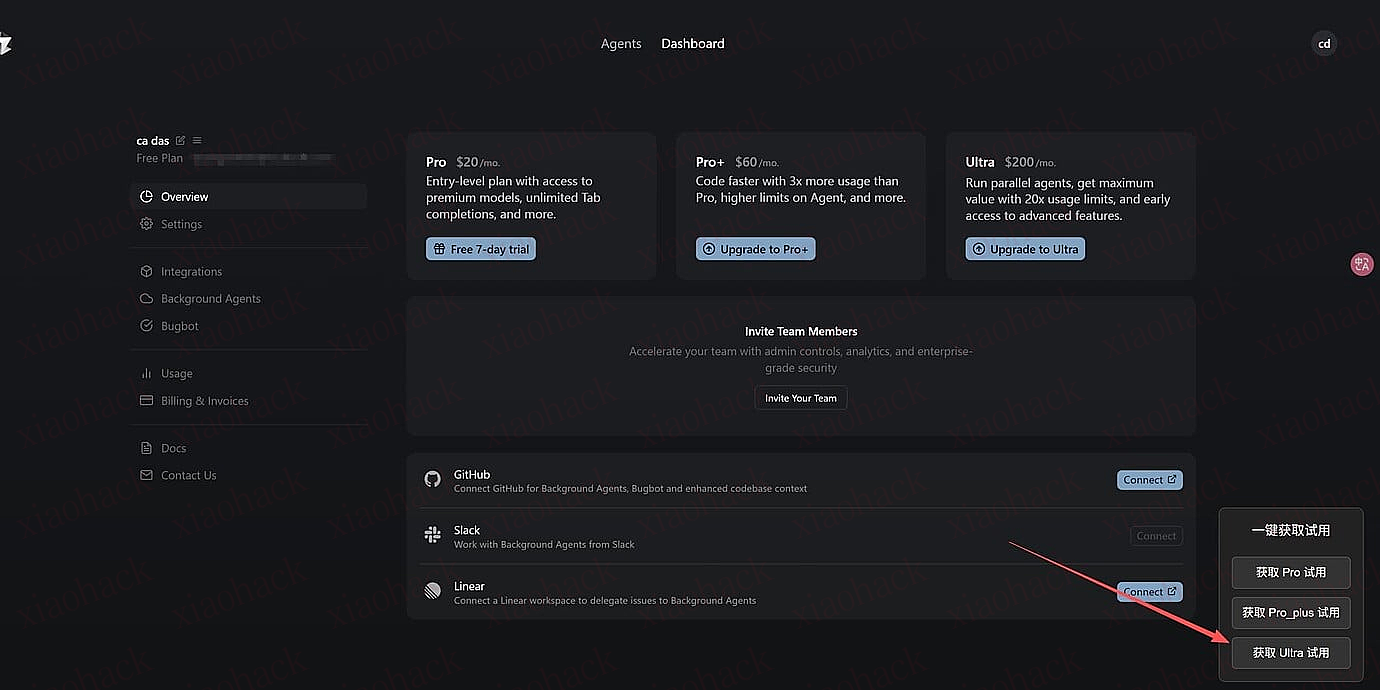
左小角点击按钮,稍等约一分钟,自动打开页面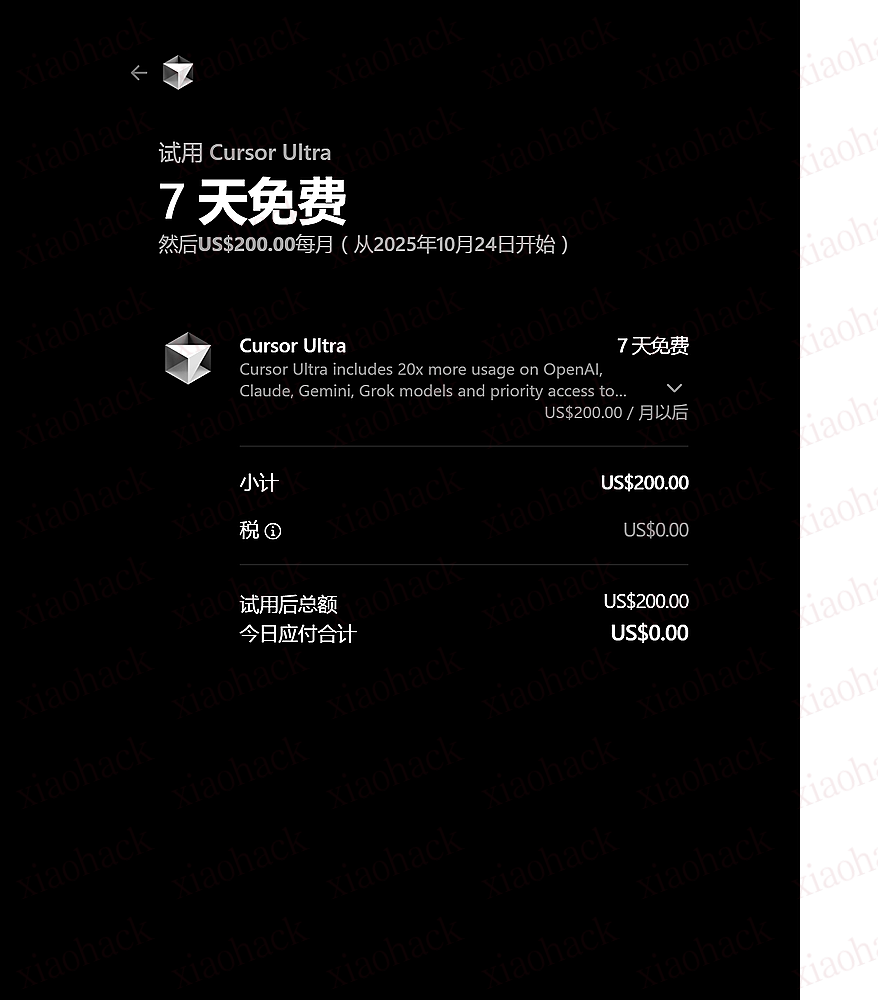
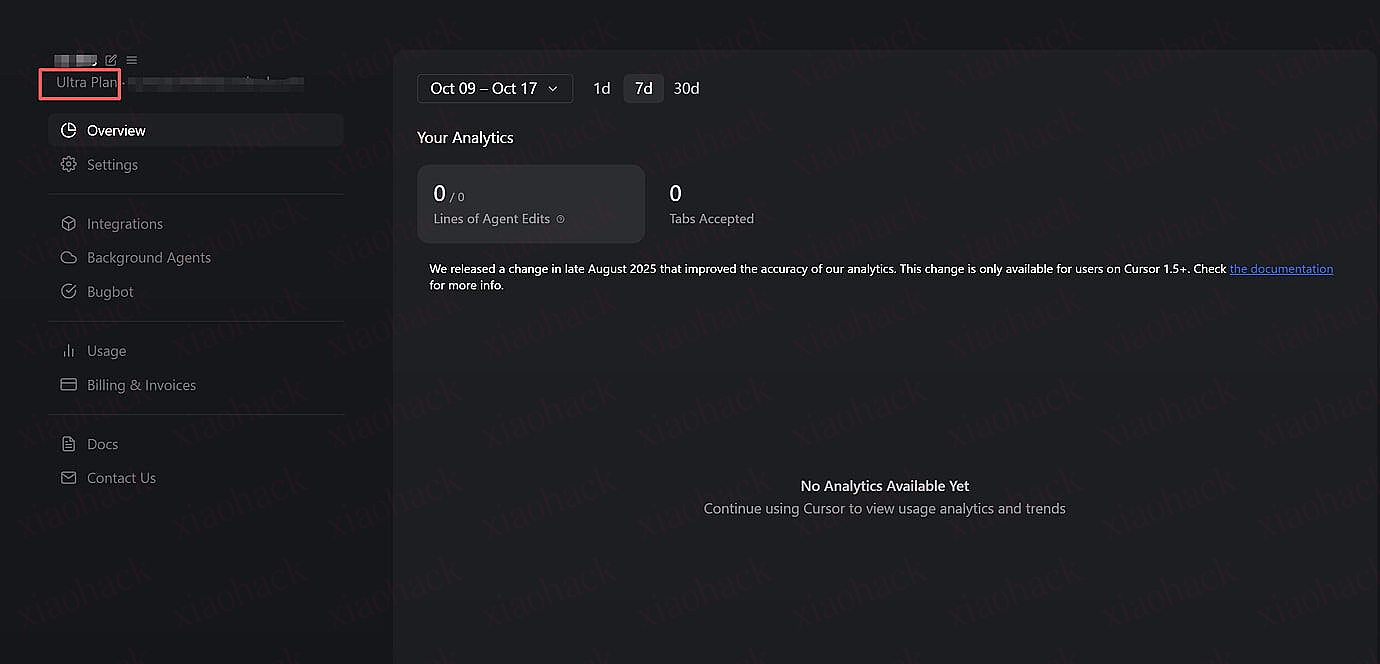
代码如下,油猴直接使用
// ==UserScript==
// @name         Cursor Trial Link Generator (Fixed)
// @name:zh-CN   Cursor 试用链接生成器 (修正版)
// @namespace    http://tampermonkey.net/
// @version      1.1
// @description  Adds a button on the Cursor dashboard (all languages) to generate a trial checkout link.
// @description:zh-CN 在Cursor仪表盘页面(所有语言版本)添加一个按钮,用于一键生成试用订阅链接。
// @author       YourName
// @match        https://cursor.com/dashboard*
// @match        https://cursor.com/*/dashboard*
// @grant        none
// @icon         https://www.google.com/s2/favicons?sz=64&domain=cursor.com
// ==/UserScript==

(function() {
    'use strict';

    // 创建一个函数来发送API请求
    function generateTrialLink(tier) {
        console.log(`[Cursor Script] Requesting trial link for tier: ${tier}`);
        alert(`正在为 ${tier} 套餐生成试用链接...`);

        // 使用绝对路径以确保请求地址正确
        fetch('https://cursor.com/api/checkout', {
            method: 'POST',
            headers: {
                'Content-Type': 'application/json',
                'Accept': 'application/json'
            },
            // 浏览器会自动附加当前域的Cookie,所以不需要手动设置
            body: JSON.stringify({
                allowAutomaticPayment: true,
                allowTrial: true,
                tier: tier
            })
        })
        .then(response => {
            if (!response.ok) {
                // 如果服务器返回错误,则抛出错误以便被catch捕获
                return response.text().then(text => {
                    throw new Error(`服务器错误 (状态码: ${response.status}): ${text}`);
                });
            }
            return response.json();
        })
        .then(data => {
            console.log('[Cursor Script] Success:', data);
            // 检查返回的是否是一个URL
            if (typeof data === 'string' && data.startsWith('http')) {
                alert(`成功获取链接!将为您在新标签页中打开。`);
                // 在新标签页中打开获取到的Stripe链接
                window.open(data, '_blank');
            } else {
                 throw new Error('服务器返回的不是一个有效的URL。');
            }
        })
        .catch((error) => {
            console.error('[Cursor Script] Error:', error);
            alert(`生成链接失败,请按 F12 打开控制台查看错误详情。\n错误: ${error.message}`);
        });
    }

    // 创建UI界面(一个包含三个按钮的面板)
    function createUI() {
        // 防止重复创建
        if (document.getElementById('cursor-trial-panel')) return;

        const panel = document.createElement('div');
        panel.id = 'cursor-trial-panel';
        panel.style.position = 'fixed';
        panel.style.bottom = '20px';
        panel.style.right = '20px';
        panel.style.backgroundColor = '#222';
        panel.style.border = '1px solid #444';
        panel.style.borderRadius = '8px';
        panel.style.padding = '15px';
        panel.style.zIndex = '9999';
        panel.style.display = 'flex';
        panel.style.flexDirection = 'column';
        panel.style.gap = '10px';
        panel.style.fontFamily = 'sans-serif';

        const title = document.createElement('h3');
        title.textContent = '一键获取试用';
        title.style.color = 'white';
        title.style.margin = '0 0 10px 0';
        title.style.textAlign = 'center';
        title.style.fontSize = '16px';
        panel.appendChild(title);

        const tiers = ['pro', 'pro_plus', 'ultra'];
        tiers.forEach(tier => {
            const button = document.createElement('button');
            button.textContent = `获取 ${tier.charAt(0).toUpperCase() + tier.slice(1)} 试用`;
            // 一些简单的样式
            button.style.padding = '8px 12px';
            button.style.cursor = 'pointer';
            button.style.border = '1px solid #555';
            button.style.borderRadius = '5px';
            button.style.backgroundColor = '#333';
            button.style.color = 'white';
            button.style.fontSize = '14px';
            button.onmouseover = () => button.style.backgroundColor = '#444';
            button.onmouseout = () => button.style.backgroundColor = '#333';

            button.onclick = () => generateTrialLink(tier);
            panel.appendChild(button);
        });

        document.body.appendChild(panel);
         console.log('[Cursor Script] UI panel created successfully.');
    }

    // Cursor网站可能是个单页应用(SPA),window.onload可能不够可靠。
    // 我们使用一个定时器来检查页面是否已加载关键内容。
    const interval = setInterval(() => {
        // 通常dashboard页面会有一个特定的元素,这里我们简单检查body是否加载完成
        // 更可靠的方法是检查一个特定的、迟于加载的元素
        if (document.body) {
            clearInterval(interval);
            createUI();
        }
    }, 500);

})();
哔哩哔哩字幕列表浏览器扩展 - 字幕显示,下载,总结,翻译,已开源
简介
哔哩哔哩字幕列表是一个浏览器扩展,旨在提供更高效和可控的视频信息获取方式。
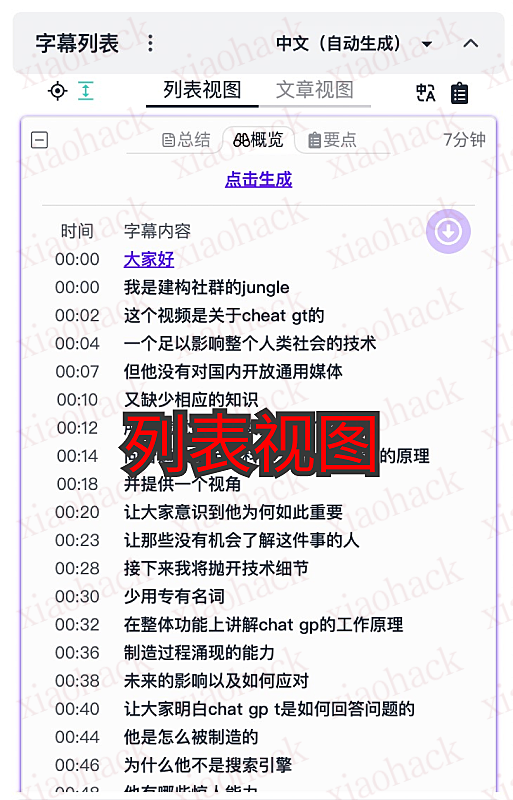
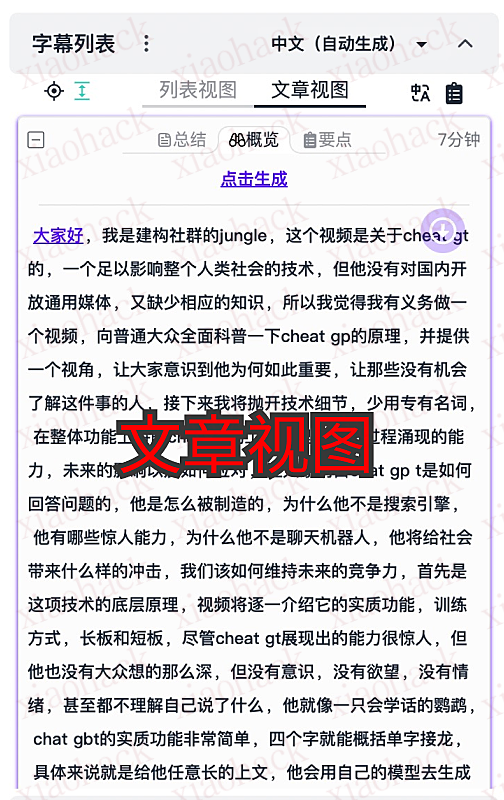
该扩展会显示视频的字幕列表,让用户能够快速浏览字幕内容,并通过点击跳转到相应的视频位置。同时,用户还可以方便地下载字幕文件。
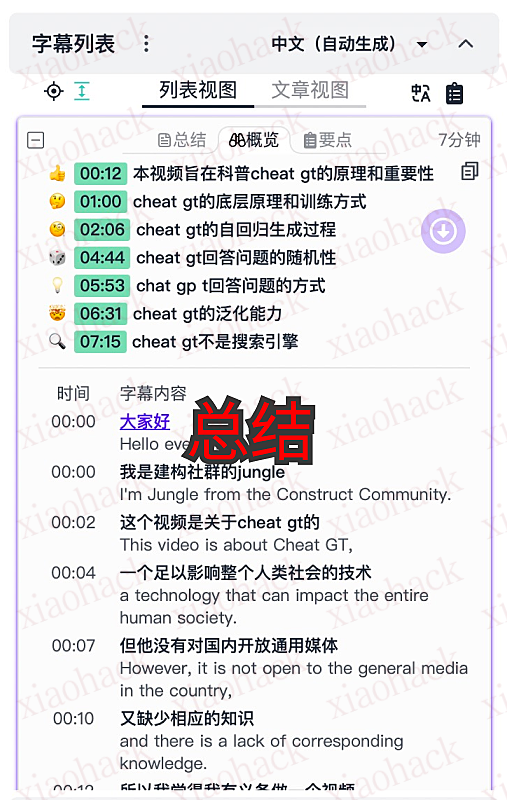
除此之外,该扩展还提供了视频字幕总结功能,帮助用户快速掌握视频的要点。
该扩展主要面向知识学习类的视频,帮助用户更好地理解和总结视频内容。
功能特点
- ? 显示视频的字幕列表
- ? 点击字幕跳转视频对应位置
- ? 多种格式复制与下载字幕
- ? 多种方式总结字幕
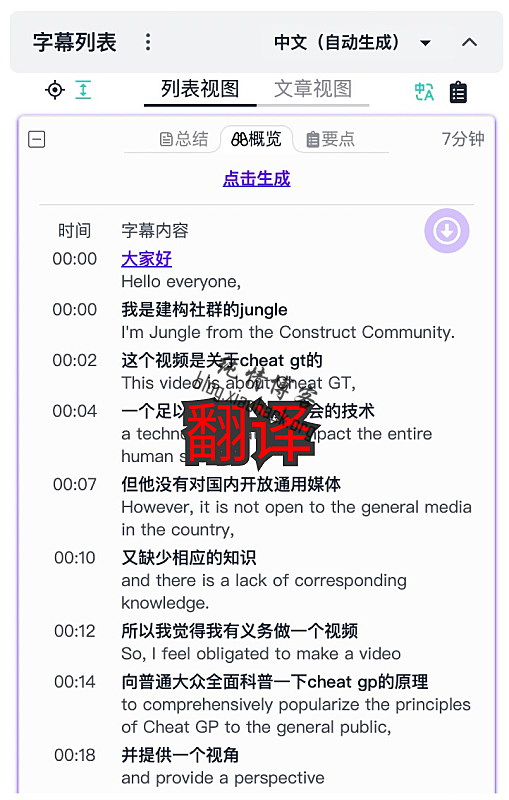
- ? 翻译字幕
? 深色主题
使用说明
安装扩展后,在哔哩哔哩网站观看视频时,视频右侧会显示字幕列表面板。
下载扩展
开源地址
截图